
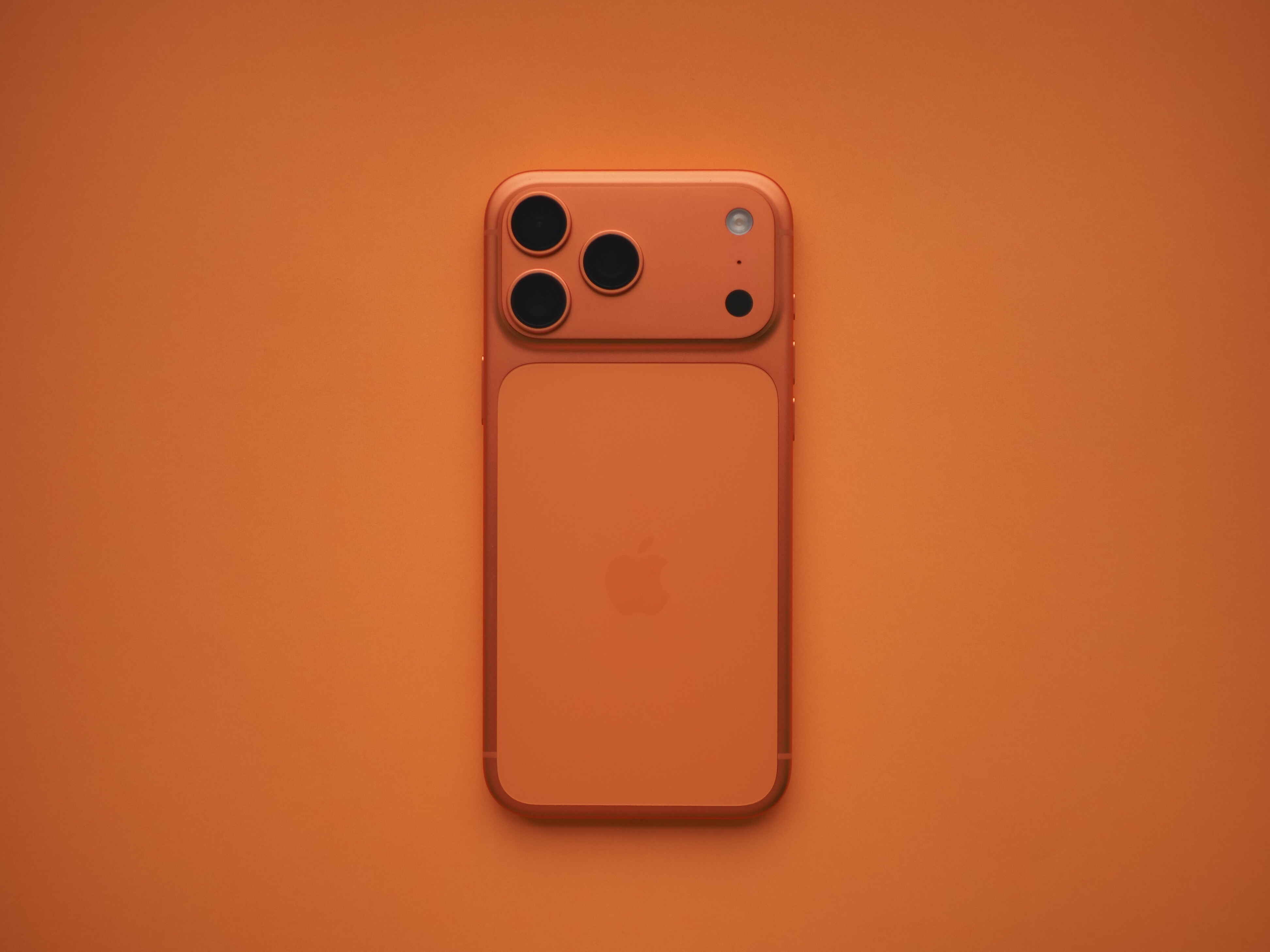

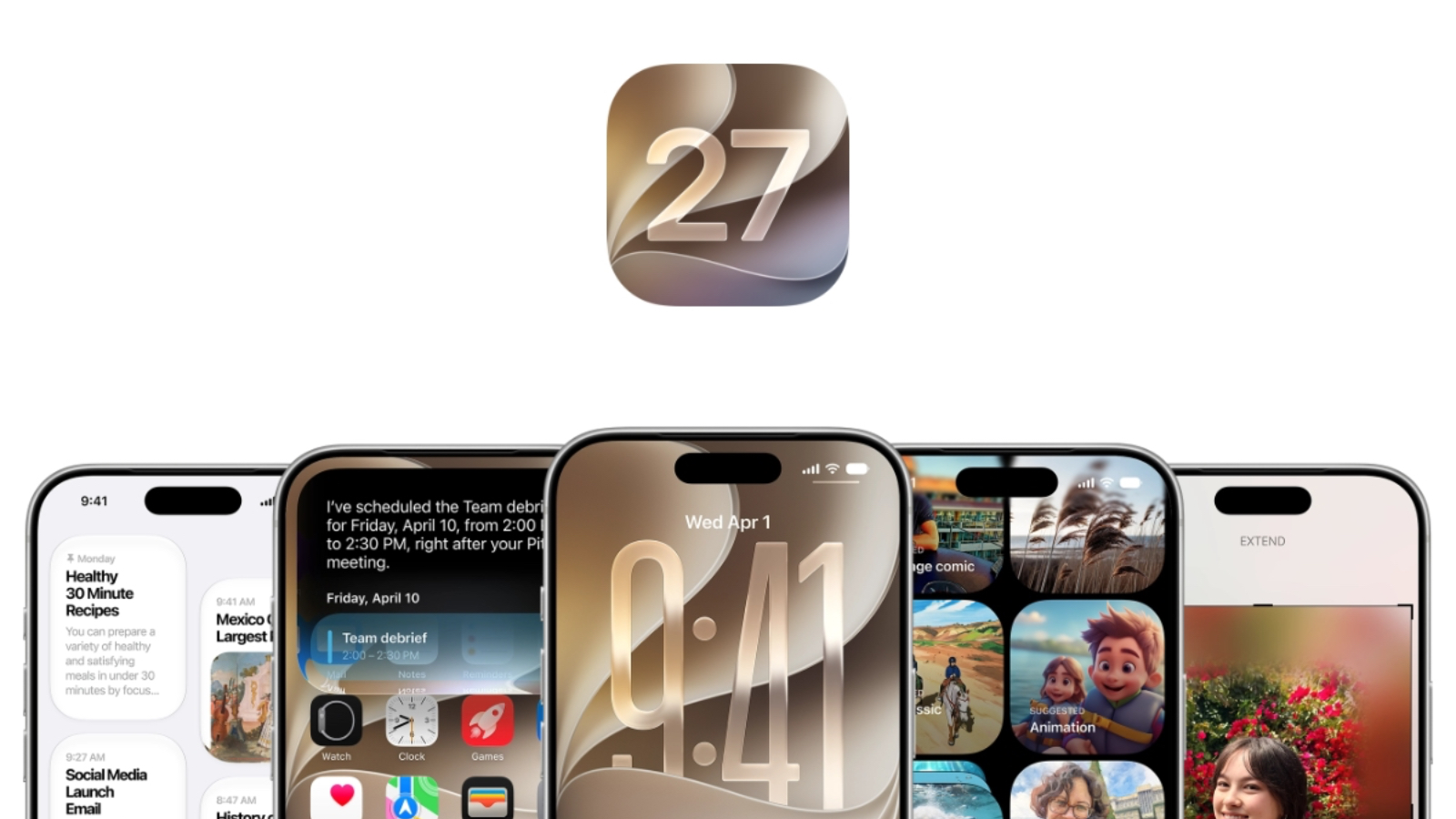


From a refined Liquid Glass design and faster search to smarter Safari features, expanded Shortcuts, and the rollout of Siri AI, here are the iOS 27 updates that matter most, and which devices and regions can use them.
***
Editor’s note: A version of this article by SSPAI Editors appears on September 15, 2026 on SSPAI with the title “具透 | 精心优化,体验感愉悦升华:iOS 27 中值得关注的新特性”. Translated and published by agreement.
Apple officially released iOS 27, iPadOS 27, macOS 27 Golden Gate, watchOS 27, and its other major operating-system updates in the early hours of September 15, China Standard Time. iOS 27 delivers substantial performance improvements, refines the Liquid Glass design language, and adds a range of smaller enhancements to Safari and Shortcuts.
We’ve rounded up the new system’s most notable features and changes. Whether you’ve already upgraded and want to see what’s new or you’re still deciding whether to take the plunge, this guide should help. Before installing the update, remember to back up your iPhone with the Apple Devices app or Finder, or through iCloud.

To find out whether your device can run the new system, visit Apple’s official iOS website. According to Apple, iOS 27 supports the iPhone 11 series, introduced in 2019, and later models.
Design Improvements
Liquid Glass
The Liquid Glass look introduced with iOS 26 proved controversial. Apple kept adjusting and refining it through subsequent point releases, but the results remained a matter of taste.
In iOS 27, Apple has added a system-wide transparency slider under Settings > Appearance > Liquid Glass, letting users decide how pronounced the effect should be. Apple has also made the most transparent setting even clearer, allowing background content to show through buttons, bubbles, and navigation elements more readily.
Apple has also refined system app icons and controls to give them more depth and dimensionality. iOS 27 redesigns icons for apps including Safari, Siri, Settings, Apple Store, Remote, and Preview in different ways. Safari, for example, now uses a brighter blue and a more detailed compass. The Siri icon more closely resembles the glowing orb that appears when Siri is active, while other icons gain additional transparency and visual depth.

On iOS and iPadOS 27, for example, the rim-light effect around app icons, the Dock, and widgets has been removed. It now appears only on the Lock Screen clock.

The progressive blur effects at the top and bottom of the interface are also gone, replaced by a texture closer to the frosted-glass look used in earlier versions.

Some app icons that use the standard design now cast colored shadows as well. And because swiping down from the top now activates Siri AI, the notification animation has changed: notifications now enter from the upper-left corner.

Other UI Refinements
Lock Screen
You can manually hide the Now Playing widget on the Lock Screen by swiping left. It will reappear when you change tracks or resume playback.
The AirPlay menu now uses a graduated blur behind its contents, creating a clearer separation from the background and bringing it closer to the Liquid Glass visual language of iOS 27.

Apple Apps
The payment interfaces in Apple Music, Apple Pay, and the App Store have been restyled. Apple has also previewed an updated album page for Apple Music, although it is not yet available.

When extra shooting features such as Night mode, Macro, or exposure adjustment are active in Camera, the Macro button in the lower-left corner and the hidden-controls menu in the lower-right now gain a more prominent yellow outline. This makes it easier to tell when an additional shooting feature is enabled.

Apple continues to strengthen the iPhone’s video capabilities in iOS 27. After enabling Apple ProRes for video recording in Camera settings, you can choose either Log or Log 2 as the encoding format. The new Log 2 format retains more image data, leaving greater latitude for color grading in post-production. Apple Log 2 is available only on the iPhone 17 Pro lineup.

Camera also gains an entry point for editing its controls. Open the six-dot controls menu in the lower-right corner, then tap “Edit” in the upper-left to enter the customization screen. From there, you can rearrange frequently used shooting controls and put your preferred options within easier reach.

Apple TV App
The Apple TV app now offers an option to download upcoming episodes automatically. You can enable “Automatically Download” in the TV settings. Once it is on, the app downloads the next two available episodes of a show you’re watching and automatically removes each download after you finish it. For anyone who follows shows in the TV app, this makes new episodes available immediately without relying on network speed while also keeping storage use under control.

Managing AirPods
AirPods settings have been redesigned to make them easier to manage. Options are now organized into secondary screens, and each setting has its own icon. AirPods also support custom EQ, letting you tailor their sound to your preferences.

iOS 27 also adds a more intuitive slider for Adaptive mode. You can press and hold the control, then drag it to any point between Transparency and Noise Cancellation. Previously, Adaptive mode felt more like a state that switched automatically. In iOS 27, it becomes a continuous setting that users can adjust directly.

Apple has added the same control to the AirPods panel in Control Center. With Adaptive mode enabled, you can shift the balance toward more ambient sound or stronger noise cancellation without leaving Control Center.
Performance Improvements
Performance and search are two of the major focus areas in iOS 27. Apple says apps can launch up to 30 percent faster, photos can load up to 70 percent faster immediately after they are taken, AirDrop transfers can be up to 80 percent faster, and file transfers to external storage can be up to five times faster. Apple has also optimized the CPU scheduler, significantly improving multitasking on older devices.

Apple has rebuilt the system’s underlying search architecture and moved Spotlight, Mail, and Photos onto the same search engine, promising a more stable and efficient experience. After updating to iOS 27, Settings will notify you while the system rebuilds its index. Search should feel smoother once the process is complete.
Apple has also given users more control over the suggestions shown before a search begins. Earlier versions displayed eight suggested apps by default. In iOS 27, you can choose to show eight apps, four apps, or none at all, and decide whether app shortcuts should appear.

Safari
Safari adds a useful feature called Notify Me. Open any webpage, tap the menu button in the address bar, and choose “Notify Me.” You can then enter the keyword you want Safari to monitor and specify how often and for how long it should check. Safari alerts you when it detects a change on the page. One particularly useful application may be monitoring ticket availability.

With help from Apple Intelligence, Safari can also automatically group tabs into topics based on their content. The first time you use the feature, open “Organise Tabs” in Safari’s upper-left corner and enable “Automatically Create Topics.”

Apple has also used AI to build an extension generator into Safari. It can create a personalized browser extension from a built-in template or a natural-language description. The feature is unavailable in mainland China, presumably because it relies on capabilities from the new Siri; we’ll return to that later.

Shortcuts
Shortcuts receives a substantial upgrade in iOS 27. First, it now supports “Otherwise” logic, making complex scenarios easier to handle without repeatedly nesting “If” blocks.

The “Get What’s On Screen” action has been updated. It can now filter what it captures by the type of media onscreen, whether an item is visible, and whether the results should include only the current app, enabling more advanced automated data input.

Shortcuts also gains “Persistent Data,” which can write data fields to iCloud and read them across platforms. This finally allows a single shortcut to work seamlessly across multiple devices.

Finally, the Automation section adds three new kinds of trigger: taking a screenshot, connecting a keyboard, and receiving a notification. These make Shortcuts automations easier to activate in more situations.

Other Apps and Settings
- Ringtones, alarms, and alerts now have independent volume settings, while the volume of notification sounds played through AirPods can be adjusted separately.

- The built-in keyboard now supports spelling-based input, with improvements to both its dictionary and dictation.
- When the contents of the clipboard change, the built-in keyboard proactively surfaces them in the candidate bar.

- Notes can now copy rich text as Markdown or paste Markdown as rich text.
- Wallet can create custom passes.
- Wallet adds a dedicated tool for creating your own passes, which Apple is making available in more countries and regions.
- Maps features upgraded Flyover visuals.
- Health adds perimenopause tracking and other features.
- Photos adds two useful categories: Identity Documents and Captured by Me.

- Apple has introduced a default zoom option for images with certain dimensions, such as those whose aspect ratio is close to an iPhone display. When you open one of these images in full-screen view, the system crops and enlarges it slightly to remove the surrounding blank space and fill the display. If you do not like this behavior, turn off “Zoom to Fill Screen” under Settings > Photos > Viewing Options.

- When viewing a video in Photos, you can now export an individual frame as an image.

- Find My offers more flexible controls over how long your location is shared.

- A new Recovery Mode can restore iOS without the help of another device.
- Ask to Browse and Ask to Buy are enabled by default for accounts belonging to children under 13.
- Wi-Fi Assist has been renamed Connectivity Assist, with smoother switching between Wi-Fi and cellular data. If you do not want the system to switch automatically to cellular on a particular Wi-Fi network, you can enable or disable Connectivity Assist for that network individually.

- iPhones sold in mainland China gain holiday-aware alarms, which can adjust automatically for weekends and statutory holidays.

- iOS 27 introduces larger widgets capable of displaying more information.

- The PlayStation Access controller now supports macOS, iPadOS, and iOS, and custom input profiles can be created and saved in Game Controller settings.
- Cross-platform RCS conversations gain quoted replies in Messages, making it easy to see or jump back to the referenced message.
- Images and emoji reactions in RCS messages now display correctly on Android phones.

- iCloud Shared Albums support full-resolution sharing. Android and Windows users can also participate and upload photos through iCloud.com.
- Screen Time offers more granular controls for children. Time can be allocated by categories such as entertainment, games, and social media, while Schedules determines which apps are available on particular dates and at particular times. Parents can also choose which system apps a child may use during initial device setup and approve new websites through Ask to Browse. Communication Safety expands its detection to graphic or violent content in shared images and videos.
- GymKit comes to iPhone, where it can connect to compatible fitness equipment and display live workout data. It can also record heart rate when paired with AirPods Pro 3.
- VoiceOver provides richer image descriptions and can combine live recognition with action buttons to answer questions about the user’s surroundings. Magnifier adds conversational assistance for people with low vision. Voice Control lets users describe onscreen buttons in their own words, while Accessibility Reader improves its handling, summarization, and translation of complex content.
AI
iOS 27 brings major upgrades to Apple Intelligence and Siri, although access still depends on the device, language, and region. To give readers a clearer picture of the AI capabilities in iOS 27, we’ve briefly summarized the key changes.
Apple Intelligence
A more accurate AI-powered transliteration feature is now integrated into the system keyboard. Apple uses an on-device model to perform the transliteration, with support for mixed-language input and offline recognition, so users no longer need to switch keyboards. The system keyboard also uses AI to improve the accuracy of automatic corrections to spelling, punctuation, and capitalization.
Calendar and Reminders accept natural-language input, with AI identifying the request and automatically creating the corresponding event or task.

Visual Intelligence can help split a bill and send payment requests to friends through Apple Cash, as well as recognize nutritional information about food.
Apple has also previewed a Passwords feature that can update weak or compromised passwords on the user’s behalf, although it will arrive in a later software update.
Messages can generate suggested replies with AI. Tap a suggestion above the keyboard to insert it into the text field.

Shortcuts can use AI to create a new shortcut: simply describe what you need or the result you want. You can also choose to open the traditional action editor directly instead of starting with the default natural-language creation flow.

When you call certain businesses, Call Context searches your apps for relevant information, such as a flight confirmation code.
Photos
With the help of AI, Photos not only improves the Clean Up feature introduced in iOS 26 but also gains more editing tools, including Extend and Spatial Reframing.
Unlike third-party apps, Apple’s Spatial Reframing tool does not separate vertical, horizontal, and rotation adjustments into individual controls. Instead, it uses Apple’s spatial imaging technology to simulate a different camera perspective, then applies AI to generate the reframed image.

Extend lets you change an image’s size and aspect ratio, then uses AI to fill the newly created space. In our testing, the results were striking, with rich detail and natural transitions.

Clean Up was already available in iOS 26, but it struggled with more complicated scenes. The feature is noticeably stronger in iOS 27 and can deliver quite good results even on complex edits.

Clean Up now offers two processing modes: Quick for small blemishes and High Quality for more complex edits.

Image Playground
The new version of Image Playground supports more styles, including photorealistic images, and lets you keep modifying an image with either a text description or touch input. Apple labels some generative features as subject to usage limits, which may mean that additional usage will eventually be available for a fee.
Siri AI
Siri AI will roll out gradually in English. It supports the iPhone 15 Pro, iPhone 15 Pro Max, and all iPhone 16 and later models. The on-device voice model required to customize pace and expressivity has narrower hardware support: it is currently available only on the iPhone Air, the iPhone 17 Pro lineup, and later supported models.
First, the new Siri gains system-level awareness of personal context and onscreen content, allowing it to interact with what is currently displayed on the phone. If you have used Gemini on a Pixel phone, the idea should feel familiar; Siri now has a similar capability.

Second, the new Siri has a dedicated app where users can hold conversations.

You can also converse with Siri through Spotlight, which can now be opened by swiping down from the top of the screen.

Whenever the system keyboard appears in an app, a new “Write with Siri” button is shown in the prediction bar. After you type anything, an “Ask Siri” button appears at the far left of that bar. Both lead to the new Siri writing tools.
You can draft, rewrite, or adjust text directly through Siri in the Dynamic Island. The new writing tools function more like a system-wide, natural-language feature than the fixed options in the previous version, allowing Siri to extend gradually into every corner of the operating system.

Siri can now adjust Pace and Expressivity, changing both its speaking speed and the emotion in its delivery. On iPhone, the feature is currently limited to high-memory devices that support the new Siri AI, including the iPhone Air, iPhone 17 Pro, and iPhone 17 Pro Max.
The Siri voice-settings screen is now consistent across iPhone models. Every device shows the same overall interface, whether or not it supports customized Siri voices. Unsupported devices show only an accent setting and a smaller selection of voices; supported devices add more voice choices along with Pace and Expressivity controls.

Siri settings also gain an option controlling the number of preview lines, ranging from none to as many as five. Accessibility settings add “Always Show Request,” which keeps a transcription of what the user said to Siri visible onscreen.

Home
The Home app now presents a What’s New screen the first time it opens. Highlights include Apple Intelligence support for home notifications and video summaries, energy-use information from certain smart thermostats and smart plugs, and a more flexible accessory-setup process. Home can also manage software updates for Apple TV and HomePod directly, including viewing release notes, managing beta updates, and starting an update.

When Apple Intelligence is enabled in Home, HomeKit Secure Video can use on-device models and Private Cloud Compute to generate descriptions of recordings and make them searchable. Note that video descriptions and search in Apple Intelligence for Home require an iCloud+ plan with at least 2 TB of storage.
The Home app can combine notifications from related accessories into a single activity and update it as events unfold. Video descriptions and clip search help users find relevant moments in recordings quickly.
In iOS 27, compatible HomeKit Secure Video cameras finally support streaming and recording in 4K.
Wallet
Wallet adds an Insights entry, perhaps in preparation for connecting bank and credit-card accounts. Once connected, it could allow users to view account balances, statements, and transaction categories directly in Wallet. The entry is not fully functional in every region and may be available only in certain countries, such as the United Kingdom.

Photos
Visual Intelligence adds a “Highlight to Image Search” setting. When users search for similar images, the system sends the selected image to a third-party service to obtain results.

Following Apple and Google’s partnership on large language models, some requests are now processed locally by Apple Foundation Models rather than being sent to ChatGPT by default. At present, simple Siri requests are handled on-device, while more complex ones run on a customized Gemini model within Apple’s Private Cloud Compute infrastructure.
Conclusion
It is clear that Apple has put considerable effort into refining the details of iOS 27. The updated design, improved system performance, and even the AI features that many of us cannot yet use all reflect that attention.
Beyond the new interface, iOS 27 adds plenty of practical features in smaller corners of the system. Have you found any easy-to-miss additions that we have not covered? Share them with us in the comments.
Share: