

A compact Android phone rethinks foldable design by turning the cover-screen experience into the device’s defining feature.
***
Translator’s note: A version of this article by 路中南 appears on August 3, 2026 on SSPAI with the title “把折叠屏外屏做成手机后:iKKO MindOne Pro 体验”. Translated and published by agreement.
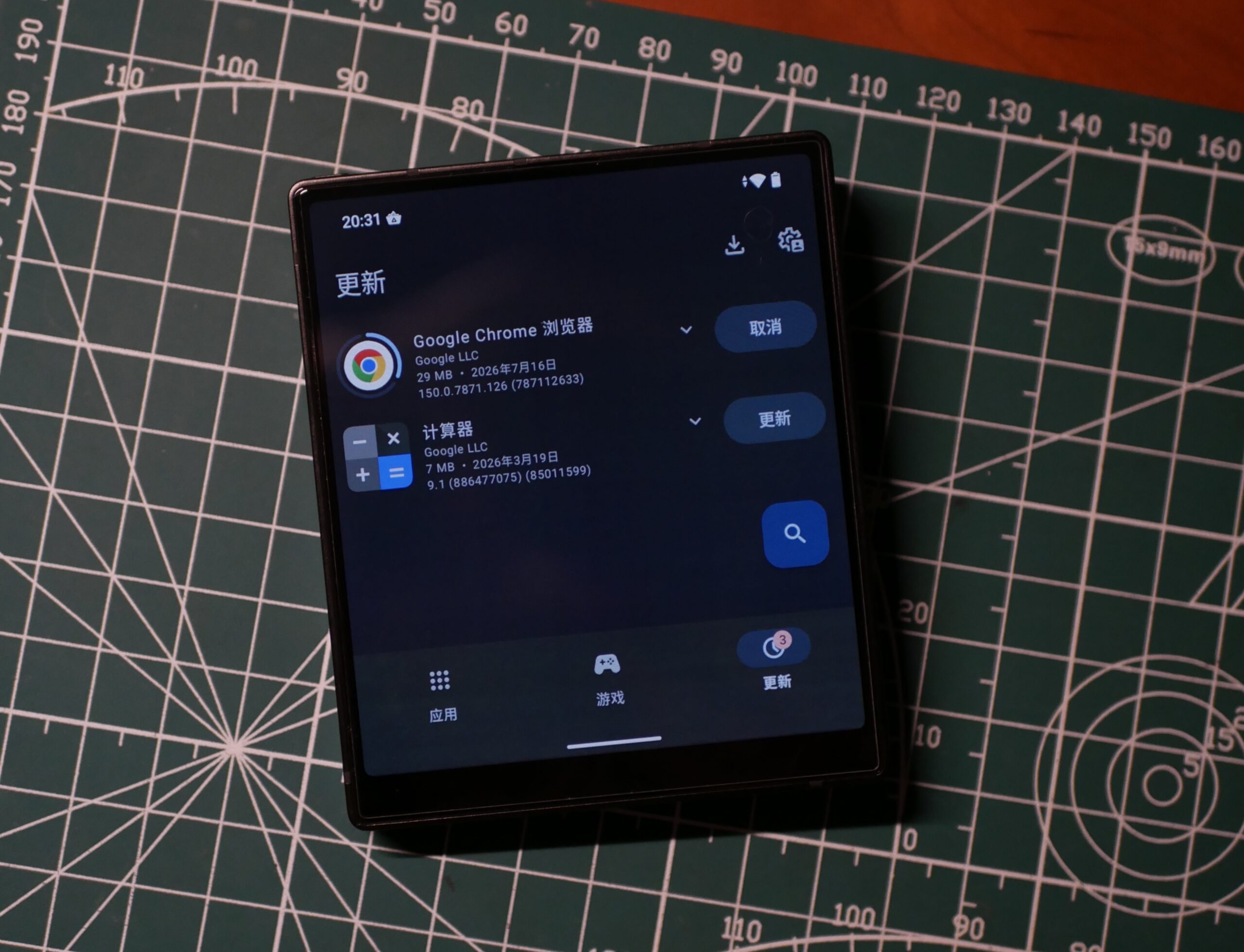
In a smartphone market where everything is increasingly starting to look the same—and where manufacturers seem stuck recycling off-the-shelf designs and incremental tweaks—an oddly shaped device can still turn a tech enthusiast’s head. A while ago, while browsing iKKO’s website, I came across a phone called the MindOne Pro. Its almost-square proportions immediately stood out. It looked as if someone had removed the cover screen from a small clamshell foldable and turned it into a standalone candy-bar phone.
I have long joked with friends that if a manufacturer ever turned a foldable’s cover screen into a tiny conventional phone, it would make an excellent digital-wellbeing device. That curiosity led me to buy the China-market version of the MindOne Pro. After spending some time actually using it, however, the phone poured cold water on the idea. If I had to sum up the experience in one sentence, it would be this: the performance falls a little short, the hardware is polished and solid, and the software experience is a complete mess.
Adorable Proportions, Cramped Experience
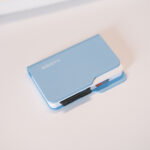
Let’s start with one of the phone’s few genuine strengths. The iKKO MindOne Pro is impressively well made. The seams are tight, the materials feel carefully finished, and the device has a sense of quality that sets it apart from a cheap backup phone. Its nearly square proportions also make it look exceptionally cute and compact. When I hold it in one hand, my thumb can almost reach both the top of the display and the opposite edge. It feels strangely like holding a very well-made smart-home control panel.

But the same extreme proportions that make the phone feel novel also cause plenty of trouble in everyday use. Text input—a frequent part of anyone’s day—is my biggest frustration. Even though iKKO has compressed the system navigation bar as much as possible and slightly reduced the height of the bundled Gboard keyboard, bringing up the keyboard leaves room for little more than the text box and a single line of conversation. If the group chat also has a pinned notice, you really are left to “focus on typing” and nothing else.

Content consumption fares no better. Most social-media feeds are not optimized for an aspect ratio this extreme, so images are forcibly enlarged and posts that once fit on a single screen now take several swipes to get through. In a sense, this inherent physical limitation makes the MindOne Pro an excellent digital-wellbeing phone after all: scrolling through a feed is so awkward that it feels like trying to take in a sweeping landscape through a tiny window. You quickly lose any desire to keep playing with it and obediently put it down.
A Frankenstein OS
If the limitations of the hardware’s unusual form can still be explained away as individuality or niche appeal, the MindOne Pro’s software is nothing short of a disaster.
Perhaps because the phone is primarily aimed at overseas markets, the China-market software appears caught between local compliance requirements and the product’s development schedule. Google services are not included, which makes many overseas apps troublesome to install and use. The preinstalled app store is Tencent MyApp. As an aside, iKKO apparently forgot to prevent users from uninstalling it: removing MyApp outright triggers a soft reboot of the system.

Most of the first-party apps look like stock AOSP apps with a coordinated set of four-color icons pasted on top. Most importantly, neither the Phone nor Messages app has been properly adapted to this display ratio. The Settings app also contains a baffling background-activity management feature called “Kuaiba.” The bundled browser is Via with full-screen mode enabled, which is a fairly sensible choice, while the preinstalled keyboard is Gboard, a welcome option for Shuangpin (double-pinyin input) users.
All these darkly comic shortcomings gave me a new appreciation for just how cobbled together this China-market build really is.

Dig deeper and you will find more relics of the past. Although the phone carries the December 2025 security update, its Android 15 build still dates back to September 2024. WebView, a system component central to everyday app use, is stuck on Chromium 124, a release from the first half of 2024. Possibly because of the chipset platform, both the vendor partition and the kernel remain frozen at Android 12. This is the sort of setup you often see when an old Android 12 platform is later upgraded to Android 15 and then topped off with a newer security patch.
AI OS—or Educational-Tablet Mode?
These days, it seems a phone can hardly show its face on the market without some kind of AI. The MindOne Pro has a dedicated physical button on its upper-left edge which, according to iKKO, provides one-touch access to AI features. Both those features and the dedicated AI operating system are tightly bound to iKKO’s own account system.
It sounds like an ambitious attempt to integrate hardware and software. After several days of being met by “connection error” messages whenever I tried to sign in, I finally gained access to my iKKO account and got to try its AI “operating system.” Unfortunately, to be blunt, AI OS is essentially a replacement launcher that puts the phone into something resembling an “ultra power-saving mode.” It is not a second operating system that “Runs alongside Android,” as the website claims. It behaves more like a launcher mode within Android—and it does not even disable the gesture for opening the recent-apps screen.

More bafflingly, its various AI chat, learning, notes, podcast, and translation apps can only be used inside this mode; they are nowhere to be found in the regular Android interface. The separation feels entirely unnecessary. Nor can you add any third-party apps of your own to AI OS. There are only eight built-in apps to place in the launcher, yet it gives me ten empty slots to fill. Strange.
The most intriguing feature in AI OS is naturally “AI Chat.” Its menu claims to offer three models—“ChatGPT-5,” “Chat GPT-4,” and “DeepSeek-V3.” That sounds promising, but the actual experience is decidedly shaky. The biggest problem is that the models seem unwilling to search the web. Ask for tomorrow’s weather in Shanghai and the chatbot tells you to look it up in a weather app yourself. It can only answer questions about information from before June 2024. (If you look up the knowledge cutoffs of GPT models, the models clustered around that date happen to include GPT-4.1/mini/nano and the nano/mini variants of GPT-5.) By comparison, the lack of streaming responses is a minor issue.

At least you do not have to pay for your own tokens to chat with these models. But then again, who needs unlimited access to outdated models? Perhaps AI OS was conceived as educational-tablet software from the beginning. Viewed from that angle, its apps are actually fairly competent. The sole purpose of AI Learning is to photograph homework problems, and it lets you specify subjects beyond English and Chinese. AI Notes is essentially a voice recorder with transcription, while AI Translation responds quickly enough to be useful for speaking practice.

The original idea may have been to use the premium commanded by an AI device as a way to bundle and resell tokens. But models are evolving too quickly, and agents are now having their moment. A free chatbot with an old knowledge cutoff and no web access is a difficult reason to buy the phone today.
Back to the 765G Era: Performance and Counterintuitive Design
It is about time to discuss the core specifications and basic experience. The phone’s weak chipset performance comes as no surprise: it is just about adequate for running a handful of lightweight communication apps. The G99’s two midrange Cortex-A76 cores take me all the way back to the bygone era of the Pixel 5. Part of the rationale is surely battery life in such a small body. And in the AI era, the argument presumably goes, models run in the cloud anyway; the phone itself only needs to remain basically responsive.
Speaking of responsiveness, the MindOne Pro unexpectedly supports a high refresh rate. In my testing, however, it did not run at the 90 Hz advertised on the official website. The panel actually supports only two refresh rates, 96 Hz and 48 Hz, dropping to 48 Hz when Battery Saver is enabled. I also could not find any way to enable the DC dimming promised on the website.

There are also some serious, counterintuitive flaws in the finer details. Take the ambient-light sensor, which sits on the phone’s top edge. If your primary light source is overhead—a desk lamp while you read, for example, or a monitor light bar—the sensor faces directly into it. As a result, the display remains far too bright in a dim room at night, to the point where I have to turn the brightness down manually.
Battery Anxiety and a Camera with a Color Cast
Battery life offers no pleasant surprises either. With a SIM inserted, whether I use the MindOne Pro as my primary phone or leave it idling as a backup, it drains at an astonishing rate. Even with almost no use, the battery is basically dead within a day—and this is a 4G-only device. Its idle power drain is severe. Only after removing the physical SIM, disabling every built-in eSIM, and leaving it on Wi-Fi can it scrape through a few days on standby.

The charging experience is contradictory as well. Fast charging is disabled by default, yet the phone still becomes noticeably hot while charging slowly. Its small body seems especially prone to trapping heat. The only consolation is that its battery capacity is itself fairly low, so a full charge does not take all that long.

Finally, the camera. On paper, the iKKO MindOne Pro’s camera hardware sounds respectable enough, but its real-world image quality is dreadful. Without effective ISP tuning or computational photography, photos from the IMX766 often look washed out and have extremely limited dynamic range. It certainly does not justify fitting a dedicated shutter button. Worse still, indoor shots consistently give people a green cast. Since I am under no obligation to publish selfies in which I look like the Hulk, here are some cat photos instead.

The rotating camera can be raised slightly when shooting from a low angle so that you can still see the display. When the phone is sitting on a desk, it can also double as a kickstand, propping up the screen at a slight angle for viewing. Most of the time, though, I would rather rotate the camera the full 180 degrees so the phone can “lie flat” on the table.
Looking Good—is That Enough?
Overall, the China-market iKKO MindOne Pro feels like a product split in two. On the outside, it has an exquisitely finished shell and bold, sexy proportions. Inside, its software, performance, and fundamentals are a shambles.
If all you want is an unusually shaped desk ornament to hold and play with—or if you truly need a digital-wellbeing phone whose sheer awkwardness will force you to break your scrolling habit—the excellent build quality may offer some consolation. But if you want a daily driver and are simply curious about a smaller form factor, clamshell foldables have already fallen to very attractive prices. With a government consumer subsidy, RMB 3,000–4,000 can now buy a model with a flagship or upper-midrange chipset, high-refresh-rate displays inside and out, wireless charging, a large battery, and more.
After all, we do not buy a phone merely to own a beautifully made shell. Attractive looks are nice, but the soul of the device—the thing that stays with us every day—is software that works properly and can be counted on.
Share: