


Living with the Pixel 10 Pro reveals a phone whose imperfections, camera character, and thoughtful details become more compelling over time.
***
Editor’s note: This is an English translation of the Chinese-language article “我与 Pixel 10 Pro 的生活:写在 Pixel 11 系列手机发布前夕” by VHENSS, originally published on SSPAI on August 10, 2026.
To love them: should you embrace their flaws and rough edges, or celebrate everything that makes them shine?
Does loving them mean staying faithfully by their side, no matter how the world changes?
Is it climbing to the highest peak together, or huddling close for warmth at rock bottom?
What does love actually feel like?
Is it grand declarations, or just a few quiet words?
Love can be a perfect match, a one-sided affair, or something you barely make work.
Sometimes it is the best answer you reach after trying. Sometimes it is the only answer because you never tried at all.
Love has never had a clear definition. It is more like a test of your own state of mind.
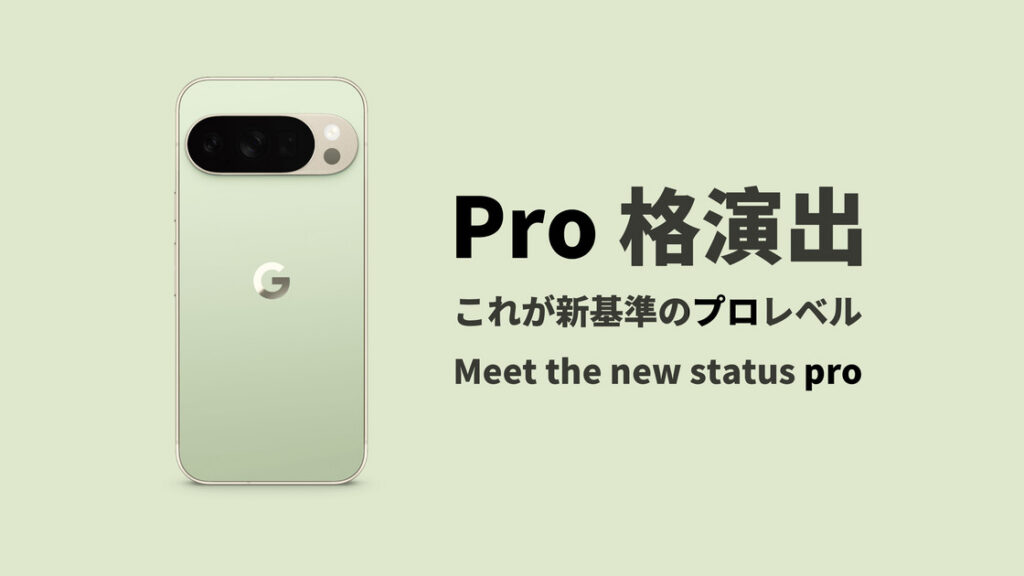
In August 2025, the annual Made by Google event arrived right on schedule. Continuing the aggressive move it had made the year before, Google shifted the event from late fall to the height of summer—a timetable that will probably become the norm.
Perhaps the idea was to unveil its new flagships before its rival could, sparing Google at least some embarrassment. After all, that rival’s products can easily steal Google’s spotlight, both in their overall capabilities and in the number of markets where they are sold, even though each company has its own special tricks for holding a place in the premium segment.
Or perhaps Google simply wanted to ship the software features it had just shown at Google I/O while the buzz was still alive, keeping prospective buyers interested.
Either way, it gave enthusiasts a little extra spice in the summer heat—although Google’s phones seemed to run even hotter than their owners’ excitement.
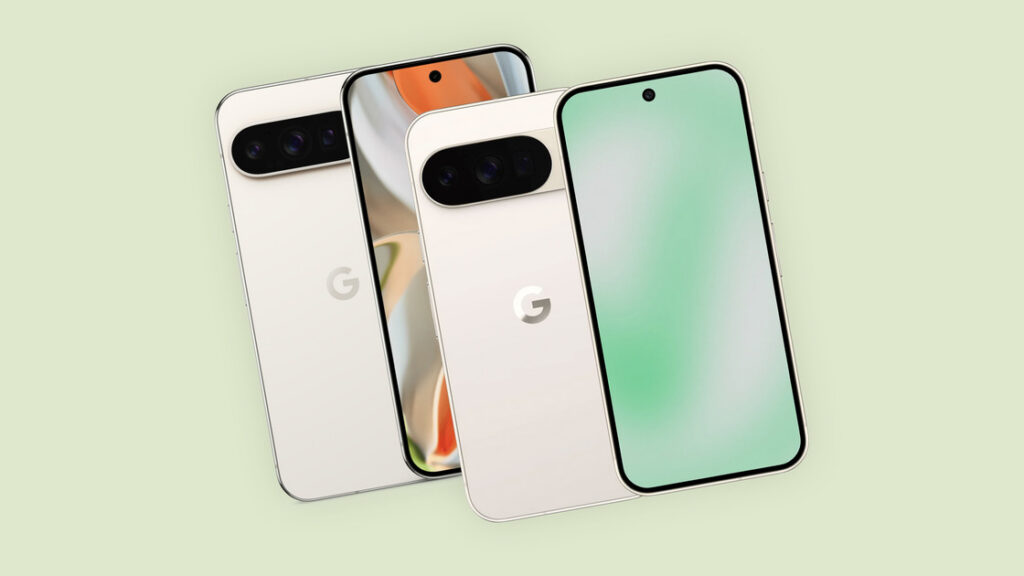
At first glance, this generation brought no major upgrade in either design or specifications. Many people even called it the most bare-minimum Pixel update yet, and it was not hard to see why. From the outside, the Pixel 10 series looked much like the Pixel 9 lineup with new colors and a slightly larger rear camera module. Inside were the usual annual processor update, a similar display, a similarly sized battery, and cameras with similar specifications. The base Pixel 10 gained a telephoto camera, but its main and ultrawide cameras were actually downgraded from the previous model. The US version also followed the iPhone in dropping the physical SIM tray.
Everything felt much the same. The most visible upgrade on the product page was a magnetic accessory ecosystem of the kind Apple had been building since 2020, now given a new name by Google: Pixelsnap. AI received far more attention than the hardware.
Rewind to the days when Pixel phones still used Qualcomm chips. Google’s design language was all about contrasting materials and colors: the glass-and-metal construction of the original Pixel and Pixel 2, the mix of glossy and matte glass on the Pixel 3, the eye-catching contrast-color power buttons from the Pixel 2 through 5, and the black frames used across every color of the Pixel 4. Almost no generation looked too much like the one before it.
Those were also some of the fastest-moving years in smartphone development. Apart from keeping the IMX362 main camera for nearly four years, Google found a different trick to show off almost every year. Pixel Visual Core, Active Edge, and Motion Sense were all classic examples. Google never led the spec race, but at least it never bored its customers.
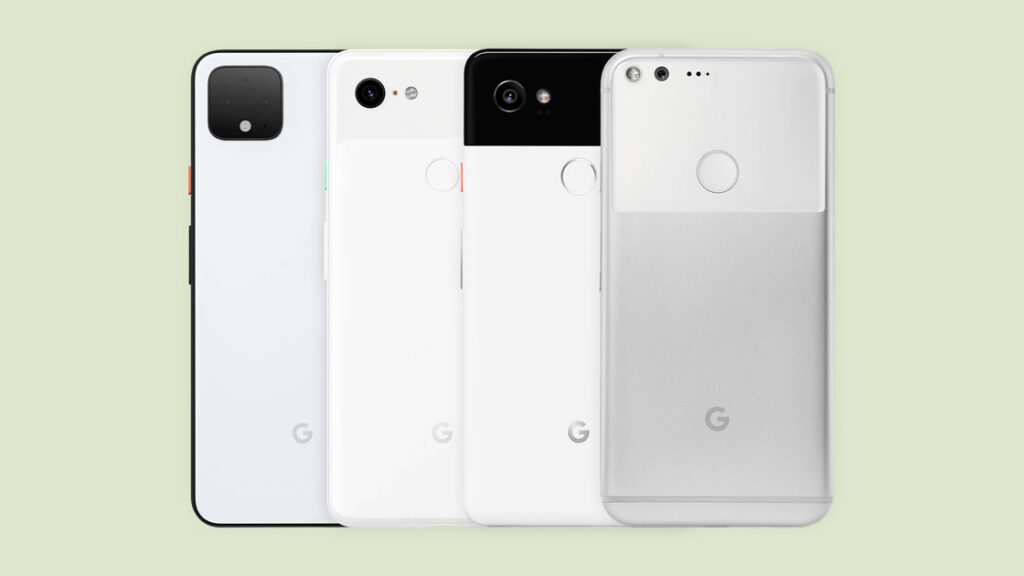
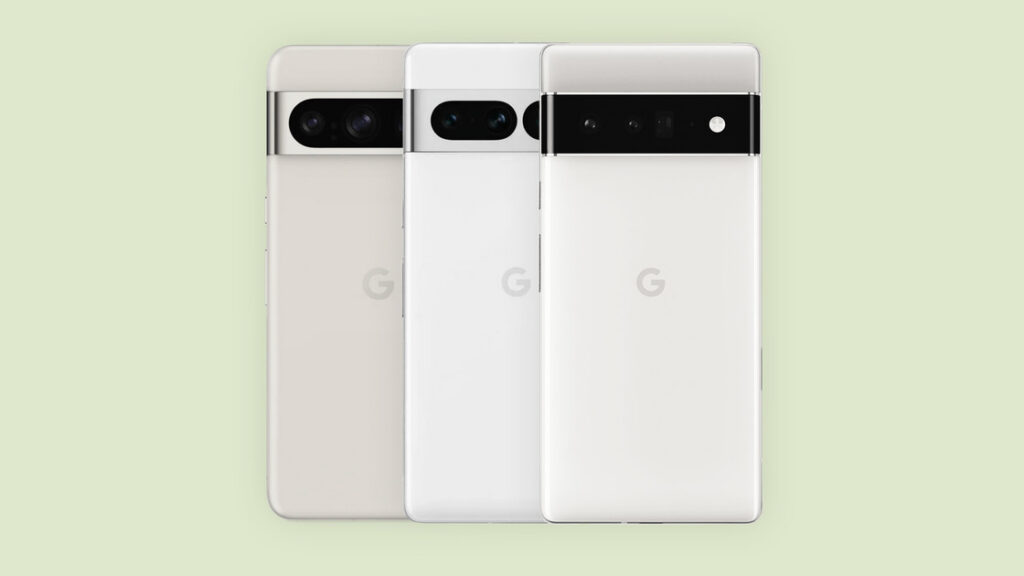
The later Pixel 6, 7, and 8 series brought very few obvious hardware upgrades, but each generation at least put a slightly different spin on the visor-style camera bar. The Pixel 7a even did something unprecedented for Google’s entry-level line by adding a high-refresh-rate display.
Seen in that light, perhaps we should simply be grateful that the Pixel 10 series did not actually move backward. But does this kind of steady, small-step iteration still count as drip-feeding upgrades? What changes were hiding beyond the specifications on the product page—changes you could only appreciate by holding and using the phone? There was only one way to find out.
I never imagined I would buy a Google Pixel while it was still the latest model. This year, however, a large batch of imported units seems to have hit the resale market earlier than usual. I also have the US model’s missing SIM tray to thank: eSIM support among mainland Chinese carriers is not yet fully established, so secondhand prices collapsed. That gave me the chance to try the latest generation on the cheap.
So I bought a Pixel 10 Pro. I connected it to my old Pixel 7 Pro with a cable, and in the time it took to eat a meal, nearly all my data had moved to the new phone. Third-party apps unavailable from the Google Play Store—and their data—were the main things left behind.
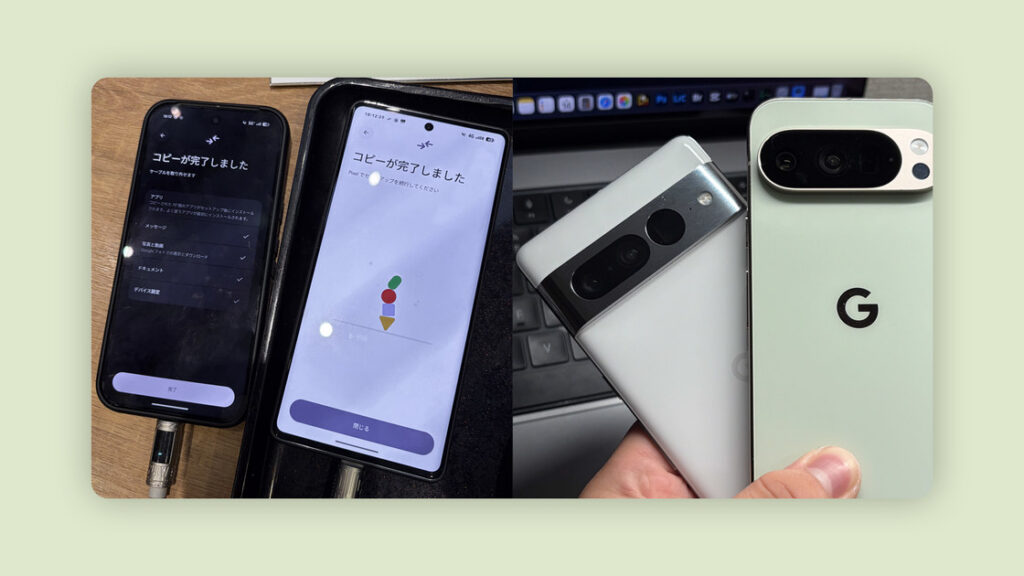
To borrow a line from one of my favorite tech creators:
“And now, my life with the Pixel 10 Pro… officially begins.”
There was no ceremonial swapping of SIM cards between the old and new phones, though. I had already installed the eSIM through my carrier’s app.
My phone was originally sold in the United States as a Verizon contract device, so where I live it counts as an overseas model and lacks some localized features. It was already carrier-unlocked when I bought it secondhand. I have been using it abroad ever since, with a Rakuten Mobile eSIM installed.
My current setup is a Pixel 10 Pro, a Pixel Watch 2, and Pixel Buds Pro 2. ~I suppose that makes me an Android person now~ (laughs).
A new day begins. It is the weekend, so there is no alarm, and I sleep until I wake naturally.
The first thing I do is not put on my glasses, but grope around for my phone and check my messages out of habit. With a 6.3-inch display and a body only 72 mm wide, it genuinely feels compact beside my iPhone Air and iPhone 15 Pro Max. I can hold it one-handed fairly comfortably even while lying in bed.
But this not-so-large phone weighs a full 207 g, making it quite the pocket rocket. It is still easy to lose my grip and drop it on my face. This thing has hit me at least twice already.
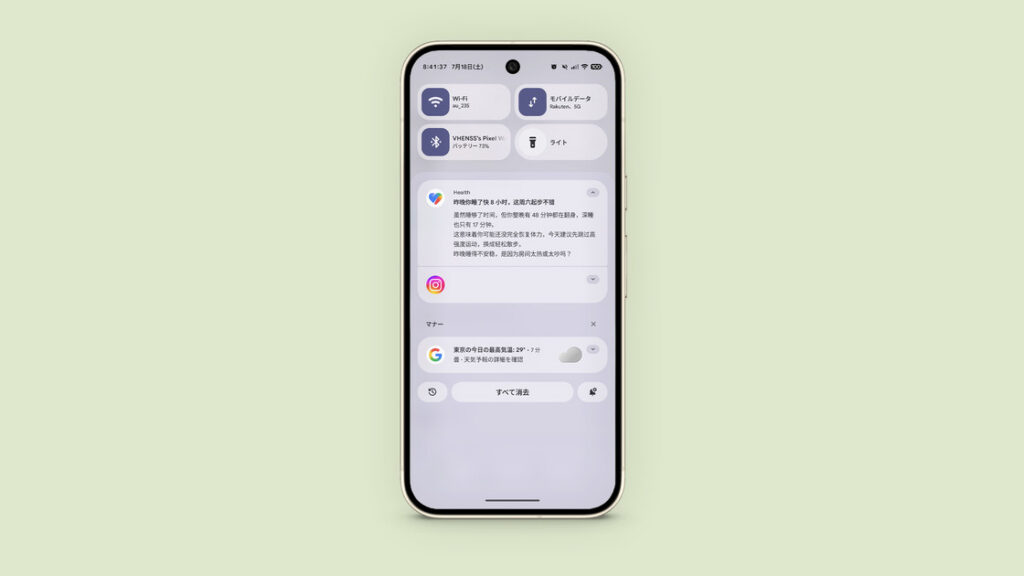
A notification arrives—not from another person, but a summary of my sleep from Gemini and Google Health. The underlying measurements are much the same as what other brands collect, but Gemini summarizes them well. It calls out details I would normally overlook and even offers a little emotional reassurance, although I am not really the type who enjoys an AI fussing over me with too much enthusiasm.
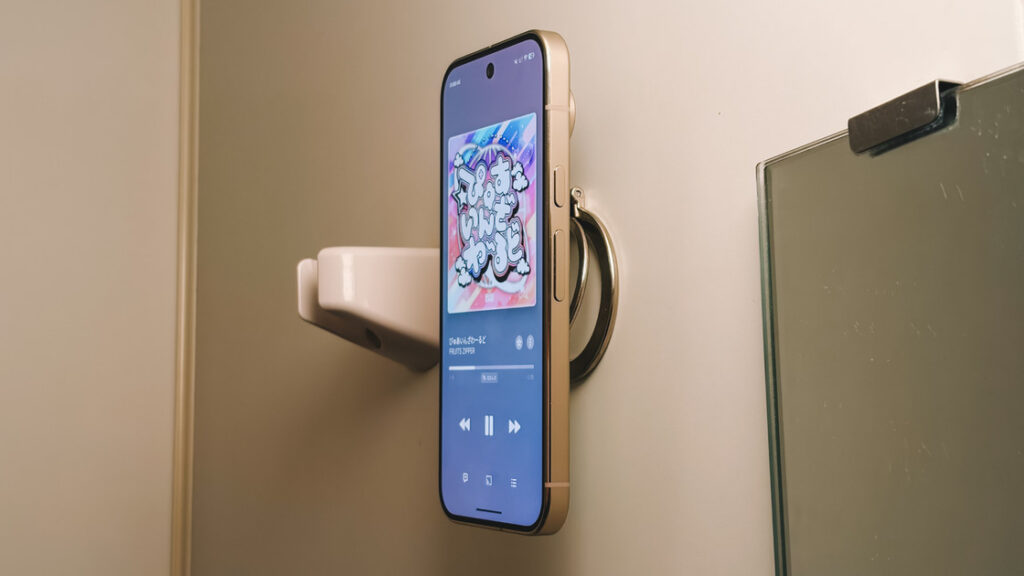
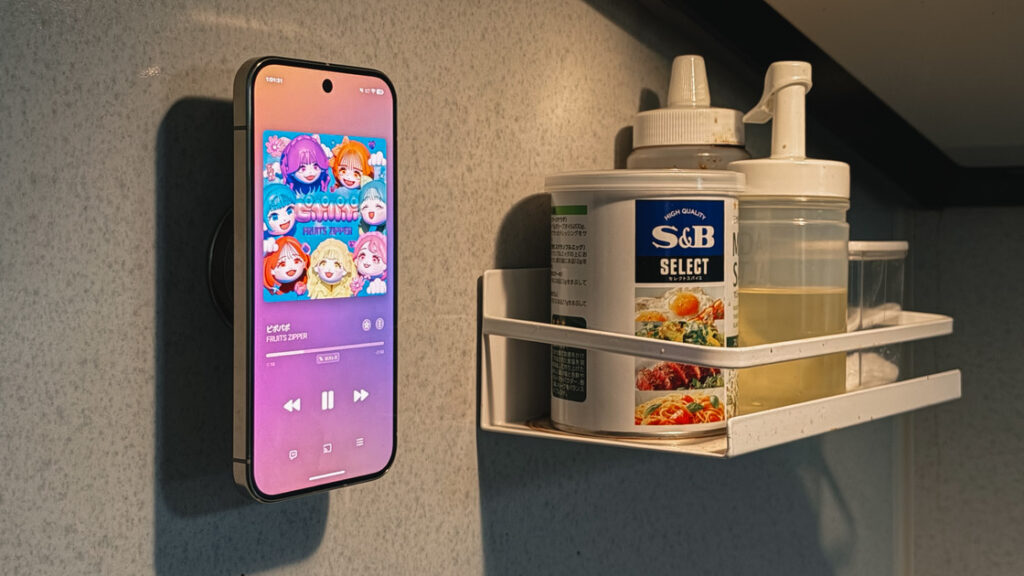
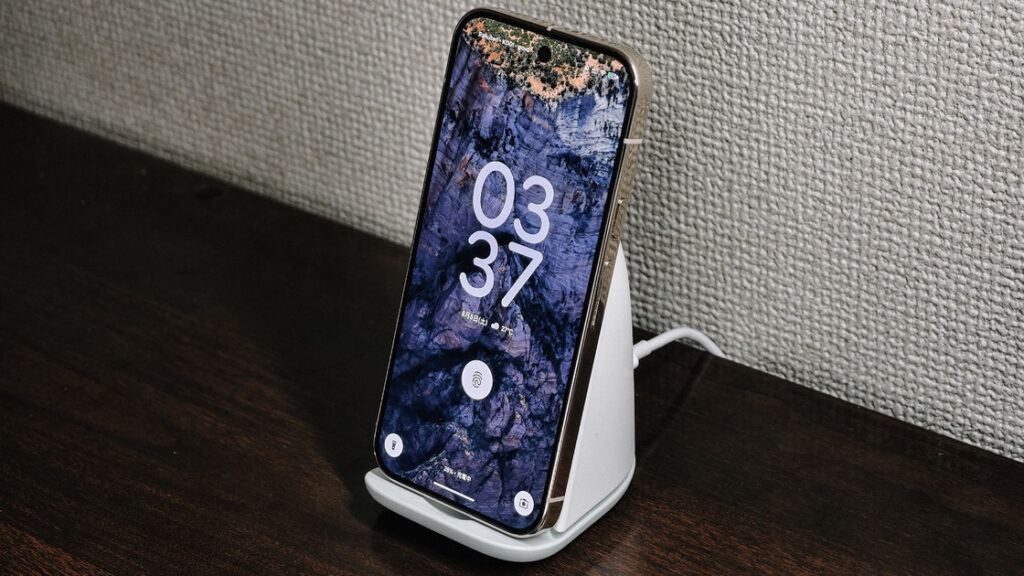
Thanks to the built-in magnetic system added this generation, I can finally stick an Android phone onto the magnetic stand I originally bought for my iPhone and play music while washing up. The stand is attached beside the sink, so I only have to snap the phone into place. I keep another identical stand in the kitchen and often mount the phone there while cooking.
The speakers maintain the high standard Pixel phones are known for. Even this smaller Pro can go toe to toe with an iPhone Pro Max. It may be a little quieter, but to my ears it sounds better; the iPhone has always seemed slightly thin by comparison.
The phone speakers that left the deepest impression on me were the Pixel 3’s symmetrical front-facing pair and the sheer wallop of the Pixel 6 Pro. Perhaps I simply had not used anything better at the time, but those two phones remain rose-tinted first loves in my memory. I have since owned phones with equally capable speakers—the Xiaomi Mi 10, Find X6 Pro, and Xiaomi 14 Ultra among them—but none recreated the amazement I felt with those two Pixels.
Wash, dress, and head out. Because I transferred everything directly from the old phone, the Bluetooth pairing list came along too, and my Pixel Buds Pro 2 connected without a hitch. They are from the same generation as the AirPods Pro 2 (USB-C), which means an update is probably due soon. Even as someone who uses both the AirPods Pro 2 and 3, I do not think the Pixel Buds feel outclassed today.
In the elevator, I want to switch the earbuds to noise cancellation, but I am carrying the trash and have no free hand. I am used to asking Siri to change modes, yet Gemini cannot do it. Apart from Gemini’s bouts of stupidity, this is probably my biggest complaint about it: the links between Google’s own hardware and software are still too weak. I hope that one day I will be able to ask Gemini to switch the earbuds between Transparency and Noise Cancellation.
Noise cancellation falls somewhere between Apple’s last two generations, though the Buds retain a faint version of their perennial background hiss. Hopefully the next model fixes that. Transparency sounds slightly weaker than on the AirPods Pro 2. The crucial advantage is comfort: once I found the right angle and ear-tip size, they felt far less intrusive than Apple’s earbuds, with very little pressure when noise cancellation was enabled.
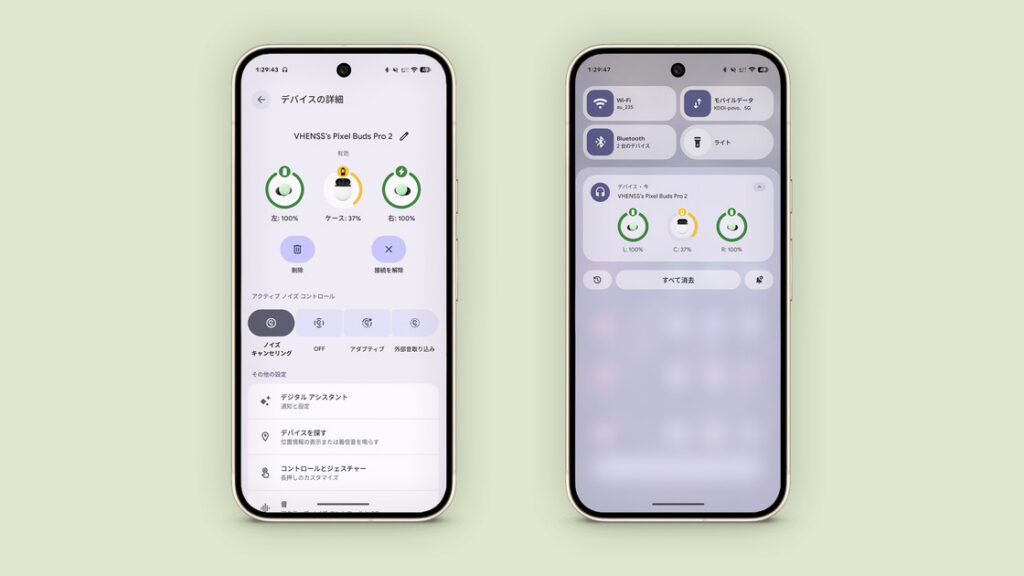
Their current secondhand price is close to that of the AirPods Pro 2, making them a genuinely good option for Android users. The catch is that, like Apple’s earbuds, they support no codec beyond AAC. Anyone with exacting requirements for latency or sound quality should think carefully.
One quick aside: the charging case shell is rather brittle. Mine has already cracked after a fall.
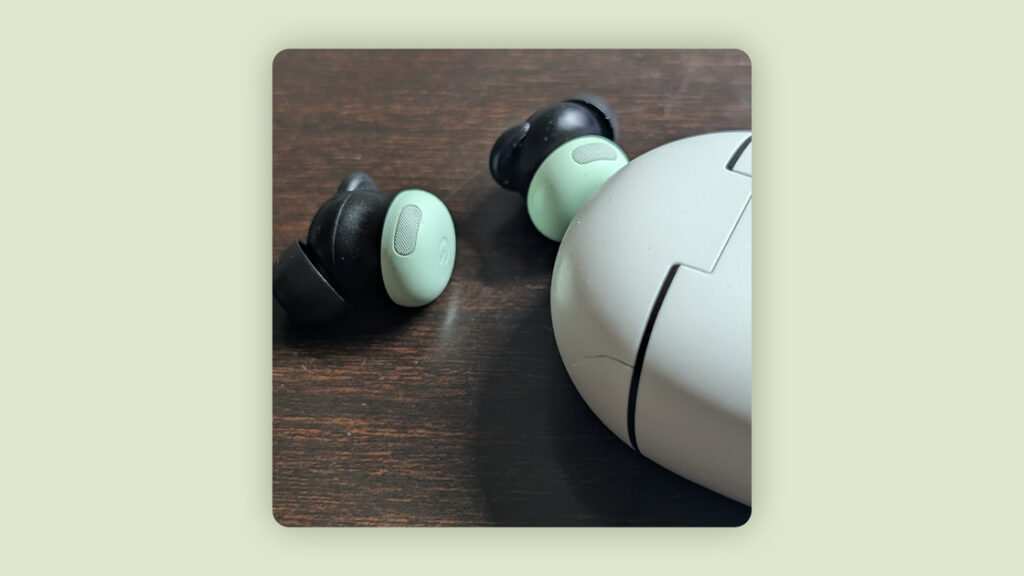
It is a sunny day, though I am listening to neither the song It Is a Sunny Day (《是一个晴天》) nor Sunny Day (《晴天》).
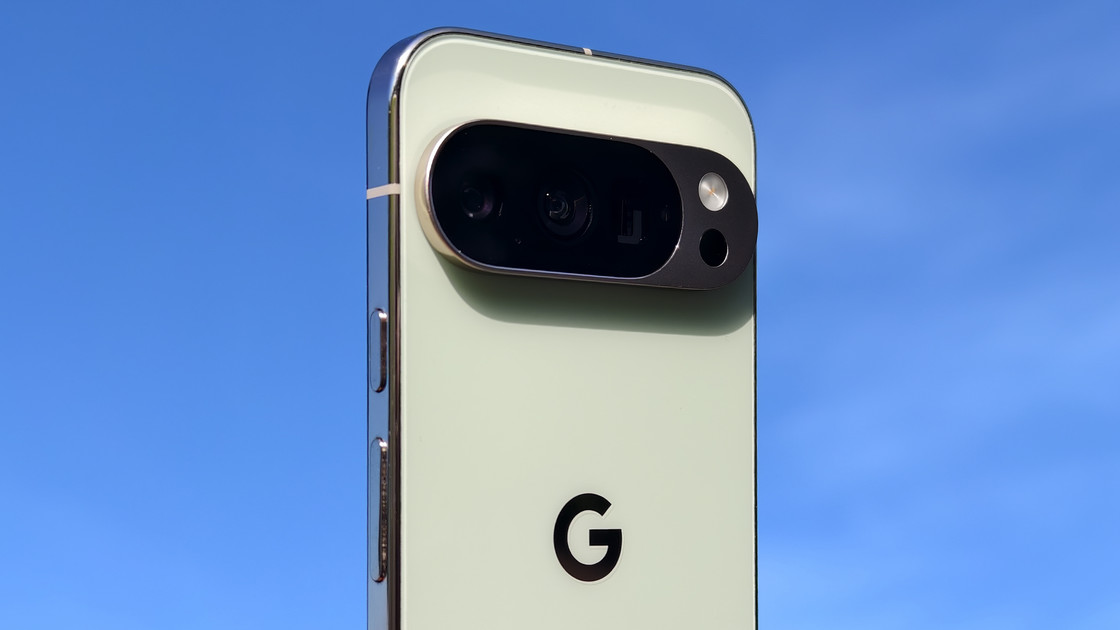
I like admiring phones beneath bright sunlight and a blue sky. Only in that much light, I think, can you fully appreciate the aesthetics of industrial design. Otherwise manufacturers would not work so hard on elaborate textures that reveal themselves only under direct light—although the resolutely minimalist Google has never indulged in tricks like that.
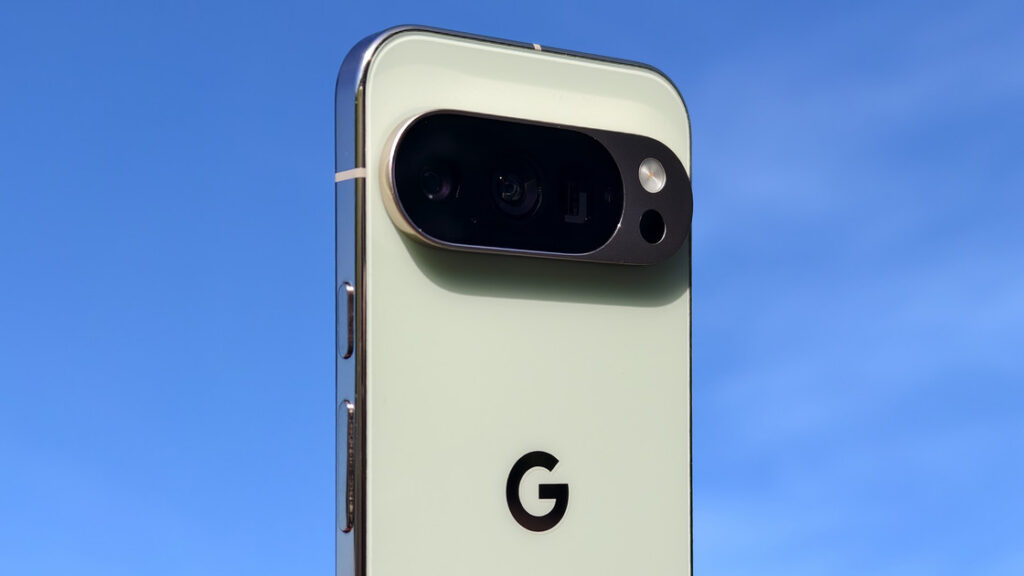
The Pixel 6 series was a turning point. It was the first to use a Tensor chip and the first to introduce a Pro model. Previous generations had offered XL phones, but the differences between an XL and the base model had never been especially large. The Pixel 6 also established the overall design language that would carry through several generations: the camera module changed from a square, mahjong-tile-like block to a visor-style bar.
The Pixel 7 series made small revisions, drawing a clearer boundary between the camera lenses and their surrounding frame. To be honest, I did not like that generation’s design.
The Pixel 8 series increased the body’s corner radius, moved the Pro to a flat display, and stopped separating the telephoto camera from the other two lenses within the rear camera bar. A smaller design language that would last for at least three generations was now taking shape.
The Pixel 9 series became more angular still, with a completely flat display and back panel joined by a squared-off frame. Even contemporary iPhones were more rounded. This was where the design settled into the form it would retain, with no major changes through the Pixel 11. It remains my favorite Pixel design since the Pixel 6 Pro.
The Pixel 10 series looks as though it came from exactly the same mold as its predecessor, save for slight adjustments to the size of the camera module and the thickness of its frame. Personally, I would rather see no change than change for its own sake. Wouldn’t you agree, a certain fruit company?
I chose Jade. The color is understated and elegant, with a touch of breezy freshness. The back is washed in a pale yellow-green, like a cup of mint-green milk tea in midsummer or fresh matcha capped with a fine layer of foam. It seems almost capable of cooling the heat around it. The glossy logo takes on the same pale champagne-gold hue as the camera surround and frame under direct light. It reminds me of Song-dynasty pale celadon with a gold rim—or perhaps the Jade finish really was inspired by fine pieces of ancient jade.
It is a little disappointing that this generation has no pink option. As someone who loves pink, I would probably have chosen it first. I have previously used a Meizu 20 in Love Pink and a pink iPhone 15 as my main phone. With no vivid pink available, I settled for the more graceful, gentle Jade.
My initial favorite in the Pixel 10 Pro lineup was actually the quiet, restrained Moonstone, which was also the hero color for this generation. But this was a secondhand purchase. The flattering version is that I was happy to accept whatever came my way; the less flattering version is that I bought whatever was available. Besides, my favorite celebrity happened to be promoting the Jade Pixel 10 Pro.
Matte glass paired with a glossy frame has always been one of my favorite combinations and, to my eyes, one of the most premium-looking. The glass takes on some of metal’s cool severity, while the metal borrows the glass’s warmth, creating a striking contrast. Beauty comes at a price, of course: a polished frame inevitably shows more grime and wear. For this kind of finish, I am willing to trade away some durability.
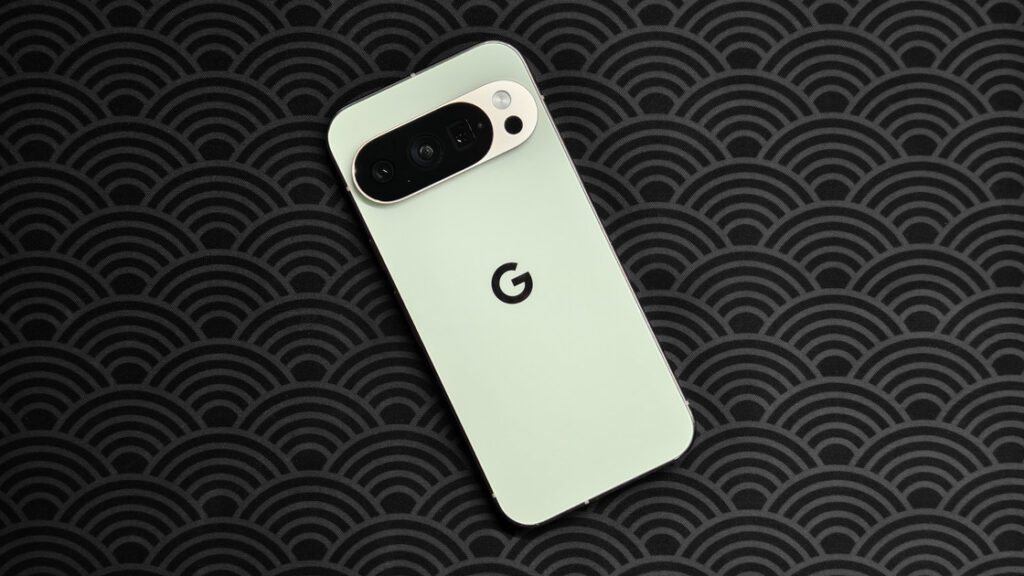
There was a time when “matte glass plus a glossy frame” was my definition of premium, and the iPhone Pro was the embodiment of that combination. Then Apple embraced brushed titanium and aluminum. The polished frame disappeared from the Pro line, making only a brief return in polished titanium on the iPhone Air. In that sense, today’s Pixel feels more like an iPhone than the iPhone itself. The contrast became even stronger after the iPhone 17 Pro adopted its unibody aluminum back.
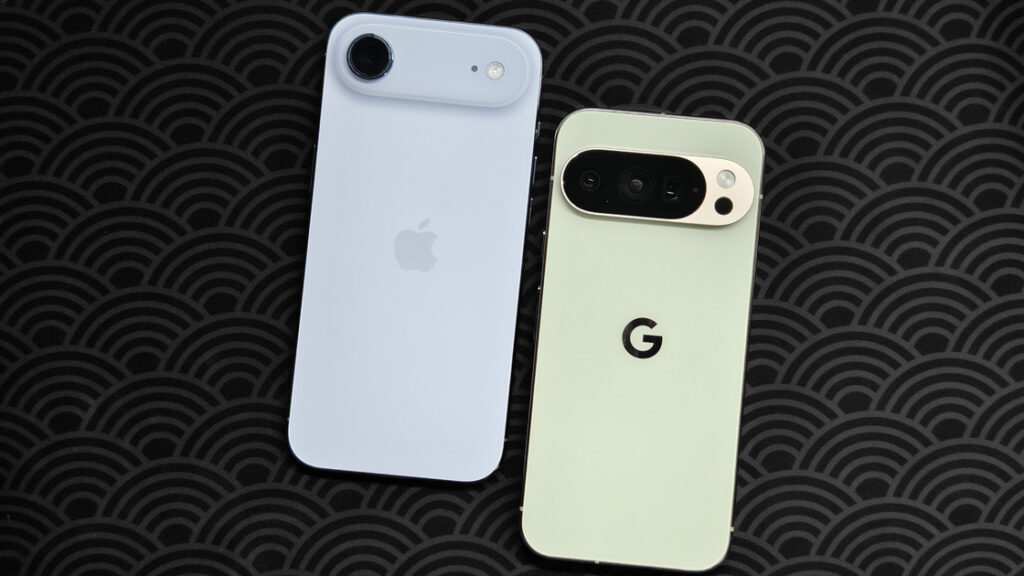
The metalwork around the cameras shows Google’s obsessive attention to detail. Although the metal camera module is formed as a single piece, it does not use a single finish. The surface facing the back is matte, while the sides are polished to match the frame. The enclosure may be assembled from separate components, but its finish remains consistent along every visual plane. Viewed from the back, the large expanses of glass and metal are both matte. Turn to the side and both metal surfaces are glossy. Flip it to the front and everything in sight—the display and the frame—shines.
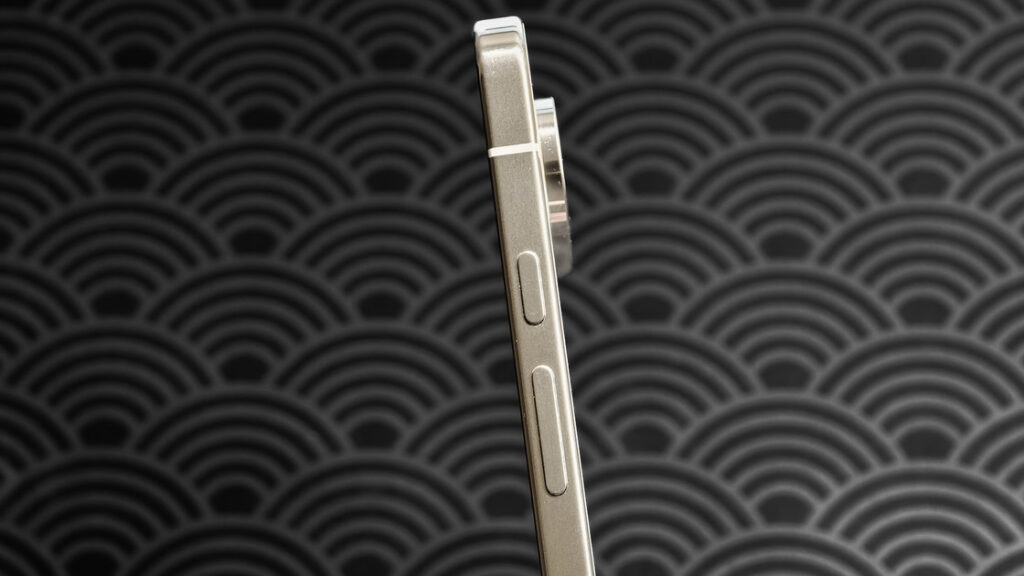
The US version has no physical SIM tray. In its place sits the mmWave antenna. Improvements in packaging mean that, as on the iPhone 16 series, there is no separate “birthmark” antenna window making it stand out.
The volume and power buttons remain in the opposite order from most Android phones. Once you are used to them, however, they are quite convenient—or perhaps five and a half years with Pixel phones have simply rewired me.
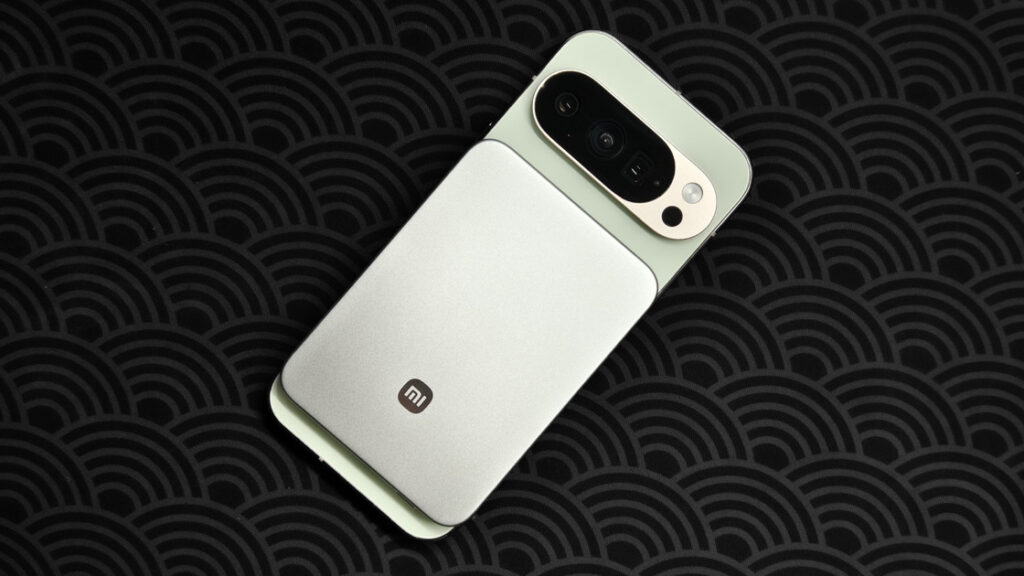
The body is 72.0 mm wide, only 0.1 mm different from the iPhone 17 Pro and 0.2 mm from the Xiaomi 17 Pro. Its magnetic support also lets Xiaomi’s Jinshajiang power bank snap on without looking remotely out of place.
The exterior sounds rather lovely so far, doesn’t it? Now let us turn the phone over.
The four bezels are almost even, the corners are generously rounded, and the front-camera cutout is not pushed too close to the top. The result looks harmonious, with more than a hint of iPhone. The bezels are indeed as narrow as those on a current iPhone—just the most entry-level one.
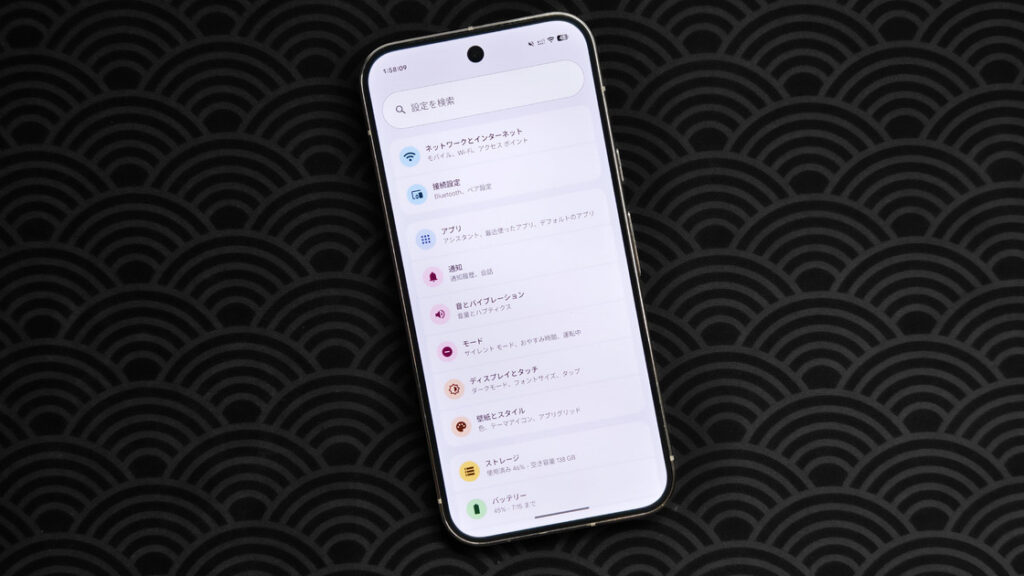
Here are the numbers. Each side bezel on the Pixel 10 Pro is about 3.28 mm wide. The iPhone 17e measures roughly 3.48 mm. Yet Apple’s last Pro model with completely flat cover glass, the iPhone 14 Pro, had bezels of only 3.19 mm. Even the years-old Pixel 5 managed 3.27 mm. After five years of work, Google has caught up with a rival’s four-year-old flagship while failing to match its own five-year-old phone. Pulling that off takes a rather special kind of company.
As mentioned, the camera cutout sits slightly lower than usual. Whether that is good or bad comes down to taste. I personally dislike the Meizu 20 Pro and 21 approach, where the camera hugs the top bezel. It looks cramped and creates an awkward tension at the edge.
By contrast, lowering the camera slightly on the Pixel 10 Pro and iPhone Air gives the composition an odd sense of order. The extra empty space around it turns the cutout into a more independent visual element. The tradeoff is that it becomes more conspicuous, especially in landscape games. It is a choice between tidier everyday interfaces and greater full-screen immersion—not that either of these phones is remotely suitable for gaming in the first place.
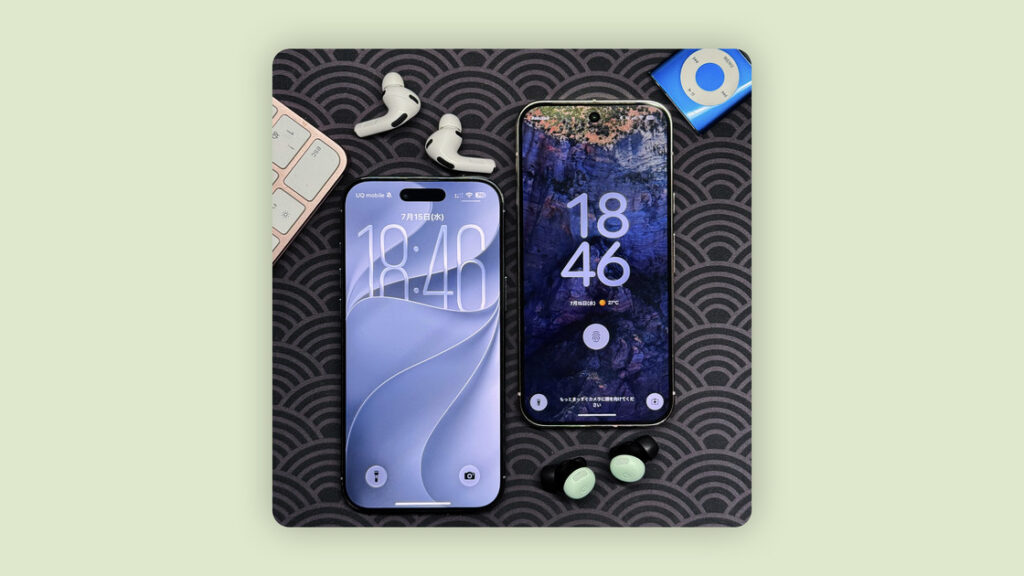
Ignore the miserable screen-to-body ratio and the display itself is among the best. It receives the same treatment as Apple and Samsung flagships, using Samsung’s M14 materials with a 1280 × 2856 resolution, a 1–120 Hz LTPO refresh rate, 2,200-nit HDR brightness, and 3,300-nit local peak brightness.
Google does not list maximum full-screen brightness, so I ran an informal, decidedly unscientific test. My measuring device was an Xperia 5 III, and the software was Hidden Parameters (隐秘参数). The app reports readings in lux, but when the display under test is pressed directly against the Xperia’s light sensor, the lux figure can be treated as roughly equivalent to nits.
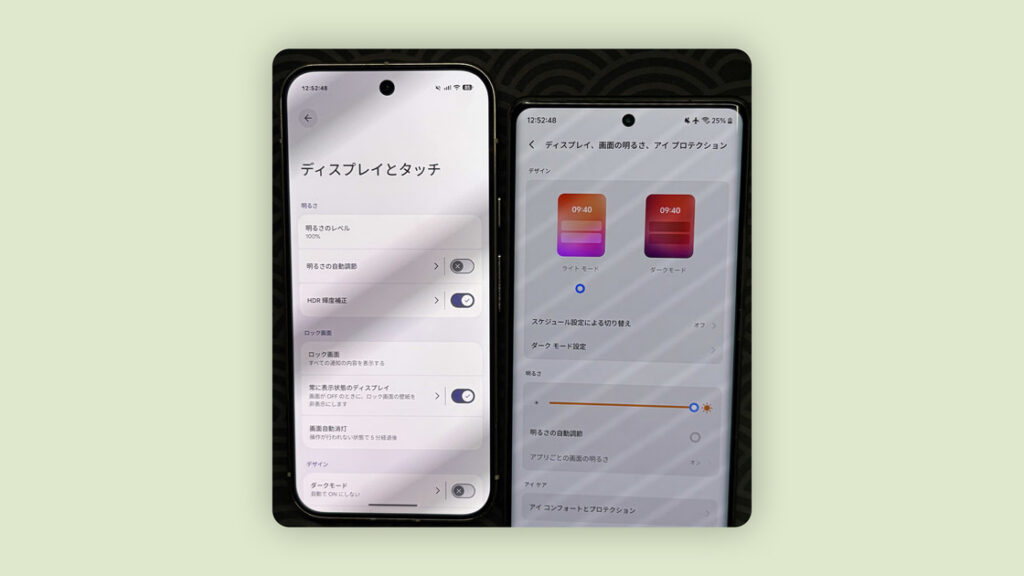
With no screen protector and automatic brightness enabled, the Pixel 10 Pro’s manually selected maximum measured about 645–660 nits. With automatic brightness disabled, the manual maximum reached about 1,630–1,650 nits. I then used Google Photos to apply the strongest Ultra HDR effect to a pure-white image and viewed it full-screen, producing a reading of roughly 2,520 nits.
My iPhone Air had a tempered-glass protector with an anti-reflective coating. Its manual maximum measured around 710 nits, rising to about 1,390–1,400 nits in high-brightness mode and roughly 1,640 nits with the same full-screen Ultra HDR image. Again, I had neither professional instruments nor professional software, so these results are strictly for fun. Every measurement differed somewhat from the official figures. Using the same setup, for example, I measured 1,830 nits of full-screen peak brightness on the X100 Ultra, whose official specification is 1,600 nits.
Extreme numbers aside, the Pixel takes a relatively conservative approach to automatic brightness. After high-brightness mode is triggered outdoors, the display also dims as the phone heats up. For a short time after the brightness falls, however, the system retains the color strategy used at peak brightness. It is difficult to explain in words or capture in a photograph. Imagine forcing HDR colors onto an SDR display: the result looks slightly distorted and oversaturated. To check the effect, I opened the normal system interface over a full-screen HDR image and was able to simulate something similar.
When the display color mode is set to Adaptive, a ring-shaped shadow resembling an aging LCD backlight can also appear around the screen. The fix is blunt but simple: switch the color mode to Natural.
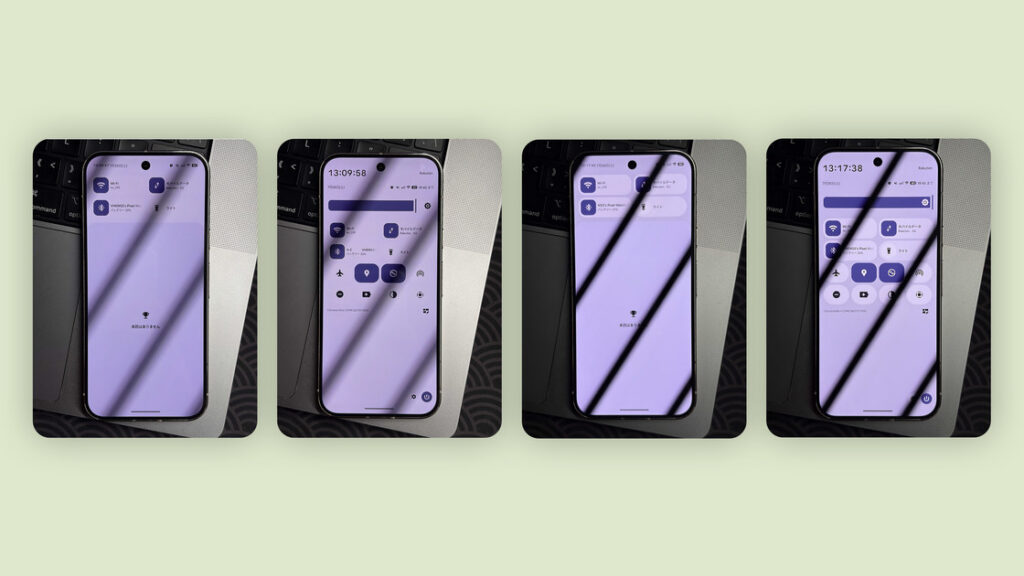
Like the iPhone, today’s Pixel can adjust display color temperature to match the ambient light. Google calls the feature Adaptive Tone rather than True Tone. It is probably enabled by the ams TMD3743. Unlike a conventional monochrome ambient-light sensor, this component separates the light it captures into red, green, and blue spectra, then uses the data to estimate the surrounding brightness and color temperature.
In ordinary environments, enabling the feature does not make the screen as warm as an iPhone, reportedly because Google deliberately limits the adjustment range. I find Google’s implementation more useful, although I prefer a cool display and usually leave both True Tone and Adaptive Tone switched off.
The Pixel 4 actually offered a similar feature called Ambient EQ, paired with a TMD3702VC sensor. It could fit because the Pixel 4 had such a huge forehead. Perhaps to improve the screen-to-body ratio, later models returned to a basic monochrome sensor capable of detecting ambient light but not its spectrum or color temperature.
Time for a simple meal. I grew up in Qingdao and love Saizeriya, the Japanese Italian restaurant chain. Qingdao does not have any branches, so whenever I visit a city that does, I go to town at Saizeriya. Since I am here, it would be a waste not to take a few photos.
The three phones are an iPhone 15 Pro Max, Pixel 10 Pro, and vivo X100 Ultra, all shooting at a 2× crop from the main camera. The images run from left to right in that same order.
First, the salad. The Pixel’s tone and color tuning are conservative. The restaurant was warm-lit and the leaves were dark green in person, but the Pixel’s image looks cool overall and its colors are not especially vivid. The vivo produces the most appetizing result, though it still has the same syrupy, overprocessed look as ever.
Zoom in and the Pixel preserves a surprising amount of detail. Its smaller sensor may actually help here by keeping more of the foreground in sharp focus, with capable computational processing lending another hand. We often say there is no substitute for sensor size, but a larger sensor brings more than greater dynamic range and larger individual pixels. At close focusing distances, its shallower depth of field also makes the edges more likely to blur.

Now for the main course. This time, the Pixel looks closest to the scene as I remember it, even if the sausage is less tempting than in the vivo image. The differences in detail are much the same as in the previous comparison, so I will not repeat them.

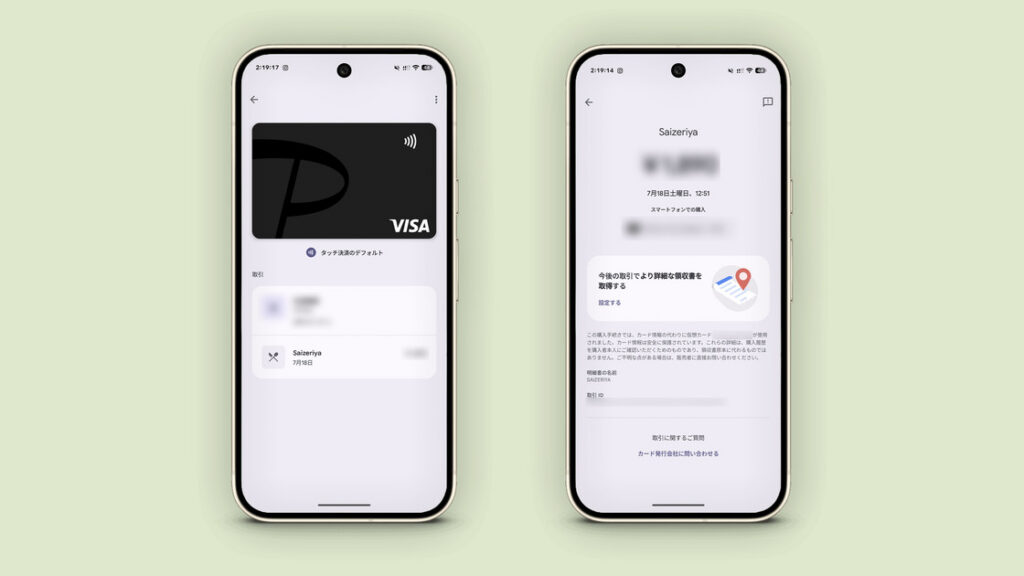
At the register, I pay directly with Google Pay. The process is smooth enough, though it still does not feel as polished as Apple Pay. Like the iPhone, the Pixel requires authentication for contactless payments, which can be completed with the ultrasonic fingerprint sensor beneath the display. If I remember correctly, the Pixel 8 and later can also authenticate with the front camera’s face unlock, although I am not completely certain. One important limitation is that Google Pay cannot accept cards issued in mainland China, even when the same card works for subscriptions and app purchases in the Google Play Store.
Speaking of fingerprints, Google has never been among the most enthusiastic adopters of advanced authentication hardware. Apple reintroduced the smartphone world to fingerprint recognition in 2013. Huawei and Samsung added it to their flagships in 2014, while Google waited until the Nexus 6P and Nexus 5X in 2015—although its work did help establish standards for fingerprint security and privacy.
Samsung used an ultrasonic fingerprint sensor in the Galaxy S10 series in 2019, followed by Fujitsu’s arrows 5G in 2020. Led by Meizu, Chinese phone makers embraced ultrasonic sensors in 2021. Google waited until the Pixel 9 series in 2024. Worse still, by 2020 almost every flagship maker apart from Sony and Sharp had adopted under-display fingerprint sensors, which were also spreading through midrange phones. Google instead abandoned 3D face recognition and went back to a rear-mounted reader—a design one Meizu executive mocked as “wearing your underwear backward.”
Because my phone is the US Verizon version, its software disables support for Osaifu-Keitai, Japan’s mobile-wallet platform. I also cannot unlock the bootloader to change the device region. That means familiar transit IC cards such as Suica, PASMO, and ICOCA cannot be enabled, even though the hardware supports FeliCa. JR East and Keisei Electric Railway do not currently accept contactless bank cards, while only some Tokyo Metro and Toei Subway gates do. For train rides, I therefore return obediently to tapping my iPhone.
Reading text-heavy social media on the train is the right—and comfortable—way to pass the time, because my carrier’s network becomes too slow for short videos whenever the carriage is crowded. If I encounter a post or news story in a language I cannot read, I can hold the gesture bar at the bottom of the screen to translate it, or press and hold text to extract and recognize it. Circle to Search quickly finds an item that catches my eye, and I can share the entire screen with Gemini and ask questions about it.
Almost everyone except Apple seems to handle these tasks well now, even Meizu. Still, I think Google remains ahead in multilingual recognition. Apple relies on ChatGPT and Google anyway, so I might as well go straight to Google.
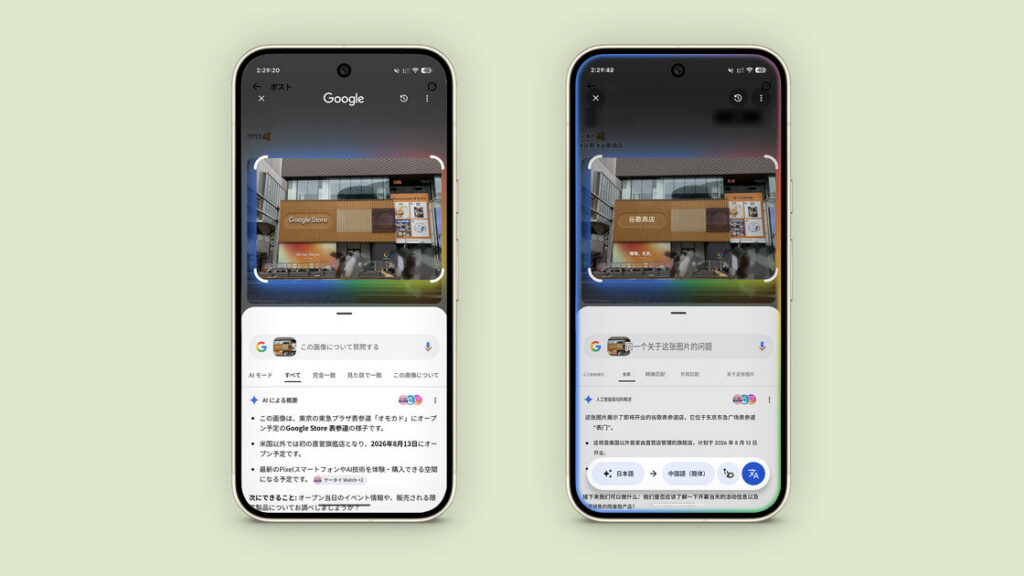
This first-party advantage becomes especially clear with instructions that cross app boundaries. If a new appointment comes up, I can give Gemini the screen contents and tell it what I need. It automatically creates an event in Google Calendar, extracting and recording the time, place, and other details. Give the same screen and instruction to an iPhone with Apple Intelligence enabled, and it merely opens a window for me to create the event manually.

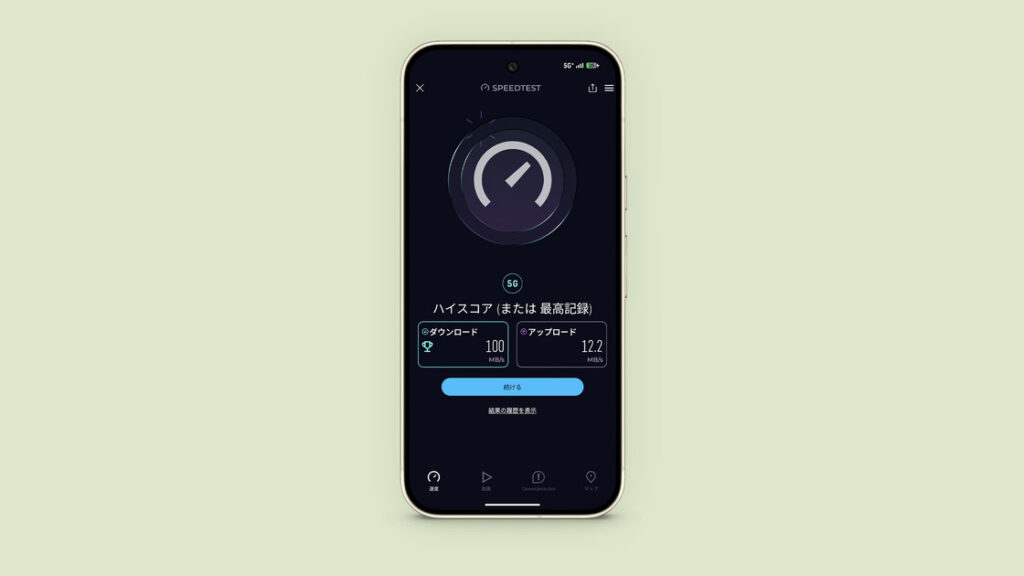
I arrive at a familiar spot. My carrier does not support 5G Standalone, but it does offer mmWave. Ordinary phones get fairly mediocre 5G speeds here—only slightly better than other carriers’ 4G. Once the Pixel connects to an mmWave base station, however, a speed test reaches around 100 MB/s, faster than ordinary 5G on the competition. Seeing that number is both reassuring and genuinely exciting.
I have barely discussed photography, and wasting weather this good would be a shame. The rainy season has just ended and clear skies have returned. Having grown up in Qingdao, where summers are often foggy and humid, I am especially fond of a deep blue sky.
As usual, let us run through the camera specifications first. The main camera has a 1/1.3-inch, 50 MP sensor and an f/1.68 aperture. The ultrawide uses a 1/2.55-inch, 48 MP sensor at f/1.7, while the 5× telephoto has another 1/2.55-inch, 48 MP sensor at f/2.8. All three support autofocus.
The main-sensor size in Pixel Pro phones has barely changed since 2021. More broadly, smartphone imaging may have reached a plateau imposed by body size, thickness, and the need to fit every component inside. Most flagships now use similar specifications. Beyond 1/1.3 inch, the common larger options are roughly 1/0.98 and 1/1.12 inch.
On paper, the setup is similar to an iPhone flagship. To me, the Pixel also offers the most iPhone-like shooting experience of any Android phone. It adopted features such as Motion Photos and nonlinear zoom years ago, has little shutter lag, and applies no especially conspicuous tone or color signature. Its strength is naturalness. A natural photo can always be stylized in post; making an image that was stylized straight out of the camera look natural again is far harder.
Here are the samples. From left to right, each comparison shows the iPhone 15 Pro Max, Pixel 10 Pro, and vivo X100 Ultra. The first set was shot with the ultrawide. Sets three, four, six, and ten use the telephoto cameras, while the rest use the main cameras. Because the iPhone cannot be forced into Night mode, I believe its seventh image was taken in the ordinary automatic mode.
There is not enough space to give a subjective analysis of every image, so here is the short version. Outdoor daytime colors are natural, with neither exaggerated contrast nor an excessively flat look, and the tonal rendering is gentle. Close-ups of food and indoor scenes can develop a color cast depending on the lighting. Ultra HDR can occasionally be so aggressive that it introduces visible distortion.
The hardware and software work together maturely, retaining the old Pixel sense that clever algorithms are compensating for modest hardware. Yet that hardware has become the bottleneck. Even with AI Zoom, extreme telephoto results cannot match a telephoto camera with a very large sensor. At night, the Pixel is not aggressive enough about controlling highlights. It sometimes fails to remove purple fringing, and an algorithmic misstep can even leave it behind an iPhone several generations old.








Beginning with the Pixel 8 Pro, the telephoto camera became much better than the Pixel telephotos I remembered. Its depth of field is not excessively shallow, and low-light performance is just about adequate. Differences in the periscope design also seem to give it a shorter minimum focusing distance than Apple’s, although that is purely a subjective impression. At the very least, it is more useful for photographing flowers than the iPhone’s 5× telephoto.
If I had to rank them, naturalness would be Pixel > iPhone > vivo; image quality, vivo > Pixel > iPhone; HDR aggressiveness, vivo > iPhone > Pixel; and night photography, vivo > Pixel > iPhone. For overall appearance, vivo and the other two each have their strengths. It comes down to whether you prefer a crowd-pleasing image or one closer to reality.
Taking photos straight out of camera with a Pixel is a pleasure. The results may not be spectacular, the hardware is far from extravagant, and Google may be coasting somewhat on its old strengths—but the camera always puts me at ease.
In 2018 and 2019, Google’s forward-looking algorithms astonished a smartphone market that was only beginning to embrace computational photography. Today, surrounded by spec-war champions, the Pixel can look ordinary, yet it still has something left in reserve. It is like a dependable old friend, or a couple who have grown from infatuated lovers into long-married partners. They no longer seem quite so dazzling, but at the moments that matter, they remain the person you trust most.
All right, perhaps that is overstating it. I mostly use whatever happens to be in my hand. Still, when I am choosing a phone to take a photo, the Pixel remains high on my list.
Below are straight-out-of-camera images from the Pixel 10 Pro, taken with both the main and telephoto cameras.




Below are edited images from the Pixel 10 Pro, again taken with both the main and telephoto cameras.




Another reason I prefer Pixel images straight out of camera is that its RAW files, despite using a small amount of multi-frame stacking, are not as pleasant to edit as RAW files from Apple or Chinese Android phones. My current favorites are Apple’s ProRAW and Xiaomi’s Ultra RAW.
Google may be coasting on old strengths, but its camera features have received plenty of updates over the years. You can manually force the telephoto camera when automatic mode refuses to select it. Automatic Macro Focus can be disabled permanently instead of being turned off every time it triggers, as on an iPhone. Portrait mode no longer forces a 1.5× crop—one for longtime Pixel users.
Computational features such as Add Me, Long Exposure, and Action Pan are all present. Unfortunately, I rarely take group photos and do not photograph cars, so Long Exposure is probably the only one I will use. These features mark a turning point for Google’s imaging. The company has moved beyond conventional computational photography into generative AI, backed by the Tensor chip’s AI-focused NPU. It feels a little like the old combination of multi-frame processing and the Pixel Visual Core—except that another manufacturer is now the one miles ahead.
One detail worth noting: even on a phone not sold in Japan, inserting a Japanese carrier SIM forces the camera shutter sound on. Disable the SIM in Settings and the sound can be turned off; enable it again and the shutter sound becomes mandatory once more. My previous Pixel was a Japanese model, so when I first heard the shutter sound on this US phone, nothing seemed unusual. It took me a while to realize what was happening.
Google Photos offers plenty of editing tools too.
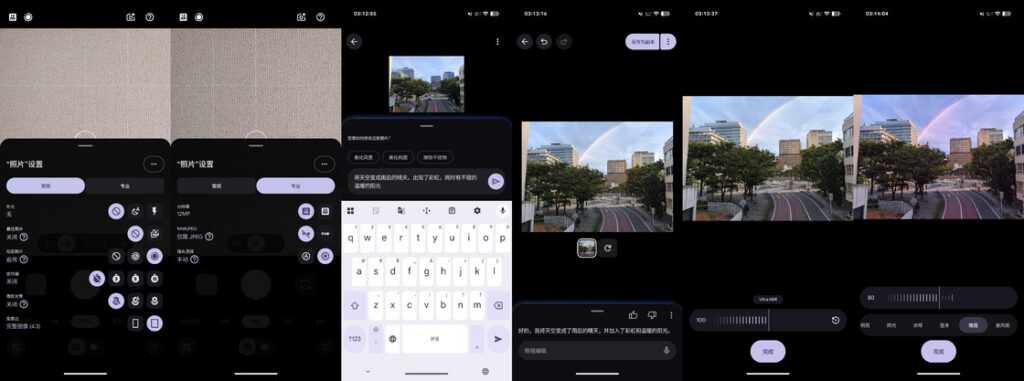
In the age of Ultra HDR, countless apps promise to “turn on the lights” in a photo. Some are free and others are paid. Google Photos includes its own Ultra HDR intensity control, with no restriction on the image type or the phone that captured it. It can even turn an ordinary screenshot into an Ultra HDR image. I find it easier to use than Lightroom’s HDR controls.
The Sky styles feature sounds a little like the once-fashionable trick of replacing the sky entirely. In practice, it behaves more like an enhanced filter and resembles Photographic Styles on the iPhone. I only wish it had a similar adjustment pad.
Portrait Light is comparable to Apple’s portrait effects and needs little explanation, although I do not think Google’s version works as well.
My favorite editing tool is the headline AI feature, which makes the once-popular Magic Eraser look rather ordinary. Tap the Ask button in the lower-left corner to open Ask Photos, then tell Gemini how you want the image changed. Within reasonable limits, a prompt is all it takes.
The result still has an obvious AI-generated look, and Chinese characters in the image may fall apart after editing. Strictly speaking, it is also just a dedicated entry point into a single Gemini capability. Even so, the feature manages to be both entertaining and useful.
Viewed this way, many of the Pixel’s AI features are Gemini capabilities woven into different Google apps. Because both the operating system and the AI come from Google, they work together exceptionally smoothly. That integration is one reason I have not switched my main AI assistant to ChatGPT or Claude, no matter how severe Gemini’s bouts of stupidity become.
Another notification arrives, and I see it on my watch before reaching for the phone in my pocket. Pixel Watch notifications look elegant, but I cannot reply in either of the two messaging apps I use most: WeChat and LINE. WeChat has no Wear OS client. The problem with LINE is that I use the same account on both an iPhone and an Android phone. At present, only the Android phone can act as the companion device, and when it does, the watch version of LINE cannot sign in automatically. The only solution is to use LINE exclusively on the Pixel.
After a day of wandering around, it is time to head home. The 4,870 mAh battery is larger than the iPhone’s, and Google has even switched chip fabrication to TSMC, but endurance is still not particularly good. Battery anxiety remains.
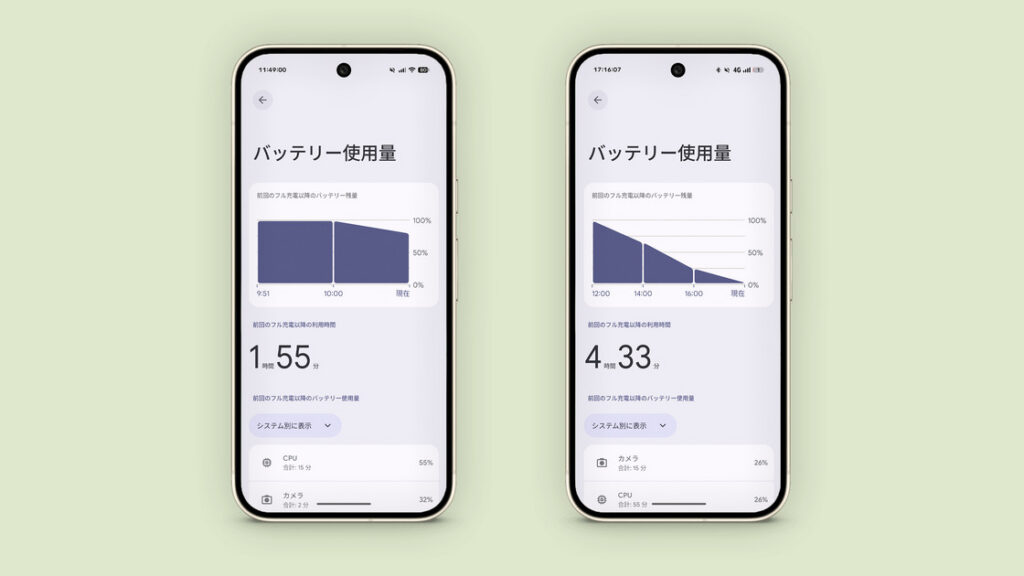
My battery health is currently at 98%. With 5G, automatic high brightness, location, Bluetooth, music playback, and heavy photography, I get around four and a half hours of screen-on time. The phone still shut itself down just before I reached my front door. The camera is the largest drain, of course, but leaving home without taking photos is not an option for me. There is no real solution, so I always keep a power bank in my backpack.
Indoors on Wi-Fi, the phone performs much better—a genuine Wi-Fi warrior. I have not yet spent a full day at home since buying it, so I cannot provide a complete battery test. Conservatively, though, seven hours of screen-on time should be achievable. In the image below, the left side shows battery life indoors. The right shows outdoor use with 5G, automatic high brightness, location, Bluetooth, music, and heavy photography.
Do not focus only on the poor endurance: charging is slow too, unkind as that may sound. The phone supports up to 30 W wired and 15 W wireless charging. This is not merely matching Apple; it is falling behind. The iPhone 17 Pro reaches 40 W wired and 25 W wireless charging outside mainland China.
My mainland China iPhone Air is also limited to 30 W wired and 15 W wireless charging. Yet its battery is much smaller and its endurance is not dramatically worse. Sometimes you have to admire Apple’s optimization. Looking at hardware from Google, a company built on software, I cannot help feeling frustrated precisely because I expect better.
Anyone familiar with previous Pixels may notice that wireless charging has actually regressed despite the new magnets. A Pixel 9 Pro paired with a Pixel Stand 2 could charge wirelessly at up to 21 W. The Pixel 10 Pro manages a miserable 15 W with Pixelsnap. Across the entire Pixel 10 lineup, only the Pixel 10 Pro XL reaches 25 W—not even the more expensive, large-folding Pixel 10 Pro Fold qualifies.
The Pixelsnap Charger is also the only official wireless charger with complete support for this generation. Place the Pixel 10 Pro on a Pixel Stand 2 and nothing happens beyond charging. No pairing or setup screen appears, and there is no way to control fan speed. The stand is treated as an ordinary wireless charger, even though older Pixel devices can activate its full feature set.
The Pixel Stand 2 does not support Qi2. According to Google’s description, a Qi handshake should theoretically allow up to 15 W EPP charging, but in practice I doubt it reaches 15 W—or even 12 W. It feels faster charging an iPhone than a Pixel.
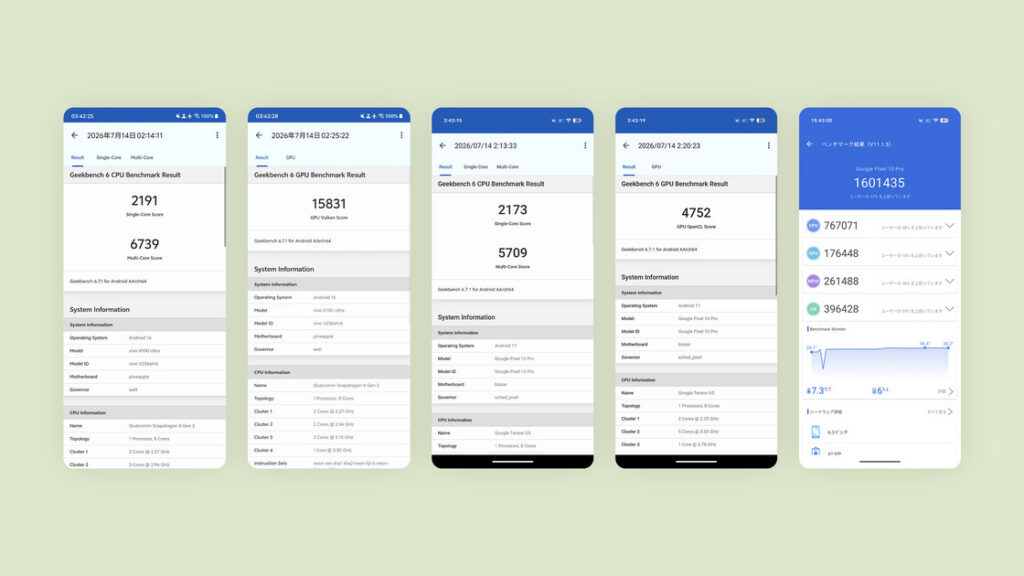
In everyday use, the phone is reasonably smooth. As long as it is not noticeably hot, I rarely encounter small frame drops, and it belongs among the more fluid phones I have used. The system is relatively clean too. This is Android in its purest form, and a showcase system should behave like one. Only Google apps come preinstalled. There are none of the supposedly “useful lifestyle apps” contributed by internet-company partners; even Sony looks bloated by comparison. Nor is there an endless stream of advertising notifications. All of this helps the phone stay responsive.
It is a flagship, after all. If a Tensor G5 with 16 GB of RAM stuttered in ordinary use, there would be no excuse. In raw performance, however, it cannot touch phones at the same price using the Snapdragon 8 Elite or Snapdragon 8 Elite Gen 5.
Smooth in daily use—so it must deliver a glorious esports experience too, right? Start with the benchmarks. CPU performance is close to the Snapdragon 8 Gen 3, but the GPU is a disaster. Its Geekbench 6 score falls below 5,000, roughly the level of a four-year-old Qualcomm chip. An AnTuTu score of about 1.6 million is clearly dragged down by the GPU.
Because this is an overseas model, Chinese versions of games receive almost no optimization. In my testing, the Chinese version of VALORANT Mobile could not hold 60 fps with high-quality graphics and the high-frame-rate option enabled. The two sides of the screen also have a baffling touch-rejection system. Some buttons do not respond until I enter split-screen mode and move them outside the rejection zone. I am certain this is not a touchscreen hardware problem.
Game Mode looks convincing enough, but it too depends on a whitelist. With performance this poor, there is little point in testing other popular Chinese games. I am afraid I would lose too badly.
Finally, the operating system—although I do not think there is much to say about it. Pixel software is probably Android as Google most wants it to appear: a system filled with every odd idea and thoughtful flourish the company can devise, ambitious enough to become the reference for the platform’s design standards. Google’s own software and silicon working in harmony is the beautiful ideal.
Begin with Material 3 Expressive, which arrived alongside the Pixel 10 series. It is the first major shift in Google’s design language since Material You, also known as Material Design 3, appeared in 2021. Perhaps this is the complete form Google had in mind all along.
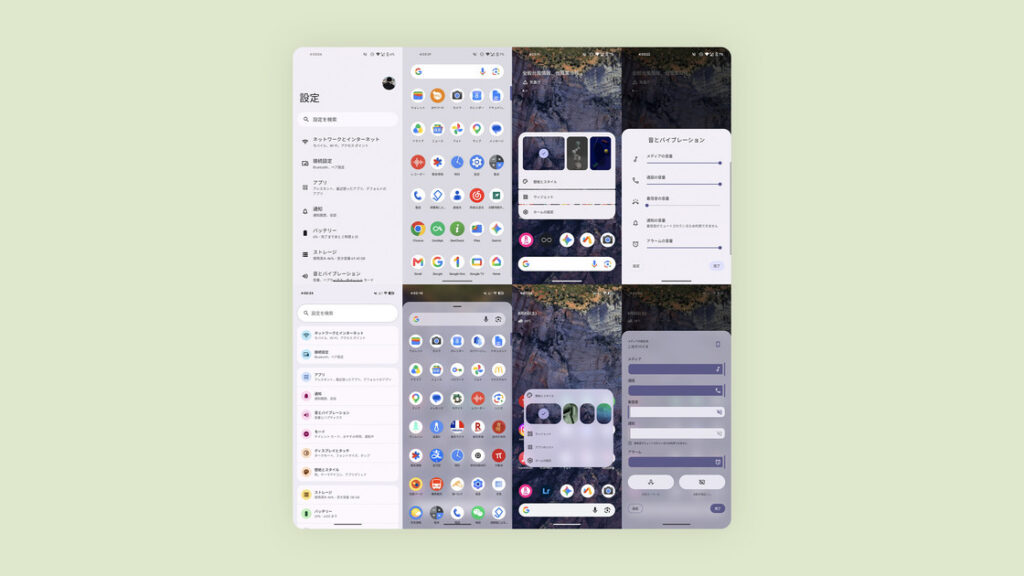
To understand the visual logic of this generation, it helps to briefly revisit the evolution of Google’s design language.
Material Design 1 tried to bring a sense of physical touch to an electronic display. A virtual z-axis and shadows created visible layers, while dedicated rules standardized page layouts and icon styles. Cards and folded-paper metaphors made the interface intuitive and immediately recognizable.
Material Design 2 introduced generous white space and rounded corners. Together with Google Sans and the signature blue accent color, it created what many Android users still remember as the classic Pixel look.
Material You was a much larger reconstruction. Everything from Quick Settings and the lock screen to buttons and sliders suddenly felt unfamiliar. It reinvented color extraction, outlines, light, shape, stillness, and motion. The point from which the screen-on and screen-off transitions began, the glow when a button was pressed, particle and morphing effects, and the two-column layout of oversized Quick Settings tiles all announced a clear break with the past.
The new Monet dynamic-color system reached nearly every Google app and third-party app that followed Material Design guidelines. It could recolor the interface to match the wallpaper or a palette chosen by the user, reducing the visual fragmentation between apps. Optional Themed icons brought consistency to the home screen as well. Developers once had to support them individually; now the system can force them on.
Material You remains my favorite version, even above Material 3 Expressive. Its large fields of color and outlines that rebelled just slightly against the rules embody the Google style I love most.
Material 3 Expressive continues refining that foundation. Plain color blocks and outlines now sit above blurred backgrounds and clearer layers, while Quick Settings is more customizable. Whether it is attractive—or likable at all—is a matter of taste.
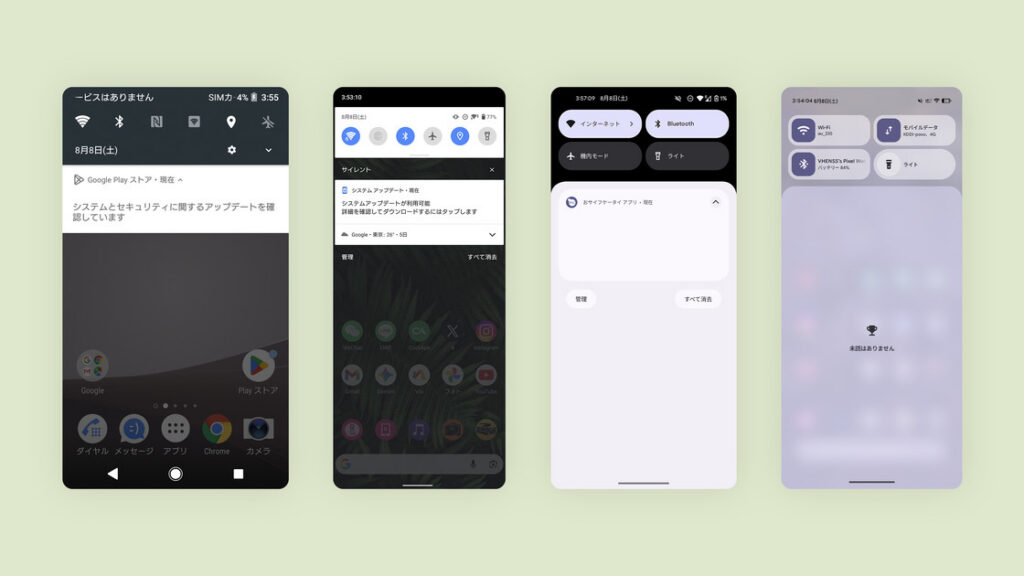
Very little of the original Material Design remains visible in this generation. The hierarchy and shadows once emphasized by Google have given way to flat planes and blur, while restrained colors have become lively and aggressive. Overall, it suits my taste, apart from the outlines around the Quick Settings tiles, which torment my compulsive need for alignment. Even that, however, is part of the system’s personality.
Haptic feedback is another reason people love Pixel phones. Google began using an x-axis linear motor with the Pixel 2 series in 2017. From the Pixel 3 in 2018, the phones offered solid feedback across a wide range of interactions. There was a time when Pixel was one of the first names people associated with crisp, clicky haptics.
The Pixel 10 Pro still feels substantial. Its vibrations are not as strong as those of some rivals, but the tuning is distinctive and excellent. Other phones focus mainly on a sharp, crisp sensation. The Pixel combines that crispness with weight, reaching deeper into the palm and feeling more tactile. Some phones can gain similar feedback after being flashed with stock-like Android.
Fingerprint-unlock and typing vibrations are only the beginning. Pulling down the notification shade, tapping Quick Settings tiles, and opening the app drawer all produce clean, solid feedback. Adjusting volume creates a pulsing vibration. Reaching the maximum or minimum adds a firm click similar to typing. Circle to Search and switching between recent apps trigger pulses as well. Even tapping the lock-screen clock combines a brief change to bold type with a pulse. Haptics reach into almost every interaction.
AI is another field Google has promoted heavily in recent years, and so far it has largely delivered—unlike Apple, which has talked about AI for two years without producing its decisive breakthrough. Google apps integrate deeply with Android, and those apps in turn integrate deeply with Gemini. Together they can assist with photo editing, image searches, calendar events, and route planning.
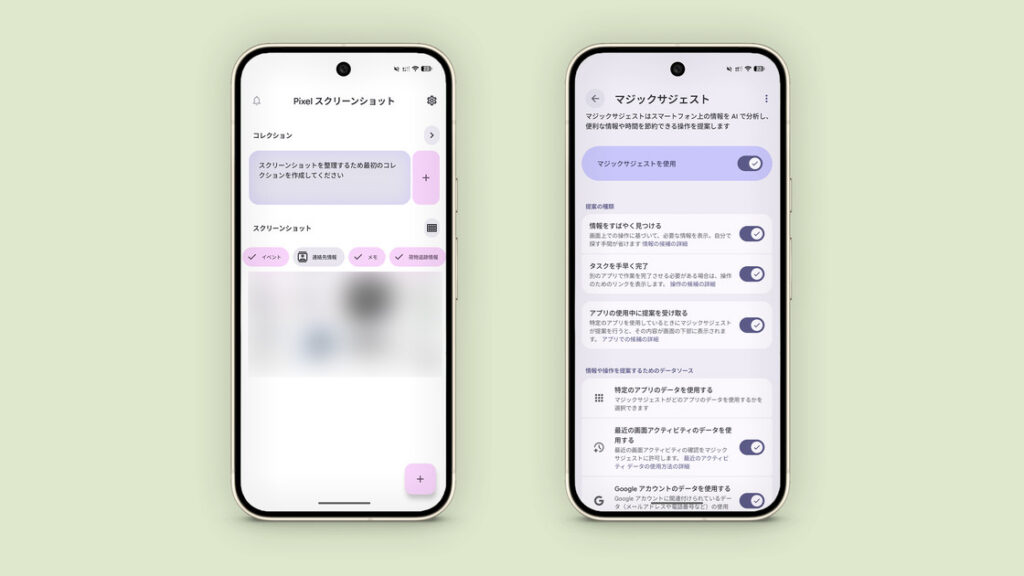
As mentioned earlier, holding the gesture bar invokes Gemini, which can work with Google Calendar to record and create an event in seconds. Google Photos lets Gemini perform basic AI edits in response to keywords. Pixel phones now also include a separate Pixel Screenshots app. With the user’s permission, it can identify whether a screenshot relates to social media, an activity or event, important contact information, a particular location, a receipt, or a delivery. It can then organize and filter those screenshots, and search them from a keyword just as Google Photos does.
In theory, Magic Cue can draw on email, calendar events, and notes—including details such as ticket bookings—to surface cross-app suggestions while you chat. I have never managed to trigger it, so I do not know exactly what it can do in practice. It currently supports only English and Japanese.
As someone who uses both the full Apple ecosystem and a Pixel, I was equally excited when Quick Share began working with AirDrop. I no longer have to rely on tools such as vivo Share or LANdrop to move files. What annoys me is that every phone receiving the new software should theoretically support it; there is no meaningful hardware barrier. Older Pixel and Galaxy models simply cannot use it. That still makes me a little angry. No matter—I upgraded the hardware instead.
The Pixel 10 Pro is largely a series of small repairs and refinements to the Pixel 9 Pro, with much the same hardware on paper. Yet Google has improved less visible areas that had become genuine pain points. The phone has finally reached a relatively high level of usability and begun to behave like a flagship, recovering at least a little of the dignity the label deserves.
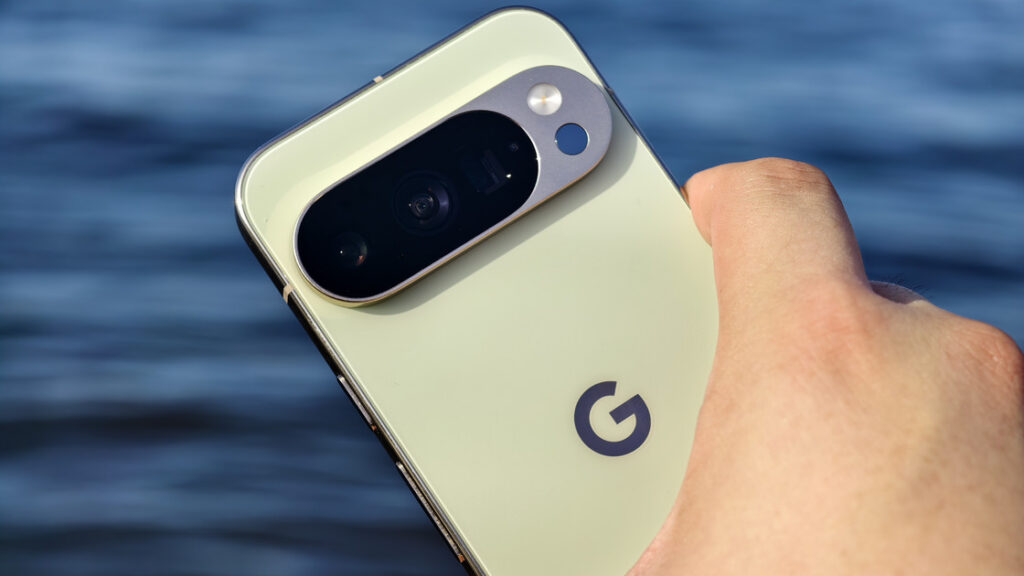
Across the global smartphone market, this is also one of the few relatively small flagships. Flagship phones are everywhere, but full-featured compact flagships are genuinely rare. In this generation, perhaps only Apple, Google, Honor, and Xiaomi still make them. To borrow Lenovo’s old slogan, it is a “small phone, super flagship.” Most other small phones occupy the middle tier—the entry model in a flagship line.
As a direct rival to the iPhone 17 Pro, it has little hope of going toe to toe with Apple. Compared with earlier Pixels, however, it represents clear progress. Its strengths are obvious, but its flaws are even more obvious. Its intended audience also seems much more clearly defined than the iPhone’s.
Which brings us back to the question at the beginning: what does love actually feel like?
Love has never had a clear definition. Choosing a phone that you believe suits you—and discovering that it really does suit you in daily use—is enough to call it love. Whatever other people think of it, and however exceptional or unexceptional its hardware and software may be, you can find the courage to embrace its flaws and imperfections. In the end, love and the peace of mind it brings are what matter.
Share: