

From a hair dryer to a 360 camera, four SSPAI editors share what their latest gear gets right—and the small frustrations specs miss.
***
Mijia High-Speed Water Ion Hair Dryer Pro
Approx. price: US$80 (CNY 539).
Our Dyson HD15 was damaged by water. Customer service told me that repairing the resulting short circuit could cost upwards of US$149 (CNY 1,000). That sum would barely make a dent in the price of another Dyson, but it was more than enough for a cheaper Chinese alternative. Friends and family recommended both Laifen and Xiaomi; I ultimately went with Xiaomi’s recently released Mijia High-Speed Water Ion Hair Dryer Pro.
As a short-haired guy, I’m hardly the best judge of a hair dryer’s drying prowess. The Mijia’s motor spins faster than the Dyson HD15’s, but my hair is dry in about a minute, and I honestly can’t tell what difference the extra 10,000 rpm on the spec sheet makes.

It is a newer product, though, and some of its design details work better for me than those of my broken Dyson. Where the Dyson leaves an open circle in the center of its outlet, the Mijia puts an LCD and a temperature dial there. It has a magnetic nozzle like the Dyson’s, but also a magnetic filter cover at the bottom of the handle—something I’d long wished the HD15 had.
The main controls for airflow speed, quick temperature changes, and mode selection sit near the upper part of the handle, where my thumb can reach them naturally. By comparison, having to reach up to the edge of the Dyson’s top ring to change the temperature now feels a little strange.

The dial lets you adjust the temperature continuously from 30 to 90°C (86 to 194°F). A button on the handle switches quickly among cool, warm, hot, and alternating hot-and-cold air—I still haven’t figured out what that last mode is for. The built-in scalp protection and children’s modes cover 99% of what I need at a press. If you’re coming from a conventional hair dryer, you may also appreciate the ToF sensor, which measures the distance to your scalp and adjusts the heat in real time to keep the temperature steady.

For a dryer in the roughly US$75 (CNY 500) range, the Mijia offers impressively fine temperature control. Airflow and some of the smaller details are rougher. Speed has just two default settings, low and high. Xiaomi advertises noise reduction through acoustic balancing and airflow design, but when I’m in a hurry and turn it up, I can’t say it lives up to the promise that it “won’t disturb your family’s sleep.” Closing the bathroom door would do more.

The temperature dial on top also turns too easily. If I’m a little flustered while drying the baby’s bottom and brush against it, the temperature goes who knows where. I wish selecting children’s mode locked the dial.
– Clyde
AirPods 5 with Wireless Charging Case
Approx. price: US$196 (CNY 1,316.04), including AppleCare+.
I never expected the AirPods 5 to arrive this year. The numbered AirPods have generally followed a three-year cycle, yet this open-fit standard model has been updated after just two years. Perhaps Apple really is making room for next year’s rumored AirPods Pro with infrared cameras.
The AirPods Pro’s noise cancellation is excellent, but after wearing them for a while I can’t ignore the feeling of something lodged in my ears. At home, or anywhere relatively quiet, I don’t need to put myself through that. The almost imperceptible fit of regular, open-fit AirPods suits me much better. So when the AirPods 4 first came in a version with Active Noise Cancellation, they naturally became the pair I used most. After two years, their battery life isn’t what it was. The AirPods 5 with Wireless Charging Case last longer, and the price after China’s government purchase subsidy was reasonable enough that I eventually bought them.

In overall appearance, this year’s AirPods 5 with Wireless Charging Case largely follow the AirPods 4 with Active Noise Cancellation. The cases are nearly identical, although the AirPods 5 case’s hinge seems a little easier to push open with one hand. The earbuds’ shape has changed slightly, but unless you place the two generations side by side and look for differences, it’s hard to tell which is newer. The AirPods 5 also retain their predecessor’s strengths in noise cancellation. The sensation of pressure is much less pronounced than with the Pro series, and the adaptive cancellation adjusts smoothly when the surrounding sound changes suddenly or when I shift the earbuds in my ears. I’m still very happy with the fit.

Apple says active noise cancellation is up to 1.5 times as effective as on the AirPods 4 with ANC. In my own listening, the clearest improvement is with midrange voices. Sharper, higher-frequency sounds—especially the screech of subway wheels against the rails—remain a challenge. Without silicone tips providing a physical seal, these earbuds still can’t match a well-fitting pair of AirPods Pro.
My favorite addition to the AirPods 5 with Wireless Charging Case is the ability to adjust volume by swiping the stem. Whether I’m walking with my phone in my pocket or watching a film on the sofa with the remote out of reach, sliding a finger along the stem is the easiest way to do it. I’ve used this control since the AirPods Pro 2, to the point that it’s almost muscle memory. I always regretted its absence from regular AirPods; now I finally have it.
There are smaller improvements, too. The dust and water resistance rating has risen to IP57, which should handle workout sweat and may even improve the earbuds’ chances if I accidentally leave them in clothing that goes through the wash. With noise cancellation on, battery life per charge has increased from four to five hours over the AirPods 4 ANC model; total time with the case has gone from 20 to 22 hours.
As for sound, the AirPods 5 strike me as slightly less pleasing than the AirPods 4. Apple emphasized a new acoustic architecture at its launch event, so perhaps the tuning has changed as well. Listening preferences differ, of course, and the new sound might be exactly to your taste.
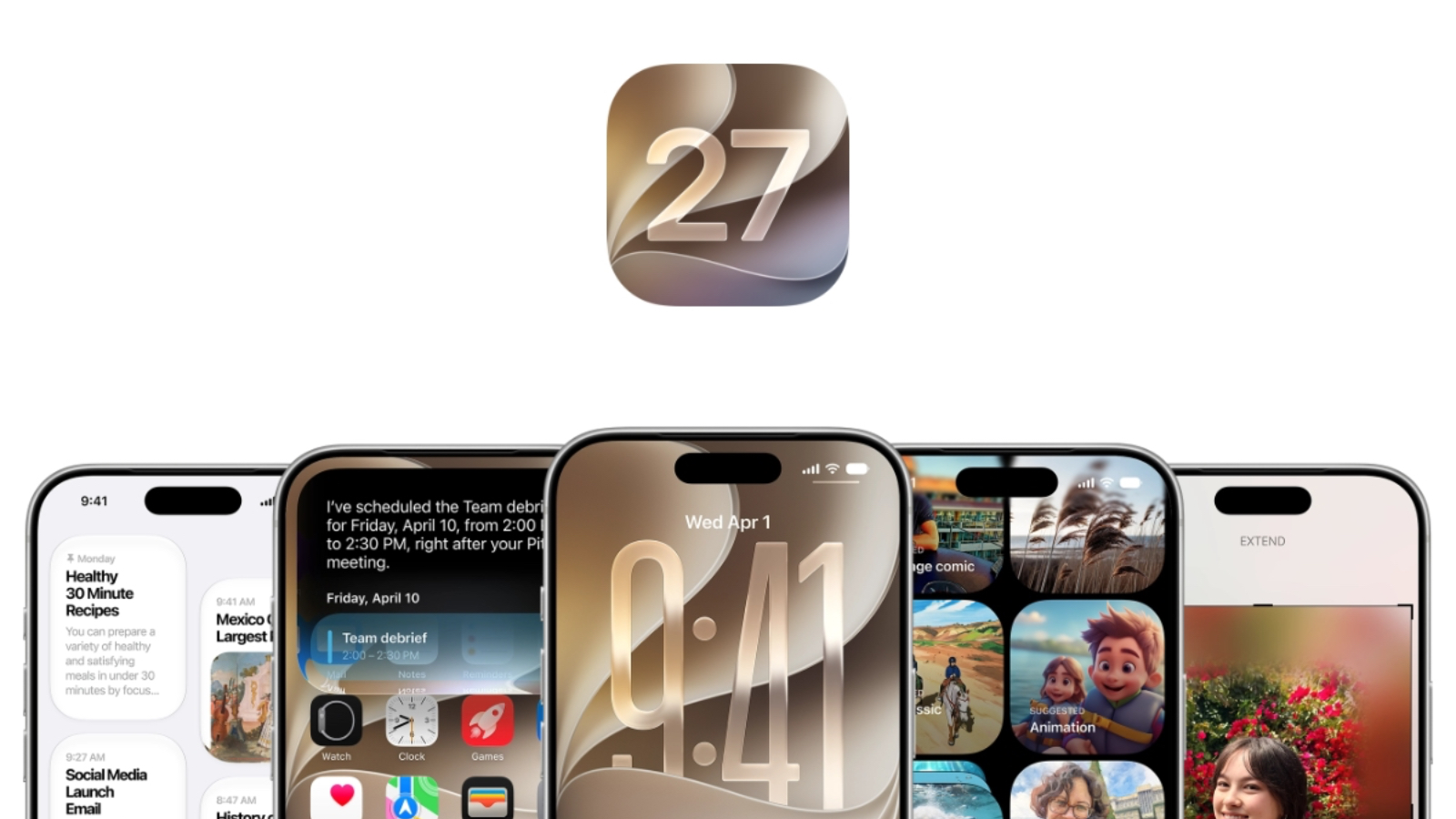
One last observation: in iOS 27, Adaptive Audio’s noise cancellation can be adjusted across five levels. That makes it remarkably flexible day to day. Unless I’m somewhere extremely noisy, I now leave the earbuds in adaptive mode. I can choose a setting just to the noise-cancelling side of the middle, which keeps the hum of air conditioning and fans from flooding in as it would in full Transparency mode, without creating much ear pressure. Adaptive mode also seems to use a little less power than full noise cancellation, so I can wear them longer on a charge.
– Lincoln
DJI Osmo 360 II
Approx. price: US$491 (CNY 3,299).
When the first Osmo 360 came out last year, its specifications looked impressive, but I remained cautious. A first-generation product is always hard to get right: it has to show what makes the brand distinctive while delivering an experience that lives up to the numbers. That takes accumulated experience as much as technology. Fortunately, the Osmo 360 earned a good overall reputation over the following year. So although the second generation doesn’t bring the same kind of dramatic leap in specifications, it still caught my interest.
The camera itself is only part of the story. With imaging gear, the ecosystem often matters more than a device’s standalone performance. For a conventional camera, that means the available lenses and a post-production workflow that suits you. For action cameras and small handheld cameras, it means shared accessories and a consistent flow of footage. This is an inherent advantage of the Osmo 360 II. Its magnetic quick-release mount works with the existing range of Osmo accessories. More valuable to me is how easily its footage fits into my workflow: because I already use other DJI cameras, I can choose the right device for each setting without worrying about mismatched material when I edit everything together.

Brands and most camera reviewers tend to put 360 cameras on an extreme-sports stage: skiing in the mountains, biking on rough trails, deep-sea diving, or using special accessories to mimic a drone shot. There’s nothing wrong with that. These are exactly the situations where a 360 camera makes sense. You need to concentrate on the activity, with little attention left for framing or anticipating the best moment. You capture everything first and choose the good bits later.
But I’m not the typical 360-camera user. While everyone else looks at what this camera—or any camera—can do at its limits, I’m more interested in what it can do at the other end of the spectrum. I’m not a professional shooter, and my most extreme activity is a hike of a dozen or so kilometers in the mountains. I don’t have many peak moments I need it to preserve. What I do have are ordinary moments that don’t feel worth making a production out of. The Osmo’s effortless way of filming helps me capture those.

I love the sea. The breeze and its salty smell can lift my mood for no particular reason, so whenever I get to the coast, I take photos almost indiscriminately. I return to those memories when I’m feeling down. Not every visit comes with a spectacular view; plenty of the pictures on my phone are dull, yet they still give me a little comfort. At times like that, the Osmo 360 II makes things easy. I extend the selfie stick a little—or tuck it into my backpack if I’m carrying one—without worrying which way the camera faces. Then I press record and simply go for a walk.
With its claimed 14.5 stops of dynamic range and 8K video at 60 fps, it can record most scenes that our eyes can make sense of reasonably faithfully. Whether I later reframe the footage into a conventional flat video or keep the more interactive original, both the shooting and the revisiting are far more enjoyable than snapping away casually with my phone.

On a recent outing to a free public park, I saw a number of older people holding phones on selfie sticks and turning in circles to film. It struck me that, apart from extreme-sports enthusiasts, they might be another group particularly well suited to 360 cameras. One group wants to keep every highlight; the other simply wants to remember each trip. The Osmo 360 II now transfers footage to a phone so seamlessly that saving a clip there takes almost no fiddly selections or confirmations.
DJI’s mobile app, Mimo, has also become genuinely easy to use; even editing 360 footage is straightforward. If your parents enjoy traveling and filming, and mostly want to hold on to as much of the experience as possible rather than master camera technique, the Osmo 360 II could be a good fit. This generation’s more scratch-resistant lenses and easily replaceable lens design also make it more durable and approachable in a physical sense.

Another thing I’ve noticed is that the distortion of a 360-degree view has given these cameras a reputation for being hard to handle. Modern computational photography makes correcting that distortion fairly simple. But distortion isn’t necessarily a flaw, either. Sharpness and accuracy matter, yet images also serve an emotional purpose. Making something utterly ordinary look playful can be a powerful attraction in its own right.
There are editing costs and a learning curve for particular professional uses, both for the Osmo 360 II and for 360 cameras generally. But I think those obstacles have become part of a stereotype built around the category. The feature we should be paying attention to is the 360 degrees: precisely because the camera can capture everything around it, it may be a camera for just about anyone and anything.
– Microhoo
OM SYSTEM PEN with 14–42mm III Zoom Lens
Approx. price: US$1,043 (CNY 6,999).
Is anyone still buying a mirrorless camera in 2026?
Is anyone still buying a camera from a “niche brand” in 2026?
Is anyone still buying an Olympus Micro Four Thirds camera from a “niche brand” in 2026?
Well, now you’ve found someone.
After selling my Panasonic S9 and its lenses, then spending the summer taking a Nikon Z6III on trips, up mountains, and into caves, I desperately wanted a camera I could carry around without thinking about it. Fujifilm’s entry-level models didn’t appeal to me, and Ricoh was too expensive. Just then, OM SYSTEM released a new PEN, so I picked one up at launch.
I’d only encountered the devotion of this “niche” Olympus community in the old forum days and on Xiaohongshu, a Chinese social platform. I’d never actually used one of its cameras. A good part of my reason for buying this one was simply to try something new.

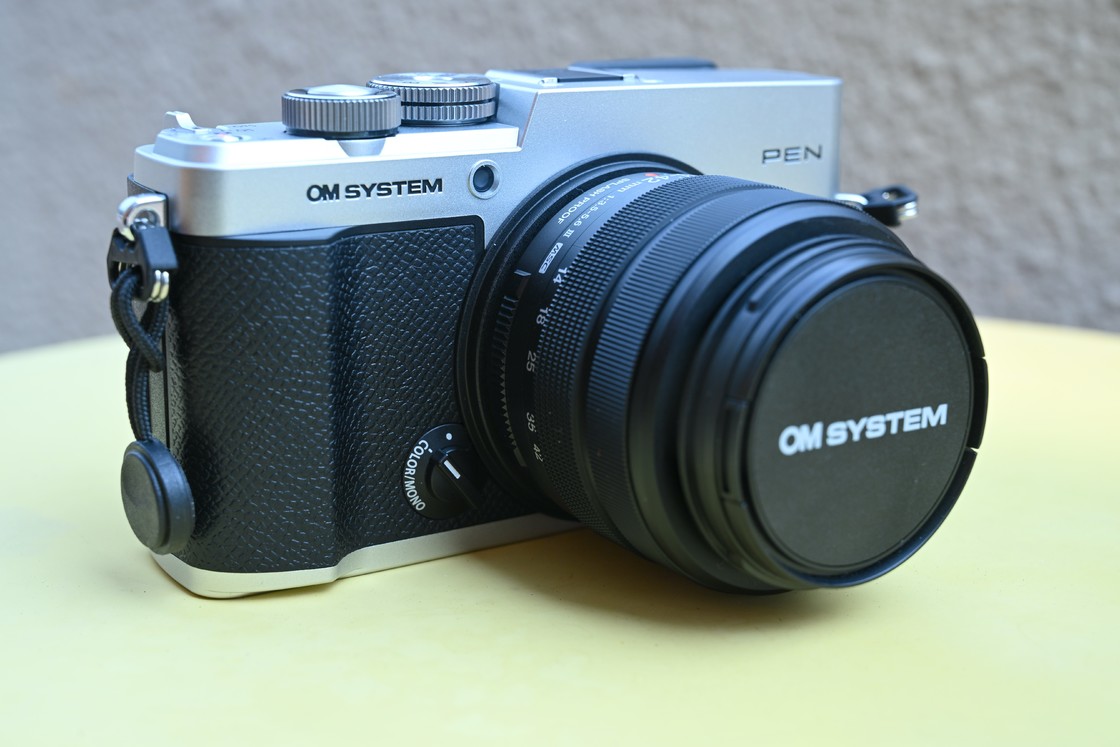
Mine is the classic silver-and-black version. Neither the whole body nor the silver sections are metal; OM SYSTEM says it uses lightweight, high-strength engineering plastic. It certainly feels light, with a faintly matte texture to the touch.

It’s a size down from my old S9 in width, height, and depth. Holding it in one hand to shoot is a little cramped, especially when a function requires both a button and a dial, as with the CP button and the shutter dial. I’ll probably look for an add-on grip or a leather case to make the right-hand side a bit thicker.

I bought the kit with the 14–42mm lens, which I’m told is new, so I don’t have much to compare it with. My early impression is that it focuses remarkably close for this sort of lens: OM SYSTEM puts the minimum distance at just 0.2 meters (about eight inches).

The camera’s power switch is less successful. Even before you consider how tightly all the buttons are packed onto this small body, operating them with just the tip of your thumb is difficult. The switch at the upper right moves between off, photo, video, and S&Q modes, and it takes some force to move.

I imagined a camera this portable would be ready to shoot as soon as I pulled it from my bag. In practice, it’s hard to move the switch from off to photo mode with precisely the right amount of pressure from my thumb. Sometimes I push it two positions and end up in video mode. So far, the only reliable way I’ve found to turn it on straight into photo mode is to hold the body in my left hand and work the switch with the thumb and forefinger of my right.

I won’t say much about the Olympus-style menus. They’re unlike those on other cameras I’ve used, and they’ll take time to learn. Even a quick look, though, reveals an enormous number of things to play with: filters, looks, scene modes, ART effects, color recipes, and the Color Dial, with plenty of presets and customization.
The color recipes seem a bit like Lumix LUTs or Nikon’s cloud-based imaging recipes: they give photos a preset palette, sometimes even imitating Fujifilm’s NC look or Kodak film. You can find a look you like at OM Recipes, download a sample photo to your phone, and let the profile library in OM SYSTEM’s OI.Share app recognize its settings. The app then sends the recipe to the camera over Bluetooth. It’s a simple process that ought to make recipes easy to manage. Somehow, OM SYSTEM still makes a mess of it.

For one thing, the app isn’t very good. Its profile library appears to scan my entire photo collection for images containing settings data. Every time I add a sample, it starts again from the beginning of a library with more than 100,000 photos. Why can’t I simply add a photo to the library? The camera can store only four imported color recipes, and I can’t name them: it displays labels such as Color1 and Color2. It feels like something that could have been done well with little extra effort, which makes the carelessness baffling.

The Color Dial is another new toy for me. It lets you customize color, but there’s a learning curve. The interface is a twelve-axis radar chart representing red, orange, yellow, yellow-green, green, cyan, light blue, blue, blue-violet, violet, magenta, and red-orange. If I’m following someone else’s recipe and they tell me to set each of those colors to +1 or −1, adjusting them one by one is tedious. The chart doesn’t label the colors, either, so I have to consult the instructions to work out which axis is which. In practice, I can see two ways to use it: import someone else’s recipe from a sample photo and fine-tune it, or understand exactly the look I want and build it myself—how to give skin a cool, fair tone, for instance, or make plants feel more lush.

It’s too early to say what kind of camera this will be for me—I haven’t even taken it out for a proper shoot. What I can say is that it has given me something new to tinker with for a while.
– Xi Ge
Share: