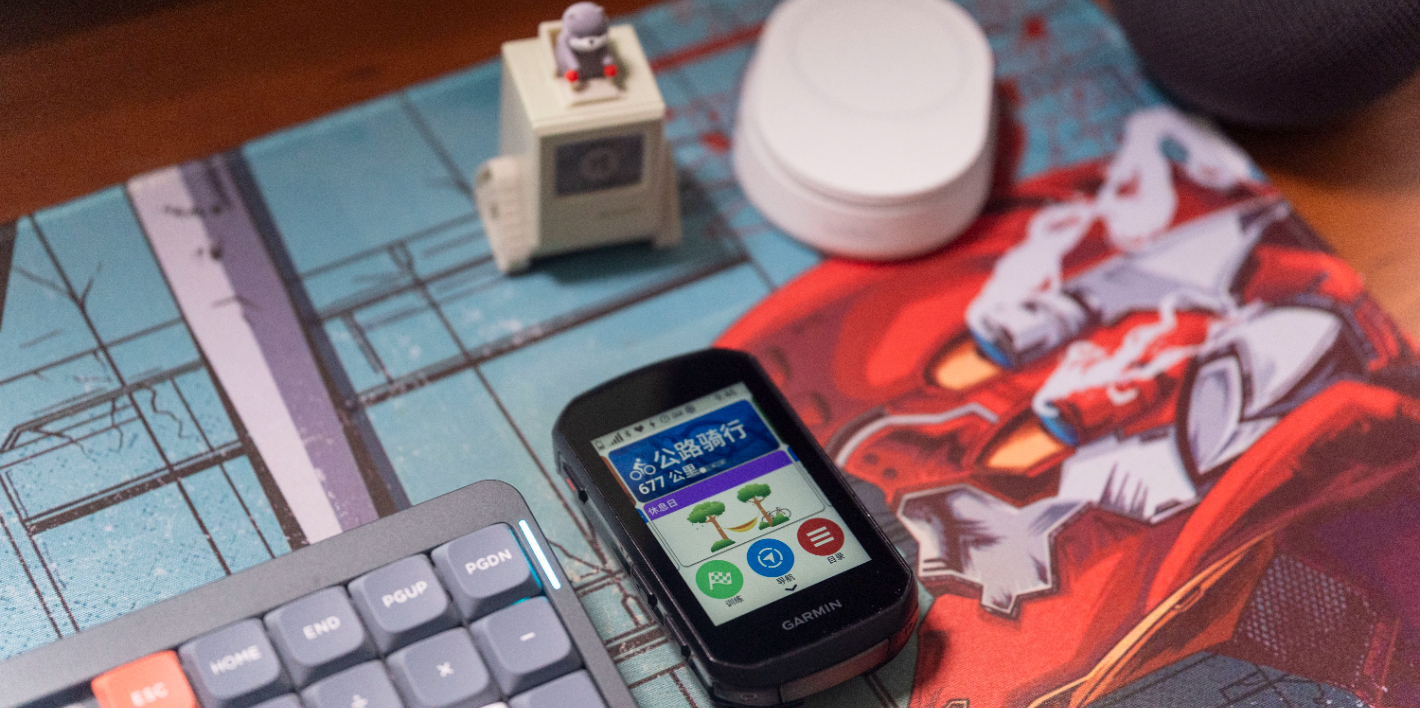
As Garmin’s best-selling product lines, the 5 Series and 8 Series have long been the benchmarks in the mid-to-high-end cycling computer market. Whether you’re a beginner, a casual rider, a data enthusiast, or a hardcore training rider, these two lines are always safe choices.
Since the release of the 540/840, there have been almost no functional differences among the 10, 8, and 5 Series. The decision now mainly comes down to screen size and interaction method — much like choosing an iPhone. Go for the 1050 if you want a large display, the 850 for a smaller touchscreen, and the 550 if you prefer physical buttons. As a 1050 user, I could more or less predict what the 850 and 550 would look like before their official release. I was mentally prepared for shorter battery life, but still hoped the 850 might surprise me somehow.
Unfortunately, disappointment followed. Battery life has dropped to 12 hours, while the weight increased by nearly 30 grams compared to the 840, now reaching a hefty 113 grams — a bit heavy in the hand. The only notable hardware additions are the expected LCD screen, 64GB of internal storage, a built-in speaker and bell, and a new 5Hz GPS module.
A Step Back in Hardware
How should I put it — understandable, but disappointing.
I understand Garmin’s decision. With the decline of the semi-reflective display supply chain, and with more beginners and casual riders preferring brighter, more colorful screens, Garmin had little choice but to sacrifice battery life and switch its entire product line to LCD displays.
But as an industry leader, I still expected at least 16 hours of battery life. It’s like how this year’s iPhone Air, despite its ultra-thin design and significantly smaller battery, still managed to match the iPhone 17’s endurance by improving power efficiency — that’s what leadership should look like.
To be fair, the 850’s 12-hour battery life is sufficient for most people. Looking back at over a decade of my own cycling logs, I found only one ride exceeding 10 hours — a 200-kilometer trip.
For 99% of riders, 10 hours is more than enough. For ultra-distance cyclists, though, there are a few options: attach an external battery mount to the computer, stock up on an 840 while it’s still on clearance and use it until the 860 arrives, or simply switch to power-saving mode to stretch it to around 36 hours.
Unlike the Hammerhead, which suffers from inconsistent battery life for similar reasons, the 850’s 12-hour endurance is solid and reliable — it doesn’t fluctuate dynamically. I paired it with a power meter and heart rate strap, turned on navigation, segments, Climb Pro, and various alerts. After a 6-hour ride, the battery dropped by 51%. Based on that, the projected 12-hour runtime checks out.The biggest issue with a 12-hour battery life is that it leaves little safety margin — if you end up on an unplanned long ride, you might not have enough charge to finish.
A Solid 6 Hours of Riding Uses About 50% Battery Each Time
So why did Garmin take the risk of cutting battery life in half? Besides supply chain constraints, the real reason is simple — the LCD display is just too good to resist.
The LCD screen is one of those things you have to experience to truly understand — and once you do, there’s no going back. Compared to the old semi-reflective screens, the difference is obvious to the naked eye: sharper resolution, smoother touch response, and a far more vibrant visual experience. The improvement feels as dramatic as the leap from early smartphones to the iPhone’s screen back in its day.
So why did Garmin take the risk of halving endurance? Aside from supply chain constraints, the other reason is simple: the LCD screen is just that good.
The LCD display is one of those things you don’t truly appreciate until you’ve used it — and once you do, there’s no going back. The difference from the old semi-reflective screen is obvious to the naked eye: higher resolution, faster touch response, and an overall smoother experience — much like the leap between the original iPhone and its contemporaries back in the day.
Comparison: Semi-Reflective Screen, LCD Screen, and Matte Semi-Reflective Screen
With the new display, the map page resolution has improved significantly — streets that previously required zooming in to see clearly are now visible within a much wider view. For users who rely heavily on map navigation, this is a noticeable upgrade.
The difference is especially striking on the map interface.
That said, it’s still best to visit a bike shop and see the screen in person before deciding whether to upgrade. Aside from the display, the other notable hardware updates are the new built-in bell and 5Hz GPS. The bell might look like a gimmick at first — but once you use it, it’s genuinely practical.
Ringing a cheerful “ding ding ding” on the road works far better than shouting — a perfect example of Pavlovian reflexes in action. The fact that Wahoo and others quickly followed suit says a lot.
The 5Hz GPS is designed primarily for mountain descents, recording positional data five times per second — five times faster than standard GPS. For road cycling, it doesn’t make a huge difference. Garmin’s GPS performance is already far ahead of competitors — after using Wahoo and Hammerhead devices, you’ll realize their GPS response is a full beat slower; you’ve stopped pedaling, but the computer still shows you moving.
Only Garmin Can Instantly Register a Stop When You Stop Pedaling
That’s something no other brand has quite nailed — when you stop pedaling, the speed reading drops to zero instantly. As for hardware updates, that’s about it — very routine, even a bit dull. The rest of the improvements are all on the software side, much like smartphones today, where everything depends on system updates and added features.
So, what’s new in software then? Honestly, nothing revolutionary — just some nice-to-have refinements.
Smarter Ride Guidance
Garmin first introduced the “Real-Time Stamina” feature on the previous-generation 1040, which allowed riders to dynamically monitor their current endurance and recovery levels. However, the first version only worked in aerobic zones — once you hit anaerobic effort, the reading would collapse completely. On the 850, it’s now noticeably more reliable, and you can genuinely use the data to decide whether it’s time to call a support car — or, as we’d say, summon a Huolala van.
I Figure It Could Probably Handle a 200 km Ride
The “Real-Time Stamina” feature also ties into Power Guidance, another tool introduced in the previous generation. It dynamically adjusts your power targets based on route difficulty and your personal performance capacity, helping you distribute your effort more efficiently — so you don’t blow up on the very first climb.
In the 850, Power Guidance now incorporates real-time stamina data, wind speed, and elevation profiles, making it especially useful for riders competing in demanding events like the Gran Fondo in Yunnan these days. That’s not a ride you can just muscle through — having structured power targets makes things a lot more manageable.
To help prevent complete burnout, the 850 also improves Smart Nutrition Alerts. Instead of relying on fixed timers, it now accounts for your current stamina, route difficulty, and environmental conditions like temperature and humidity to remind you when to drink or refuel.
Experienced cyclists know — if you feel hungry on the bike, it’s already too late. You’re likely dipping into hypoglycemia territory. Perhaps that’s why these new reminders feel a bit aggressive — sometimes it’s telling you to snack before you’ve even broken a sweat. Maybe Garmin is basing this on data from its pro athletes, who admittedly have rather extreme fueling habits that the average rider simply can’t keep up with.
More Ways to Ride Together
When the 1050 launched, Garmin made the Group Ride feature a lot more fun. What used to be a complicated team setup was simplified — now you can just enter a six-digit code on your bike computer to join a group ride. Once in, you can see everyone’s location and speed right on your screen, and even send preset messages to chat with the group.
On the 850, this feature gets another upgrade. Now, you can not only view your teammates’ speed but also their heart rate, power output, and other deeper performance metrics — especially useful for club rides and team training.
The ride leader can easily spot if someone has fallen behind or is about to bonk, and go back to help them out. The only downside is that this full version of the feature is exclusive to the 50-series devices. The 40-series can still form a group, but they won’t see the advanced data.
It’s a bit puzzling, honestly — this kind of social riding feature only gets better the more people use it. So why limit it?
Haven’t Found Any 850 Buddies Yet, But It’s Definitely Fun
I haven’t had the chance to test the group ride features with any friends who own the 850 yet — but it already seems pretty fun. To help riders avoid getting caught in the rain mid-ride, the 850 adds a weather radar map feature that displays rain clouds and wind direction directly on the device. Unfortunately, it’s not particularly well-designed. The feature isn’t integrated into the main map interface but instead buried deep in the drop-down menu. It loads slowly, and the data has a noticeable delay.
If you just want to check wind direction, it’s honestly better to add Garmin’s official Wind Direction Connect IQ data field — it’s surprisingly accurate. And if you’re looking for rainfall forecasts, in Beijing your best bet is to follow Dragon King on social media; elsewhere, you might as well just pull out your phone and check Windy.
Compared with earlier versions, the new weather view adds both rain probability and cloud cover visualization, which is a nice touch — even if it still feels half-baked.
More Advanced Training Features
You might have noticed that most of the updates — both hardware and software — seem to cater more to beginners and casual riders. So, has Garmin abandoned its pro users?
Not really. On one hand, advanced cyclists tend to rely more on professional training platforms like ICU or WKO, and they don’t need simplified training guidance. On the other hand, Garmin has quietly rolled out quite a few new training tools — they just haven’t made a big deal about them.
For instance, the latest Garmin Coach Program is now nearly on par with TrainerRoad, which I used to pay over 1,000 RMB a year for. You choose your training goal and frequency, and Garmin generates a personalized plan based on your current condition. It’s scientifically sound too — for anyone under 4 watts/kg, following this plan is absolutely enough.
There’s also the increasingly accurate training status analysis. My training this year has been pretty inconsistent, yet Garmin correctly analyzed my condition and gave me precise advice on when to rest or push harder. Even the much-criticized FTP detection now aligns almost perfectly with what ICU gives me.
The 850 also introduces two genuinely useful new training tools. One of them is gear ratio distribution analysis, which shows how long and how often you used each gear during a ride. It’s essentially Garmin’s version of SRAM’s similar feature — a nice “patch” for Shimano users.
There’s also a new feature called Time Gates, which lets you set timing checkpoints along a route — essentially segment timers that work in real time. It’s a bit like having multiple live segments, allowing you to compare your performance on each section across different rides. It’s especially useful for loop training or those “Ten Commandments” riders chasing consistent lap improvements. Unfortunately, I haven’t been able to get this feature to work yet. Maybe it’s because I’m using a test unit, or perhaps I haven’t found the right way to enable it — or maybe it’s another casualty of the official map limitations. Either way, I still don’t know how it performs in actual use.
Conclusion
Overall, the Garmin 850 feels more like a mid-cycle refresh — its shortcomings are obvious, but it’s still the most well-rounded head unit on the market. As an industry leader, Garmin seems a bit conservative in terms of true innovation or breakthroughs. The LCD screen upgrade undeniably improves user experience, but the significant drop in battery life is disappointing. Both hardware and software updates are modest, yet Garmin still manages to deliver the best overall execution — and with Connect IQ, any missing feature can be easily filled by third-party apps.
Garmin is increasingly resembling Apple — not just in product planning but also in its cautious, incremental innovation. It continues to lead the industry even while taking small, steady steps. You might complain about the lack of surprises, but when it’s time to buy, it’s still the safest, most reliable choice.
As the cycling tech industry enters a downturn, we may have to get used to these incremental updates. Apple has already set the precedent — two, three, or even four generations between major overhauls might become the norm. Hopefully, the next 60 series brings some real excitement. And perhaps competitors can step up their game a bit too — to push Garmin forward, and keep it from getting too comfortable on its throne.
Welcome to this issue of App Picks. You can use the article’s table of contents to quickly jump to the sections that interest you most. If you discover other apps or topics you’d like to discuss, feel free to share them with us in the comments section.
New Apps Worth Your Attention
While SSPAI has always been dedicated to discovering and introducing high-quality apps across different platforms, there are still many apps with outstanding design, functionality, interaction, and overall user experience that we haven’t yet featured. Some may be long-standing hidden gems, while others are brand-new releases. Here, we bring them to your attention.
Hurricane Camera: Lowering the Barrier for Video Creation, Making iPhone Filmmaking Easier
Platform: iOS
Keywords: Mobile Imaging, LUT
@Vanilla: This year, Apple has once again strengthened its dominance in mobile videography with the iPhone 17 Pro series. In addition to hardware upgrades, Apple introduced professional-grade features like OpenGate, Genlock, support for ProRes RAW video recording, and the new Apple Log 2 format.
Shortly after the iPhone 17’s release, Hurricane Studio launched Hurricane Camera, a third-party video app for iPhone—something that sounds perfectly reasonable at first. But with Apple’s own Final Cut Camera, its “godson” Blackmagic Camera, and a lineup of other third-party apps already targeting advanced mobile videography, one might wonder—is there really room for another one? With that question in mind, I decided to give Hurricane Camera a try. After using it for a while, here’s what I found.
When you open Hurricane Camera, it defaults to video shooting mode. You can switch to Dynamic Image (Log) mode via the top tab, though this feature requires a paid upgrade. In the video mode, the top-left corner of the viewfinder displays input levels for the left and right microphones, while the top-right corner houses the video format selector. Tap it to choose among different formats, resolutions, and frame rates.
Inside the format menu, Hurricane Camera clearly labels and explains options like sRGB, HDR, Log, and Log 2—a friendly touch for users who aren’t professional cinematographers. At the bottom of the viewfinder, there’s a row of controls for front/rear camera switching, focus, white balance, ISO (sensitivity), shutter speed, exposure compensation, and settings. From focus to exposure compensation, each parameter can be fine-tuned with a slider or left on Auto. However, it’s worth noting that focus and exposure compensation use circular sliders, while the other three use horizontal ones—this small inconsistency in UI design can feel a bit confusing at first glance.
The lens switch module and the storage information panel are hidden by default, but you can swipe up on the viewfinder to bring them out, or swipe down to hide them again. Hurricane Camera even adds an animation when switching lenses, though the transition isn’t entirely smooth—it’s unclear whether that’s an intentional design choice or a technical limitation. One thing to note: lens switching is disabled once recording starts, meaning you can’t change lenses mid-shot.
To the left of the record button is the media library, where you can edit your footage—apply LUTs, make simple cuts, and render the final result for export. You can also export a clip as a dynamic image, though that feature is reserved for Pro members.
To the right of the record button lies the LUT button. Hurricane Camera offers a selection of built-in LUTs you can apply instantly, with real-time previews displayed directly in the viewfinder.
In the settings menu, Hurricane Camera provides a variety of practical options. For example, under performance settings, you can limit preview frame rates, enable system overload protection, and toggle LUT preview—all of which can noticeably improve the app’s smoothness. In the recording settings, you can choose to record either the raw footage only or include LUT-applied video simultaneously.
To me, Hurricane Camera strikes an excellent balance between ease of use and professional-level functionality. It’s powerful enough to handle most shooting needs while remaining approachable for casual users. To reinforce that accessibility, the app even includes a “Simple Mode” toggle in the settings menu, which retains only the core shooting features—further lowering the barrier for everyday creators.
Hurricane Camera is available for free on the App Store, with a ¥69 Pro membership unlocking features such as dynamic image recording and export. Relation article.
Wins 3: Efficient Multi-Window Management
Platform: macOS
Keywords: window management
@Snow: Earlier this year, I recommended two macOS window management apps—TabTab, known for its minimalism and efficiency, and DockDoor, praised for its gorgeous visual effects. The app I’m introducing today, Wins, feels like a perfect blend of the two while also incorporating some of Magnet’s strengths. With deep system-level integration, Wins helps you manage multiple windows more effectively.
Like DockDoor, Wins provides multi-window previews for both the App Switcher and the Dock, designed with macOS’s translucent “liquid glass” aesthetic. Animations are fluid, and users can quickly close windows directly from their previews. Wins also enhances the App Switcher with its “Cmd-Tab Plus” feature—after pressing Command + Tab to activate the switcher, you can hold Command and use the arrow keys, or press W or Q, to swiftly switch, close, or quit apps.
Wins also brings a Windows-like window toggling logic to the Dock: when enabled, clicking the same Dock icon twice automatically minimizes its corresponding window. Combined with the macOS option “Minimize windows into application icon” and multi-window previews, this feature keeps your Dock neat and uncluttered.
In addition, Wins offers Magnet-level window snapping and split-screen options. You can drag a window to the screen’s edge to snap it to the left, right, or full screen. When dragging a window to the top of the screen, Wins presents four preset split layouts in a floating overlay—just drag the window onto your desired layout to instantly organize your workspace. The app also includes handy shortcuts like hiding all windows, hiding others, and centering windows, all of which can be customized in System Settings > Wins.
Wins further supports features like shake-to-hide other windows, multi-monitor quick switching, and closing windows from the Mission Control view. However, during testing, I encountered a few issues affecting usability—for example, certain apps like One Markdown failed to display previews, and the integrated settings panel occasionally glitched when switching between light and dark modes.Wins offers a one-day free trial, and it’s best to test it before purchasing.
A personal license (for one device) costs ¥139, but during the SSPAI App Store Double 11 promotion, you can get it at a 40% discount via the purchase link.
Hungry: If You Feel Hungry, Go Cook
Platform: Android
Keywords: recipes
@Peggy_: I have to start with a confession. During the height of the food delivery boom, I practically lived on hamburgers, barbecue, spicy hot pot, milk tea, beer, and iced Americanos—never leaving home, barely touching my kitchen. Unsurprisingly, I eventually earned myself a bout of gastritis. It’s not that eating delivery food will definitely make you sick, but compared to constantly consuming takeout with questionable hygiene, taking the time to visit a local market and cook something with your own hands is not only healthier, but also a great way to rediscover the joy of everyday life.
Hungry is a beautifully designed recipe app that helps you organize the dishes you want to cook. As you use it over time and add more content, it gradually solves that eternal dilemma—“What should I eat today?” Let’s walk through the process of creating a recipe to get familiar with how it works.
Tap the “Add” button in the lower-right corner of the app. You can take a photo of the finished dish or the prepared ingredients to make your recipe look more appealing, then enter the recipe name. In the description field, you can add personal notes or comments about how much you like the dish. If the recipe comes from a creator or YouTuber you follow, you can credit them as the author—or if it’s your own creation, even better; nothing beats the satisfaction of cooking your own recipe. You can also set an estimated cooking time (in minutes by default), though that might be a bit limiting for Chinese dishes that require longer steaming or simmering. Before finishing this setup, you can tag your dish with labels such as “Healthy Meal” or “Vegetarian.”
Next comes the real work: adding ingredients one by one, including their names and quantities. To keep your prep organized and avoid chaos, Hungry allows you to group ingredients, add dividers between sections, or even use emojis to make ingredients easier to identify—and to add a bit of fun to recipe editing. The app even tries to automatically suggest emojis for each ingredient, but in Chinese, the results are often hilariously off. For example, it once matched “lamb” with “green tea,” which clearly required manual correction. If you’re copying an existing recipe from elsewhere, Hungry also includes a convenient “Paste” button so you can quickly drop in all the ingredient names at once.
After that, you can begin adding cooking steps. Hungry lets you list each step in order, complete with descriptions, duration, and optional tips. You can even bulk paste instructions if your content matches the app’s formatting requirements. Overall, Hungry has done a good job minimizing the friction of recipe creation—after all, if maintaining your recipe collection is harder than cooking itself, who would bother?
MagicFX Wallpaper: Bringing Pixel’s Exclusive Wallpaper Magic to Everyone
Platform: Android
Keywords: wallpaper
@大大大K: On Pixel devices running Android 16, users can create wallpapers with a “Magic Portrait” effect—where the subject of a photo appears to extend beyond its frame. Samsung has introduced a similar feature in newer versions of One UI, but for most other Android devices or older systems, this option simply doesn’t exist.
To change that, an independent developer created MagicFX Wallpaper, an app that brings the same subject-pop-out effect to any Android phone. The app automatically separates the subject from the background of a photo and lets you export it as a wallpaper with that signature layered look.
Using it is simple: just select a photo, and the app will automatically handle the background and subject separation. The extracted subject is positioned relative to its base, creating the illusion that it’s “standing inside the frame, with its head popping out.” However, depending on the photo’s composition—such as subject position, size, or angle—the pop-out effect may not always look perfect. In such cases, you can fine-tune the boundaries of the subject under the “Subject” option, cropping out unwanted areas to improve the final result.
Once you’re done editing, MagicFX Wallpaper’s preview tool allows you to see how the wallpaper transitions from lock screen to home screen. By adjusting the home screen wallpaper’s position and scale, you can achieve a smooth, visually cohesive unlock animation.
MagicFX Wallpaper supports separating people, pets, and distinct objects from photos as subjects. For more complex images, the developer has promised ongoing algorithm improvements. Some of the frame styles in the editing page require an in-app purchase to unlock, but more designs are already planned for future updates.If you’re curious to try it, MagicFX Wallpaper is available for free on Google Play.
AutoSnore: Intelligent Snore Tracking
Platform: iOS
Keywords: Snore Monitoring
@Snow: When iOS 26 introduced the new sleep score system, many users thought that sleep-tracking apps like AutoSleep were about to become obsolete. But the AutoSleep team clearly had no plans to retire. Last week, they launched AutoSnore, a new app designed to help users understand how snoring affects their health. Unlike other solutions, AutoSnore doesn’t require external devices such as the Apple Watch — simply place your iPhone by your bedside before sleeping, and the app will automatically track and analyze your snoring throughout the night, adding a new dimension to your sleep insights.
Using AutoSnore is remarkably straightforward. Upon the first launch, you just need to enter your nickname, then before going to sleep, position your iPhone’s microphone toward yourself and tap the Start button. In the morning, tap Stop, and AutoSnore will automatically process your data. It presents your snoring patterns in a visual “Snore Cloud,” where white dots indicate snoring events, categorized by frequency and intensity. Beyond analyzing a single night, AutoSnore also compares your current session with past records, giving you a broader view of your sleep quality over time.
Within the Snore Cloud view, you can replay recorded sound snippets from your sleep. Thanks to its built-in algorithms, AutoSnore isolates snoring segments and highlights the “Top 10 Snore Moments,” helping you identify periods of severe breathing irregularity so you can take corrective action. The app also tags other detected sounds — such as voices, musical instruments, ambient noise, or natural sounds — allowing you to revisit specific moments and even discover who (or what) you might have “talked to” in your dreams.
Scrolling down to the main screen, AutoSnore also provides a manual tagging feature. You can log factors that might affect your snoring, such as whether you have a cold, are overly fatigued, switched pillows, or took medication — all of which help refine your personal sleep optimization strategy.
However, as a newly released app, AutoSnore still suffers from several bugs that affect the overall user experience. The sound analysis algorithm, for example, occasionally misclassifies alarm tones as high-intensity snores. Since there’s currently no way to exclude alarms from detection or manually correct false positives, the analysis results can be significantly skewed. Additionally, due to its strict privacy policy, AutoSnore cannot yet distinguish between different voices. If you share a bed with someone or fall asleep with the TV or a podcast on, your only workaround is to reposition your iPhone or tweak the Sound Threshold setting under Options > Configure My AutoSnore to filter out external noise. Users have also reported playback issues such as overlapping soundtracks and UI glitches with mislabeled tags.
AutoSnore is now available on the App Store for an introductory price of ¥38. Given the current technical issues affecting its daily usability, it might be wise to wait for a few updates before purchasing.
Can’t-Miss App Updates
Besides brand-new apps, many long-standing names on the App Store continue to evolve with fresh, useful features. Here at SSPAI, we aim to help you keep up with the latest updates worth your attention—so you can quickly discover what developers have been up to.
XMind: AI-Powered Mind Mapping and Brainstorming
Platform: iOS / iPadOS / macOS / Android / Windows / Web
Keywords: Mind Mapping, Brainstorming
@ElijahLee: Recently, the veteran mind mapping app XMind rolled out a major update, introducing a suite of AI-powered creative tools. With these new features, users can now leverage AI to automatically generate mind maps, break down projects into tasks, assist in brainstorming sessions, and even spark new ideas.
In the updated XMind interface, you’ll find a new “One-Click Generate” button in the sidebar—this is the entry point to the AI creation tools. In the pop-up window, you can transform virtually any content—an article, document, website, or even a webpage video—into a structured mind map. This makes the process of mind map creation faster and significantly less tedious.
In my own quick test, I found XMind’s AI assistance dramatically reduces the manual labor involved in organizing and formatting maps. For instance, I was reading Satantango and asked XMind to create a mind map summarizing each chapter and its main characters. The resulting map looked impressively polished: chapter titles, plot outlines, and character listings were all logically arranged and visually cohesive. The only issue? The AI had completely made up the story—none of the plot points or characters matched the book. Clearly, XMind’s AI had a “hallucination moment.”
XMind’s AI toolset is surprisingly comprehensive. Within the “One-Click Generate” window, you can upload files like PDFs, Word documents, PowerPoint slides, plain text, or Markdown files. You can also select from multiple diagram types—mind maps, logic charts, organizational charts, timelines, and fishbone diagrams. The system supports multiple languages, including English, Japanese, Simplified Chinese, and Traditional Chinese.
The AI Work Breakdown feature automatically decomposes projects into executable tasks, assigning timelines and priorities. You can use it when first generating a map or later, by right-clicking on any node and selecting “AI Work Breakdown.” It effectively transforms a conceptual mind map into a practical action plan.
The web version of XMind currently offers even more AI-powered features, which will gradually roll out to desktop and mobile platforms. One standout is Brainstorming, which provides five AI-assisted creative modes: Direct, Associative, Analogical, Synthetic, and Exploratory. Essentially, this is an AI chatbot for idea generation—just describe your topic, select a brainstorming style, and the system will generate idea cards and automatically arrange them into an elegant mind map.
Another feature, Grow Ideas, allows AI to expand on any topic or subtopic within an existing map. The tool icon sits at the far right of the toolbar. You can choose between on-demand or automatic generation, letting the AI analyze the current structure and create new branches of thought in real time.
You can download XMind from the official website. The AI functions use “AI Points,” with each task consuming a different amount depending on complexity. Free users get 10 AI Points, while upgrading to the Premium plan ($99/year, with a 7-day free trial) grants 500 points per month, unlimited cloud mind maps, AI summaries, Gantt charts, and more.
DEVONthink 4.1: Expanded AI Model Support and Natural Language Task Creation
Platform: macOS
Keywords: Knowledge Management
@化学心情下2: As one of the most established file management tools on macOS, DEVONthink has maintained a steady pace of major version updates. The release of version 4.0 in July 2025 marked a major milestone, introducing support for AI-powered large language models. Now, just a few months later, the 4.x series receives its first minor update—version 4.1—bringing with it a series of meaningful improvements and expanded AI integration.
Compared with version 4.0, where AI was first introduced, version 4.1’s biggest change is its enhanced openness and flexibility in connecting to AI services. Previously, users were limited to specific AI providers; now, you can connect to your preferred models through OpenRouter or OpenAI (Compatible) endpoints. This means you can integrate models from providers like xAI, Baidu, and Alibaba’s Qwen. On the native side, DEVONthink 4.1 adds support for Claude 4.1 Opus, Claude 4.5 Sonnet, Gemini 2.5 Flash Lite, OpenAI GPT-5, Google Imagen 4, Mistral, Google Nano Banana, and Ollama Cloud. All Perplexity Sonar models now include vision capabilities, giving users the option to work with visual input when needed.
With these AI integrations, DEVONthink takes automation even further. Users can now use natural language in the Script Assistant to generate executable AppleScript or JavaScript for Automation code. This makes it much easier to automate workflows without manually writing lengthy scripts, reducing syntax errors and improving productivity.
AI also extends to image generation and editing. You can now adjust or create images through prompt-based editing, using AI to refine visual details or produce entirely new images according to your description. The same principle applies to editing—simply tell the AI to remove unwanted objects or insert new subjects into your scene, and DEVONthink handles the rest.
Beyond AI, version 4.1 also introduces a Quick Look extension that allows users to preview Spotlight search results directly in macOS. Large Markdown files have also been optimized for better performance and faster editing speeds. If you use DEVONthink for document or note management, this update is worth exploring—it makes organizing, automating, and editing your files more intuitive than ever.
The App Store has officially launched its full web version, expanding access beyond the visionOS-specific web interface previously available.
Meanwhile, rumors suggest that WeChat is testing a new feature that would allow users to log into the same account on multiple smartphones simultaneously.
In August, I wrote an article sharing my experiences with legal research. After finishing the first part, the second one was delayed for quite a while. The main reason was that I kept feeling my approach to using legal AI tools was almost the opposite of most users’, to the point where I doubted whether these experiences were even worth sharing.
This week, however, I started to sense what had been off. The problem, I realized, might lie in my misunderstanding of the functional roles of today’s different AI tools. So instead of focusing on research experiences, I’d like to organize and reflect on my small workflow for conducting legal research and drafting legal documents — and through that, think about what has truly changed for lawyers today.
Configuration and Experience Sharing
My most frequently used research setup consists of two large language model (LLM) chat windows and one legal AI product (currently, the one I use most often is PKULaw’s LüAiduo). The roles of these three components are as follows:
LLM 1: The main force — used to construct the framework and draft the initial version of legal documents. This process feels somewhat like “vibe coding” for programmers: let the AI generate a basic document structure first, then keep what looks right, delete what doesn’t, input new prompts, and keep iterating until the document is complete.
LLM 2: Used to sort out related, smaller, and more detailed issues that arise during research or drafting.
Legal AI tools (LüAiduo, Yuandian Q&A, Xiaowei AI+, etc.): Used to verify content accuracy.
This somewhat elaborate setup corresponds to the three core stages of my work: drafting documents, organizing ideas, and fact-checking. Below, I’ll explain why this division of roles is necessary.
Why Do I Need Two Chat Windows to Complete the Task?
Quick Answer:
In most practical legal documents, there’s an inherent position or stance, which tends to bias the large model toward giving answers favorable to my side. This is detrimental when dealing with contentious or uncertain issues. Therefore, whenever my reasoning gets tangled, I prefer to open a new chat window to discuss it separately — preventing confused thoughts from interfering with the main document.
Moreover, AI still has a limited context length. When both the document and the disputed issues are handled in the same chat, the model’s performance declines significantly as the text grows.
Detailed Explanation:
Legal documents inherently carry a stance, which I believe is the biggest difference between workplace legal writing and academic papers or reports. Why emphasize stance? Because one of the most criticized traits of large models is that they hallucinate and tend to please users, often giving answers that align with what the user seems to want. This is an objective property of the model — it can be both an advantage and a drawback.
Let’s look at both sides of this characteristic:
The good side: A legal document needs to find subjectivity within objectivity — it must lean toward a particular position while remaining factual.
Most of the time, a lawyer’s job is to extract subjectivity from objectivity, and identify favorable arguments within disputes. If you’re lucky, you’ll find objective evidence (like precedents or statutes) that supports your stance — perfect! If not, you still need to construct arguments based on general principles to defend your side (>o<).
How do you explain it? How do you structure the explanation? Which words do you choose, and how do you use them? There’s a lot of room here for those so-called “hallucinations” to actually become creative reasoning.
The bad side: When you’re still in the middle of figuring something out, and your conversation already assumes a stance, you’re very likely to be led astray.
This “bad” side becomes especially obvious in a specific situation: when I haven’t yet clarified the feasibility of an argument or issue, and I need to think it through. Because of my own uncertainty, if someone (or something) provides me with a seemingly reasonable direction and analysis, I’m easily swayed by that reasoning.
In such cases, I need a more neutral discussion to make sure my reasoning doesn’t drift off course.
That’s exactly why I need two chat windows for research. By moving uncertain topics into a separate chat, I ensure that the model isn’t influenced by the predetermined stance of my main document (for instance, if I’m representing the defendant, the model tends to answer in ways that favor the defendant).
I’ve tested this — when a stance is present vs. when it isn’t, the model’s responses are completely different.
What’s the Difference Between the “Thinking Window” and a Legal AI Tool? Can’t the content in the Thinking Window be handled directly by a legal AI product?
I regard the “Thinking Window” as a preprocessing stage for questions. Preprocessing means that I don’t yet have a fully formed question — but I need to raise one. The process of moving from a vague sense of “something’s there” to articulating a clear and structured question used to rely on wandering through materials, reading papers, and collecting references. Now, this stage can be accelerated with AI.
In my workflow of drafting legal documents, I generally need to sort through three types of thought processes:
Organizing thoughts – clarifying fragmented ideas and identifying the next direction for reasoning (finding the core legal issue);
Discussing controversial content – issues that might not have explicit legal authority but require careful phrasing or argumentative balance;
Preprocessing for legal research – extracting keywords and identifying substantive legal questions.
The third type is easy to understand — essentially asking the model to generate more search keywords for a given issue.For (1) and (2), I’ll give one example each:
Example 1: Organizing fragmented thoughts and identifying the next step of reasoning
I currently have a question about rent-free periods in a lease contract that I need to study. Our side is the lessee. The contract states: “The lease term is ten years, from [date] to [date]. The rent-free period is three months, starting from March 16, 2024, when rent calculation begins.” Currently, the lease was terminated on [date] in 2025.What I want to explore is whether we can argue that:
According to the contract, rent should be calculated from March 16, 2024, and rent during the rent-free period is not payable;
If rent for the rent-free period must be paid, what is the legal nature of such rent? If we have already paid rent for the rent-free period, do we still need to pay liquidated damages?
I would like you to help me clarify the core legal issues I need to focus on based on my description.
Example 2: Discussing contentious issues
The primary function of a security deposit is to offset debts that have been confirmed by a judgment. Its legal nature is to provide security for contract performance. The “occupancy fee” claimed by the respondent, however, is a debt not yet adjudicated, and therefore cannot override the confirmed amount already paid by the appellant. First… Next… (Details omitted here for brevity.)
I find both arguments enlightening, but my follow-up question is this: Does an unadjudicated occupancy fee truly fall outside the damages resulting from contract termination? From the respondent’s standpoint, how might they refute this position? And how should we present this reasoning in the relevant section of our appeal brief?
What Does “Verification” Mean When Using a Legal AI Tool?
When a legal issue is clearly defined, I directly use legal AI tools to search for supporting materials — such as statutes, cases, or scholarly articles.
For uncertain parts of a large language model’s conclusion, I use legal AI to verify whether the conclusion is correct. For example, Gemini once gave me the following response:
The basic principle of law is that no party may use an unadjudicated, uncertain, or contingent debt to offset or withhold a payment that the other party has already made and that has a definite amount.
It sounded somewhat reasonable — but I wasn’t aware of any such “basic legal principle” (scratches head). In such cases, I use Lü Aido (律爱多) to perform search and translation, to see if I can find more precise or appropriate wording.
When the issue involves specific legal provisions or case numbers, I go directly to check the statutes or case law.
*This is just one way I use Lü Aido in legal research. In fact, I also use it for other purposes — for example, to directly draft procedural documents that don’t require much thought (e.g., an application for suspension of proceedings). It’s more specialized than large models in such tasks. I’ll explore this part another time.
I Use Existing Legal AI Tools in a Very Traditional and Proper Way (LOL)
After organizing everything above, I’ve realized there’s nothing wrong with how I use legal AI — in fact, I use it in a very proper, almost old-fashioned way (?). The reason I once thought I was “using it backwards” is because my expectations of what a tool should do have fundamentally changed.
In the past, when lawyers used tools, their expectations were usually single and clear: to obtain information. We searched databases for cases, statutes, and articles using keywords. In that sense, a legal research tool functioned like an infinitely large librarian — it responded to instructions and brought the materials we might need to our desk. But after this “delivery,” it was entirely up to the lawyer to filter, extract, and structure those materials into logically sound and compliant legal documents. The endpoint of the tool was the starting point of our work.
However, with the rise of large language models, this has completely changed. The technology we have now doesn’t just retrieve information — it can also analyze and generate text. This means the boundaries of what a tool can do have expanded from “providing raw materials” to “processing semi-finished or even finished products.” Once I realized this, it was only natural that I began to expect more from my tools — hoping they could take on a larger role in my workflow.
Because of this, I once found myself confused — feeling that I might be “using the tool the wrong way.”The root of that confusion was that I subconsciously projected the powerful analytical and generative capabilities I saw in general-purpose large models onto AI-powered legal tools, expecting them to become an all-encompassing “do-it-all” assistant.
Now I understand that wasn’t the case — it wasn’t that I used them wrong, but that I misunderstood the division of labor between tools. The core function of Lü Aido (the legal AI I use most often) is still retrieval + analysis — it’s just a more responsive, more interactive, and more advanced retrieval system.
This intrinsic retrieval-based nature defines its core value: traceability. Every conclusion it gives must be accompanied by references to cases or statutes — a hallmark of rigor for any legal tool. However, in many practical scenarios — especially during the iterative and exploratory phase of drafting legal documents — what I need is not a constant fact-checker asking “where’s your authority,” but rather a clean, unconstrained creative partner who can freely generate and analyze text.
Therefore, the two core tasks I used to handle manually — analyzing information and drafting documents — are now the parts I prefer to delegate to large models. These days, a large model’s chat window has practically become my second Word panel; at least half of my legal documents are completed through conversations, revisions, and iterations with the model.
I no longer start from scratch, constructing sentences one by one. Instead, I work like a programmer doing vibe coding: First, I let the AI generate a basic framework or paragraph; then I review and filter it — keeping what’s right, deleting or fixing what’s wrong, and entering new instructions to rewrite. Through this process of repeated tuning, the document gradually gains structure and substance until it’s complete.
Friends, the MacBook Pro powered by the M5 chip has finally arrived.
Appearance & Configuration: Almost No Changes
The M5 MacBook Pro represents a routine upgrade for the series—so routine that aside from the updated M5 chip, almost all other configurations remain unchanged. To save you reading time, I will briefly outline the similarities between the new and previous models in this section. If you’d like a more detailed understanding of the base model MacBook Pro, you can also refer to the hands-on review of the M4 MacBook Pro article.
First, the external design is literally unchanged. Paint texture, keyboard feel, even the weight—everything is the same.
Next, on paper, the base-tier Apple silicon specs seem unchanged as well: both M4 and M5 feature a 10-core CPU, a 10-core GPU, and a 16-core Neural Engine (NPU), with memory options up to 32GB. The differences do exist though: M5 brings upgraded memory bandwidth — up to 153GB/s — and offers up to 4TB of storage (vs. 2TB on M4). Most importantly, Apple significantly improved the NPU performance, which we’ll compare in detail later.
Core specifications comparison between M5 (left) and M4 chips, image captured from AppleThe performance boost of the NPU is the standout feature of this generation of Apple silicon. Image captured from Apple.
Secondly, there is no difference in battery life between the new and old generations, both offering a typical Apple silicon experience—even with heavy use, they only need to be charged once a day.
Finally, I’d like to add a few more words about the nano-texture display. When using the previous generation of MacBook Pro, I felt that the nano-texture display was not a suitable choice for most users, because it would sacrifice the display quality of the screen to some extent—you spend Pro-level money to buy a Liquid Retina XDR display with excellent color accuracy and brightness, yet you still have to spend extra money to weaken its display quality, which sounds a bit counterproductive.
Even outdoors, the MacBook with a nano-texture display can show everything clearly.
But after that, I started paying more attention to my work and living environments and realized that there are actually quite a few strange and bothersome light sources around. Especially in various office settings, little consideration is given to screen glare from electronic devices. Many places rely heavily on high-intensity point light sources rather than uniform planar lighting, leading to severe issues like “a screen full of glare spots as soon as you turn on the computer.” In such environments, the anti-reflective effect of the nano-texture screen becomes particularly practical.
So, my perspective has changed: if you’re considering buying a new device, I suggest first observing the environment where you frequently use your computer. If lighting conditions are difficult to control and you need to use the laptop’s built-in screen for extended periods, then the nano-texture display should be prioritized whenever possible.
Performance: A Major Leap in NPU
To summarize briefly, most current benchmark results indicate that the M5 MacBook Pro shows a modest improvement in CPU performance compared to its predecessor, a 20% to 30% boost in GPU performance, and a significant leap in NPU capabilities. My conclusions are largely consistent with these findings. In terms of testing methodology, I deliberately avoided using standard benchmarking tools. Instead, I selected several apps that I frequently use in my daily workflow and that are genuinely representative of real-world performance to compare the differences between the M4 and M5 under actual usage conditions. Starting with the podcast editing tool Reaper, I used the renowned long-form podcast How to Get Rich by investor Naval as the audio source. I took the first hour of the podcast, applied the intelligent audio enhancement plugin dxRevive Pro—an extremely resource-intensive plugin—and exported the file in .mp3 format. Audio rendering primarily tests the CPU’s capabilities, and with dxRevive Pro placing heavy demands on performance, the M4 completed the task in 00:03:43, while the M5 finished in 00:03:30, giving the M5 a slight edge.
Rendering audio using “Reaper”
The second task involves using the built-in super-resolution feature (Super Upscale) of the well-known image processing tool “Pixelmator” to double the resolution of a 24MP photo taken with an iPhone 16 Pro. This function utilizes a machine learning algorithm, primarily relying on the performance of the NPU. The M4 completed the task in 00:00:14, while the M5 took 00:00:12. Since only one photo was upscaled, the difference between the two is not particularly significant.
Using “Pixelmator” to super-resolve the image, the final output resolution is 11424×8568.
As the testing workload increases, the performance advantages of the M5 on both the GPU and NPU become increasingly evident. The third test involves using the built-in “Small” model of “Mac Whisper” to transcribe an English YouTube video into text. This task primarily challenges the NPU, a scenario where Apple silicon excels. The original video is approximately eleven minutes long, with a total character count exceeding 9,000. The M4 completed the task in 00:00:42, while the M5 finished in 00:00:31. For a transcription task under one minute, the M5 leads by a noticeable ten-second margin, demonstrating a clear advantage in this test.
Use “Mac Whisper” to convert audio to text.
The fourth test involves using Topaz Photo (formerly known as Topaz Photo AI) to automatically optimize photos. This tool primarily tests GPU performance, but since it utilizes local models, it also leverages the NPU’s capabilities. I selected five photos from each of four categories—landscapes, oil paintings, celebrity portraits, and cartoon images—and had the app optimize and export them in batch mode using Auto Pilot. The M4 completed the task in 00:01:25, while the M5 finished in 00:01:17.
Optimize photos with “Topaz Photo”
The final task involved using the DaVinci Resolve with the Dehancer film simulation plugin to color-grade a three-minute, 4K 60p video shot on an iPhone 17 Pro in Open Gate mode and ProRes RAW format. The color simulation, grain simulation, and bloom simulation features were enabled, and the video was exported as a high-bitrate 4K 60p H265 file. This was a demanding task, as Dehancer is highly resource-intensive, consuming significant VRAM and GPU power, and ProRes RAW encoding and decoding is also computationally heavy. Both computers took several times longer than the actual video duration to complete the task. Ultimately, the M4 took 00:19:40, while the M5 finished in just 00:14:57. In this comprehensive test of both CPU and GPU performance, the M5 demonstrated a more complete advantage over the M4.
For non-Pro and non-Max level chips, handling ProRes RAW is still a bit challenging.
In addition to chip performance, some media reports have indicated that the SSD read and write speeds of the M5 MacBook Pro have seen significant improvements. After testing it myself, I found that these claims are true—the read and write speeds can consistently reach over 6,000 MB/s, which is quite impressive.
M5 MacBook Pro SSD speed test screenshot
Overall, while the M5 is a base-level chip, it still demonstrates its “Pro” capabilities. It handles everyday tasks like word processing, video editing, programming, and photo editing with ease—as long as no heavy workloads are involved. More importantly, amid the rapid advancement of AI and large language models, the M5 chip undoubtedly signals Apple’s new ambition—in this field, Apple silicon holds great potential.
AI performance has become a key selling point for the new MacBook, screenshot taken from Apple.
Purchase Suggestions
“Who is the base model MacBook Pro for?” I’ve thought about this question for a long time. Later, I realized that I am the last person who should dwell on this issue, because I was a user of the very first base model MacBook Pro.
There is a group of users whose performance requirements are not particularly high—a MacBook Air would suffice. However, they also desire a better visual experience with an enhanced display, stereo speakers, and studio-quality microphone arrays. They want dedicated HDMI ports and SD card slots, and occasionally, they even engage in performance-intensive projects. For them, the base model MacBook Pro is the more suitable choice
Another target audience is users who are still on Intel-based Macs. I once thought that the number of such legacy users was quite small, but it wasn’t until I discovered that some of my friends fall into this category that I realized I had taken things for granted. According to the latest statistics from the Steam platform, over 15% of gamers are using Intel-based Macs. Additionally, reports indicate that more than 25% of audio professionals are still on Intel-based Macs.
Over the past half year, I embarked on a serious and deliberate weight-loss journey — and after eight months, I successfully lost 12 kilograms. I dropped 8 kilograms in the first four months, and after returning to a normal diet, I lost another 4. My BMI has now returned to 20.5 — a number I haven’t seen in years.It might not sound like a dramatic transformation, but the difference feels enormous. My body is lighter, my energy steadier, and, more importantly, I’ve built lasting habits: eating with a balanced nutrient ratio, avoiding overly processed foods, and including regular strength training in my routine.
Throughout the process, I never relied on starving myself, extreme workouts, sheer willpower, medication, or personal trainers. My approach was simple, low-cost, and realistic. I learned by reading studies, researching credible sources, and learning from trustworthy experiences — then gradually finding a lifestyle that worked for me and could be sustained after reaching my goal.
In this article, I’d like to share the insights and reflections I gained during my weight-loss journey. The first half is a bit long, but if you’re mainly interested in my specific methods, feel free to skip ahead to Part IV.
Starting Point: Weight Loss Begins With Recognizing Obesity
Mistake #1: Ignoring the Warning Signs of Your Body
It all started with a family photo taken during Lunar New Year.
On New Year’s Eve, I was just happily focused on eating and drinking. Someone casually snapped a group photo and sent it to the family chat.Suddenly, a relative asked, “Who is that person?” — referring to me.As if that wasn’t enough, my gossip-loving cousin’s wife DM’ed me privately and asked whether I was pregnant.
Utterly confused, I looked closely at the photo — and I was shocked: Who is this person?! Why so bloated?! Why do I look nothing like the version of myself I see in the mirror every day?!I then scrolled through the handful of photos of myself from the past two years.Horror set in.When did I become so fat?Double-wide cheeks.Triple-layered chin folds. A bulging belly and elephant-like legs bursting out even under a dark, loose shirt.Yet I had somehow remained oblivious to it all.
(Multiple times I considered sharing my real before-photo here… ultimately deleted it.)
Many people in middle age share a similar moment of realization — that instant when you look in the mirror, try on clothes, or see yourself in a photo and suddenly think: When did I get this fat?Before that moment, even though your body has clearly changed, you might have been completely unaware — or deliberately ignoring it. Some people even admit that while they know they’ve gained weight, they avoid facing it by refusing to step on the scale, look in the mirror, or take photos. It’s as if not checking somehow means it’s not real — a small psychological trick we play to avoid confronting an uncomfortable truth.
But no one becomes overweight overnight. Significant weight gain or body changes — aside from certain medication side effects — are always the result of long-term poor eating habits and lifestyle choices. For women in particular, hormonal shifts can lead to increased fat storage and slower metabolism. This means that even if your eating habits stay the same, age alone can gradually cause weight gain.That’s why noticing these changes early and making timely adjustments is so important. If, like I once did, you rarely pay attention to your body or weight, it’s worth learning a few basic facts about how weight works.
Know and Track Your BMI
While body weight or BMI can’t tell the whole story, it remains a simple and practical indicator of overall health. The formula for calculating BMI is: weight (kg) ÷ height² (m²). A healthy BMI typically falls between 18.5 and 24. Below 18.5 is considered underweight, 24–28 indicates overweight, and anything above 28 is classified as obesity. It’s important to have at least a general understanding of these ranges.
Body Mass Index (BMI) Classification Ranges
Once your BMI enters the “overweight” range, it’s time to pay closer attention — review your eating habits and make timely adjustments. If it reaches the “obese” category, it’s best to consult a doctor for proper evaluation and treatment.
That said, there’s no need to weigh yourself every single day — it’s meaningless and only creates unnecessary emotional swings. Your weight can fluctuate for many trivial reasons: eating a heavy meal, consuming salty foods that cause water retention, constipation, layering up in winter clothes, or hormonal changes during your menstrual cycle. None of these reflect real fat gain.In general, weighing yourself once a week is perfectly sufficient. Don’t obsess over the number — use BMI as a tool to track your health and overall weight trend, not as a daily verdict on your body.
Body Fat Percentage Matters More
Compared with BMI, body fat percentage is often a more useful indicator during weight loss, as it reflects how much of your total body weight is actually fat. Two middle-aged men might both have a BMI of 28, yet if one has 10% body fat and the other 40%, their physiques — and their health risks — are completely different.
Comparison of BMI 28 with body fat percentages of 10% and 40% (AI image)
Many home scales claim to measure body fat percentage, but most of these numbers are only estimates based on height and weight, and therefore far from precise. Even the more professional InBody analyzers at gyms can show noticeable fluctuations depending on your physical condition that day — variations of 3–5% are considered normal. So, don’t take those readings as absolute truth. If you genuinely want a more accurate measurement, consider getting a body-fat caliper to measure subcutaneous fat thickness. It’s simple, inexpensive, and often more reliable. You can easily find tutorials online.
Body Comparisons Between Men and Women at Different Body Fat Percentages
Also, many online “standard” body-fat charts are unrealistically low. For example, Baidu Baike suggests that women’s body fat should be 20–25% and men’s 15–18%. In reality, most people won’t reach such idealized numbers. For women, a body fat percentage around 25% already reveals a faint outline of abdominal muscles — the so-called “abs line” — which is quite rare among middle-aged women. According to doctors I’ve consulted, for women who don’t regularly work out, anything under 30% is perfectly normal. There’s no need to be overly harsh on yourself for not meeting those textbook figures.
waist circumference.
A tape measure from your sewing kit or even a paper ruler from IKEA will do. For both men and women, regularly recording your waist size (for example, once every one or two weeks) can reflect your health status more accurately than obsessing over your weight.This is especially true for many men who develop a prominent belly due to visceral fat accumulation, which is highly detrimental to health. Of course, using the correct evaluation standards is important too — the average person’s waist may still be quite far from the “ideal” figure, so don’t pursue extreme waist measurements.
Observe other physiological indicators
If there’s a group of people in this world who are forever on diets, forever dissatisfied with their bodies, there’s an equal number who couldn’t care less about weight — they simply enjoy eating and the pleasures of food. That’s perfectly fine as long as you’re at peace with yourself; there’s no need for excessive body anxiety. For these friends I have one small suggestion: pay moderate attention to your health. It’s important both for you and for your family.
Besides regular check-ups, one useful practice is to discuss your body changes with close friends or relatives every few months (for example, every three or six months) and listen to their impressions. Especially if family members kindly tell you that you’re snoring more, moving less, or generally seem less active — drop the defensive stance and don’t immediately make excuses. Seriously observe your physical changes and ask yourself: as my weight increased, am I getting tired more easily? Is climbing stairs becoming harder? Do my knees hurt after walking a bit more? Are my blood pressure, lipids, and blood sugar results normal on check-ups? Do I often feel dizzy or lightheaded after meals (“post-meal carb crashes”)? If any of the above apply, take it seriously: put weight loss on the agenda and face the problem for the sake of your health instead of avoiding it.
Goal: Everyone Has Their Own Ideal Weight
Mistake #1: Blindly Chasing Society’s Definition of “Thin”
When I finally realized I was overweight, I took a step back and tried to recall how I had gotten to this point.
I’ve always considered myself quite lucky. For most of my life, weight was never something I had to worry about — I had never even tried dieting before. A big part of this was thanks to my parents. Both my parents and grandparents were of average build, so I probably didn’t inherit an “easy-to-gain” body type. On top of that, my mother has always been extremely mindful about nutrition and cooking. Her style, especially among her generation, was rather rare.Here’s one small example: during Chinese New Year, we were the only family who never ate leftovers. My mom somehow managed to cook fresh dishes for every meal — always balanced with meat and vegetables. Usually two or three dishes on a normal day, and up to five or six during holidays, all served on small six-inch plates so that the three of us could finish everything without waste. She seldom fried food, and used oil and salt sparingly. I can count on one hand how many times I’ve eaten deep-fried food at home.
I came across photos from the 2019 Spring Festival—New Year’s Eve and the first day of the Lunar New Year—showing the meals my mom cooked. This pretty much sums up her everyday style.
Because of this, even though I had a big appetite as a child, our meals were always healthy — fresh milk, fish, shrimp, eggs, moderate carbs, mild seasoning, and plenty of fruits and vegetables every day. I maintained an average build well into adulthood, with my BMI hovering around 20–22. Having a simple, healthy outlook on body image, I’d never felt anxious about my appearance, nor had I ever restricted my diet.
But after entering middle age and starting a family of my own, my lifestyle slowly began to change. Cooking at home became a chore, so I relied more on takeout and eating out. I enjoy socializing, so three or four dinners a week were spent with friends or colleagues — justified as “treating myself.” My partner prefers staying in, so my weekend outings dropped significantly. These small lifestyle shifts, when combined, led to a fundamental change. Over the past two or three years, my weight quietly crept up from a steady 60kg to 70kg. My body felt heavier, and I noticed I was getting lazier, more easily fatigued, sleepier after meals, and snoring louder at night. Digestive discomforts became more frequent too.
After assessing my condition, I decided to start my first real weight-loss journey. My goal wasn’t ambitious — just to return from 70kg to around 60kg, where I had been for years. I set two milestones: a pass line at 62kg (BMI 22), which I’d consider a success, and an ideal line at 59kg (BMI 21), which would give me a small buffer for rebound weight.As it turns out, I not only reached my ideal weight — now at 58kg — but also maintained it steadily for months with normal eating, no rebound or appetite surge. It proved that my goal was both realistic and sustainable.
Of course, this is just my experience. When I shared my story with friends, I realized I was relatively lucky. I don’t have obesity-related genes, my weight gain wasn’t due to illness or medication, and I had no history of long-term obesity — my highest BMI was only around 25. Essentially, I was just losing the weight I’d gained over the last couple of years, returning to my natural equilibrium.
I emphasize this because after going through the process myself, I’ve come to appreciate just how different weight loss — and weight maintenance — can be for each person. I used to think losing weight was simple: eat less and move more. But those are only surface-level factors. Behind how much we eat or exercise lie deeper variables — the real roots of weight issues. I used to hold many misconceptions, and I want to share what I’ve learned.
Many aspects that shape our bodies are largely genetic — just look at your parents or grandparents, and you’ll get a sense of your own body’s natural baseline. But other factors, though technically “acquired,” are deeply ingrained: regional diets, family eating habits, childhood weight patterns, medications, illnesses, sleep quality, stress levels, age, hormones, even one’s personal philosophy around food — all play a role.So it’s neither fair nor accurate to oversimplify weight gain as a result of laziness, gluttony, lack of self-control, or “bad dieting.” Obesity is rarely caused by a single factor — it’s a complex interplay of biology, environment, and psychology.
As we age, our hormone levels naturally shift — and this makes it easier for our bodies to store fat.
We all know people who seem to eat endlessly without ever gaining weight. They don’t watch what they eat, never go on diets, yet somehow stay effortlessly slim. On the other hand, there are those who have been heavier since childhood, constantly trying to lose weight but never finding lasting success. Their weight fluctuates endlessly, sometimes even climbing higher than before despite repeated efforts.
There’s nothing inherently wrong with being predisposed to gain or lose weight easily — that’s largely biological. But the mindset that stems from this difference can often be unhealthy and damaging.
For instance, it’s perfectly normal to feel a twinge of envy toward people who can “eat anything and stay thin.” However, some beauty-conscious individuals take that envy too far, turning it inward into harsh self-criticism: “Why can they eat so much and still be thin? Why can’t I?” This kind of thinking easily spirals into body shame and extreme dieting, pushing people toward dangerously low body weights and even triggering serious health problems.
Those who are more prone to gaining weight, meanwhile, often face hostility and prejudice. Social media is filled with cruel comments and fat-shaming. A friend of mine, who has been heavy since childhood, once told me that the discrimination she’s endured because of her body is something “thin people could never imagine.”
After I successfully lost weight, I shared my experience with her. She appreciated my approach but told me she had tried every one of those methods before — and had even seen temporary success. Yet within months or a few years, her weight would always rebound, sometimes to levels higher than before. The amount of effort she poured into it — and the physical and emotional toll it took — was something I could hardly comprehend. It’s like Sisyphus pushing his boulder up the hill, only to watch it roll back down, again and again.
That’s why, before starting any weight-loss journey, I hope everyone takes time to honestly assess their body and situation. Ask yourself these questions:
Do I really need to lose weight? What is a healthy and reasonable target weight for me?
Can I maintain this goal long-term? Think back: have I weighed this amount as an adult before? For how long? Why did my weight increase afterward? Are those factors — such as habits, stress, or environment — something I can change or replace with healthier routines?
Am I already within a healthy range? If your BMI is below 20 or even 18.5 and you simply want to “look better,” it might be wiser to shift your goal from losing weight to toning up or building muscle. Never let arbitrary numbers guilt-trip you into punishing your body. Through my work, I’ve seen many cases of teenagers developing mental health issues from body-image obsession — it’s heartbreaking and avoidable.
And if you have genetic tendencies toward obesity, a history of being overweight, or conditions and medications that make weight loss difficult — and if you’ve already tried dieting multiple times with repeated rebound — please consult a doctor before trying again.I’ve watched interviews with professional weight-management specialists who often advise middle-aged patients with a BMI of 24–26 to not pursue weight loss, as long as their health indicators are normal. In such cases, maintaining your current state can be perfectly fine.When it comes to health, there’s no single “correct” number — everyone has their own optimal weight. You don’t need to reshape your entire lifestyle just to fit a chart. After all, it’s your body — and you should have the final say in how to live comfortably within it.
Pace: Don’t Rush — Slow Weight Loss Rarely Fails
Mistake #3: Chasing “Lose X Pounds in X Days” Quick Fixes
When most people first decide to lose weight, they instinctively head online to hunt for “miracle methods.” I was no different. A quick search on Xiaohongshu or Bilibili brought up endless titles like “How to Lose X Pounds in 3, 7, or 10 Days,”“Drop 10kg in Two Weeks with a Liquid Diet,” or “Celebrity Weight-Loss Secrets That Burn Fat Fast Without Rebound.”The problem? These “methods” are a mixed bag — a handful may be credible, but many are unscientific, anecdotal, or even outright harmful to your health.
The moment you open Xiaohongshu, you’re bombarded with countless weight-loss methods, making it hard for the average person to discern what works.
For beginners, it’s almost impossible to distinguish the good from the bad at first glance. I didn’t have a clear plan either. My only thought was simple and intuitive: Don’t rush. Take it slow. There’s no need to lose weight fast — after all, I didn’t gain it overnight. Ironically, that mindset turned out to be my greatest advantage. It kept me away from almost every major dieting pitfall.
Some of the dangers of excessive weight loss (and even more serious ones)
For those who are desperate to lose weight quickly, “slimming down” feels like the only priority. But what they don’t realize is that not losing weight is actually the least harmful outcome of a failed diet.The more serious consequences of rapid or extreme dieting include malnutrition, muscle loss, digestive issues, hormonal imbalance, hair loss, menstrual irregularities, and even binge-eating disorder or anorexia. These problems often strike people who are impatient for results, eager for shortcuts, and willing to ignore basic science in pursuit of speed.Why does rapid weight loss cause such chaos in the body? The explanation is straightforward: obesity is a disease of modern abundance. Throughout most of human history, food scarcity — not excess — was the norm. Our bodies evolved to survive famine, not feast.So when you slash your calories too dramatically, your body interprets it as a threat. It switches into “starvation mode,” lowers your metabolism, shuts down nonessential functions, and floods your brain with hunger hormones. Suddenly, you’re ravenous, obsessed with food, unable to stop eating once you start. It’s your body’s way of protecting you — of staying alive.That’s why trying to “fight” your body’s survival instincts is a losing battle. You’ll end up exhausted, defeated, and possibly injured. A quick scroll through online diet horror stories is all the wake-up call you need.
Now, if someone’s goal is to slim down fast for a one-time event — say, a wedding photoshoot, a film role, or a cosplay of Matthew McConaughey in Dallas Buyers Club — and they truly don’t care about long-term health or rebound, then this article probably isn’t for them. But for the vast majority of people — especially working adults who need to stay healthy to support families — slow, steady weight loss is the only sustainable path.
So, how fast should you lose weight? What’s a reasonable pace and duration? In the next section, I’ll share what I’ve learned about finding the right speed for healthy, lasting results — particularly for people whose BMI falls in the slightly overweight or high-normal range. (And if your BMI is in the obese range, please — see a doctor and follow medical advice. It’s the safest and smartest thing you can do.)
Weight-Loss Method: Daily Energy Control
Controlling your calorie intake (or increasing how much you burn) is the most common — and most fundamental — approach to weight loss. In fact, every “diet method” you’ve ever heard of ultimately boils down to this one principle. Behind it lies the law of energy conservation: to lose weight, you must create an energy deficit.
For those new to this, let’s quickly break it down. Your total daily energy expenditure (TDEE) — the total calories your body burns each day — is made up of three main components:
Basal Metabolic Rate (BMR) – the calories your body burns at rest to maintain basic functions like breathing and circulation. It’s influenced by weight, muscle mass, age, and sex, and it stays relatively stable.
Activity & Exercise (NEAT + EAT) – calories burned through daily movement and intentional exercise.
Thermic Effect of Food (TEF) – the energy your body uses to digest food.For example, when I weighed 70kg, my daily routine was just commuting to work — around 6,000 steps per day and almost no extra exercise. My total daily energy expenditure (TDEE) was roughly 1,800–2,000 kcal (that’s kilocalories, equivalent to about 4.18 kJ each).
TDEE has a calculation formula; you can have an AI calculate it for you.
Primary Components of Total Daily Energy Expenditure (TDEE)
If I ate roughly the same amount — 1,800 to 2,000 kcal daily — my weight would remain stable. I wouldn’t lose or gain, just maintain.To lose weight, you need to create a calorie deficit — that is, consume fewer calories than you burn. You can do this by eating less, moving more, or both. In theory, the larger your deficit, the faster you’ll lose weight.But in reality, there’s a safe range. If you eat far too little, avoid salt and oil, and overtrain, your body will quickly rebel — even if you manage to stick with it for a while. Extreme calorie restriction doesn’t last long before your health starts to decline.When your calorie intake falls below your body’s total energy expenditure, your body draws from stored energy — mainly fat — to make up the difference. Over time, this deficit leads to weight loss.
When energy intake falls below the body’s total energy expenditure, a caloric deficit occurs. Over time, this can lead to weight loss.
For people with an average body type, a daily calorie deficit of no more than 500 kcal is typically safe and sustainable (and to be clear, this applies only to those who truly need to lose weight — not people already under 40kg or 50kg). Those with higher starting weights can extend that to around 750 kcal.
In my own case, I didn’t add much exercise during my weight-loss period. Instead, I kept my daily intake around 1,500 kcal (assuming my TDEE was 2,000).Sticking to that consistently was enough to see results.Some doctors suggest you should never eat less than your basal metabolic rate (BMR) — the calories your body needs for basic survival. Fortunately, for moderately active people with average builds, the gap between total expenditure (TDEE) and BMR usually falls right around that same 500 kcal range, so the two approaches end up quite similar in practice.
Rate of Weight Loss: The Weekly Upper Limit
Calorie control is the method — but the result we’re after is weight loss. So, how fast should you lose weight? The golden rule still applies: slow is fine, but never too fast.I’ve read many different recommendations, and in my opinion, the most reasonable one is this:Your weekly weight loss should not exceed 0.5%–1% of your current body weight.That means if you weigh 70kg, your safe weekly loss is around 0.35kg to 0.7kg, roughly one to one and a half pounds. At that pace, losing 2–3kg per month is perfectly healthy.Remember — as you lose weight, your basal metabolic rate (BMR) and total body mass both decrease, so you’ll need to periodically adjust your calorie intake and weight-loss expectations for each phase.
Here’s another small but useful fact:To burn 1kg of fat, your body needs to create a calorie deficit of about 7,700 kcal.If you maintain a daily deficit of 500 kcal, it will take roughly 15.4 days to lose 1kg of fat — that’s just 60–70 grams per day.In other words, true fat loss happens much more slowly than we often imagine.When you see dramatic drops in the early stages of dieting — like “lost 5 pounds in 3 days” or “10 pounds in a week on a liquid cleanse” — most of that isn’t fat at all.It’s water weight, glycogen, and undigested food leaving your system.In reality, even if you ate nothing for an entire day, you’d lose at most a few hundred grams of actual fat — barely noticeable on the scale.
Food intake or exercise expenditure required to burn 1kg of fat
Some people also hit what’s known as a “plateau” after a while, where the scale stops moving. Sometimes it’s because the calorie deficit has disappeared — you’re eating as much as you burn — but other times, it’s because your body has stabilized its water balance.Since real fat loss progresses at just a few dozen grams a day, these changes are too small for your scale to detect.If you stay consistent for another week or two, or even a few weeks, the numbers will eventually reflect your progress.But if you panic, slash calories too aggressively, and push your body too hard, you’ll end up losing muscle instead of fat — which is far more harmful. That’s why the key to healthy, sustainable weight loss is not speed, but consistency.Focus on a steady deficit, prioritize adequate protein intake, and your body will respond safely and effectively over time.
Weight Loss Duration: 3 to 6 Months Is Ideal
While it’s important not to rush weight loss, it’s equally unwise to drag it out indefinitely. A diet that lasts too long can become unsustainable and even lead to potential nutritional or health issues. According to domestic nutrition reports and recommendations from the U.S. CDC, the ideal weight-loss cycle lasts between 3 to 6 months, with a target reduction of 5% to 10% of total body weight, and no more than 15%. This approach is both realistic and easier to maintain in the long term. For those who are severely obese, the proportion of total weight loss can be slightly higher, or divided into several stages — but as always, such individuals should seek professional medical guidance and follow doctors’ recommendations rather than attempt to do it alone.
The Right Way: Change Your Lifestyle — Let Weight Loss Be the Byproduct
Mistake #4: Focusing Only on Losing Weight Without Changing Habits
Finally, the real question: how did I actually lose weight?
Month 1: Healthy Eating — Laying the Groundwork
I officially began my weight-loss journey during the Lunar New Year holiday. Conveniently, my mother was staying with me at the time — yes, the same “legendary” mom I mentioned before — and her presence instantly elevated the nutritional quality of my meals. Thanks to her, I transitioned into fat-loss mode smoothly and painlessly. Here’s what her everyday meal plan looked like:
Breakfast started with a glass of fresh milk and a boiled egg per person — that’s the baseline. In addition, she’d steam 2–3 kinds of wholesome starches, such as yam, pumpkin, purple sweet potato, or corn. Don’t worry — each type was limited to just one piece or half of one, combined into a small shared plate for four people, so everyone could pick what they liked.Sometimes she’d also steam a small bowl of beef shank or tendon — just one slice per person — for a protein boost. As for vegetables and fruits, there was always something fresh: either a lightly stir-fried portion of bok choy with almost no oil, or a few pieces of cut fruit like apple or kiwi — about two or three slices per person.Her style of cooking was clean, balanced, and perfectly portioned — exactly the kind of foundation I needed to start losing weight without feeling deprived.
I didn’t take a single photo of our Spring Festival meals. Just look at the state of our fridge after three meals a day for four people. (My parents’ fridge was always practically empty—when I was hungry as a kid, I could only drink milk or eat boiled eggs.)
In the evenings, since my parents were staying with me, I usually turned down dinner invitations and ate at home with them. For the three of us, dinner typically consisted of three dishes, all served in 8-inch plates. One dish was always a stir-fry with shredded meat, paired with vegetables like mushrooms, leafy greens, or wood ear fungus. My mom insisted on buying organic lean pork from Hema, claiming she could taste the difference. I had never bought it myself, but after checking the price—respect.The second dish was usually the main protein — most often beef, though sometimes it would be a steamed fish, boiled shrimp, or a small bowl (about 6 inches) of slow-cooked pork ribs or lamb soup.The third dish was always a plate of pure leafy greens. And if the supermarket had an organic option, my mom always chose it — another big respect moment.As for oil and salt, let’s just say that during the entire month they stayed with me, the same bottle of oil and salt barely ran out. The flavor of every meal was, as always, delicately light and clean.
At lunchtime, I ate at work. At first, I still ordered takeout casually, but as my taste preferences shifted toward lighter meals, I began buying simple salads or light lunch boxes from Hema instead — paired with yogurt and some fruit. That added up to about 600 calories, which was enough to keep me full without ever feeling so hungry that I couldn’t focus in the afternoon.
After this month of dietary adjustment, my weight didn’t fluctuate much (hovering around 68–69kg), but my body felt noticeably better and more balanced. Plus, since my parents never snacked, my own snack intake dropped dramatically — a seemingly small change that later proved crucial to my successful weight loss.
Month Two: Eating Regularly and Consolidating Results
After my mom went home, I gave some serious thought to how I could maintain and solidify my progress.
For breakfast, I kept things simple as always — eggs, milk, and a slice of bread. It was already nutritionally balanced, so there was no need to change anything.
For lunch on workdays, I tried bringing my own meals, but honestly, I’m too lazy to do that every day — I managed maybe two or three times a week. Luckily, I’m not picky about food, and I’ve always had a solid appetite. My cooking is basic but satisfying: a quick stir-fry of broccoli with minimal oil paired with a braised chicken leg already feels like a treat. Using Guizhou-style sour soup base to cook fish slices with vegetables and noodles? Absolutely delicious. On lazier days, I’d boil buckwheat noodles and baby bok choy together, mix in soy sauce and mustard, and top it with two soft-boiled eggs — simple, quick, and surprisingly good.When I didn’t bring lunch, I continued to grab a customizable light meal from Hema, balancing calories and nutrition. For a slightly fancier lunch, I’d go to Wagas or Woods for an energy bowl. Let me be clear — I genuinely enjoy eating these meals; they’re delicious, not just “healthy food.” The only downside is the price — a bit steep to eat often.
Dinner was casual. I’d make a light, clean-flavored hotpot or a homemade healthy mala soup. Sometimes, I’d toss together a big salad with a mozzarella ball or an avocado. My ultimate go-to, though, was buying discounted Chaozhou beef slices from the supermarket — about 150g of tender cuts like hanging tender, shank, or brisket. A quick blanch, a bit of dipping sauce, and it’s unbelievably tasty. For carbs, I’d pair it with frozen rice balls or an oatmeal bowl — a small combo that somehow felt like a feast.
The amount we eat for lunch on weekends usually leaves no leftovers, and we keep dinner relatively simple.
On weekends, my partner and I would share a modest lunch with just enough food to finish, and dinner would usually be lighter. I also cut back significantly on takeout and sweet drinks — no more random milk teas or dessert deliveries just because it was the weekend. Still, I’d treat myself a little: if I cooked at home, I didn’t bother counting calories — it wouldn’t go overboard anyway. When eating out, though, I kept things in check. I used to easily consume 1,500–2,000 kcal in a single sitting, but now I tried to stay around 1,000–1,200 kcal and avoided the really heavy stuff like pig’s trotters, pork knuckles, or pure fat cuts. Compared to before, I’d say I’d definitely learned a bit of restraint.
Month Three to Four: The 5+2 Intermittent Fasting — A Quick Drop in Weight
During the first two months, even though I was eating very healthily, I started feeling anxious about how slowly the scale was moving. My weight kept hovering between 67–68 kg, and if I overate even slightly, it bounced back to 69 kg — basically right where I started. I’d be lying if I said I wasn’t frustrated.
Then I came across the “5+2” intermittent fasting method — a plan where you eat normally for five days, and on two non-consecutive days, you strictly limit calorie intake (around 500–600 kcal per day) while extending your fasting window to boost fat burning.
To be honest, I’d always been skeptical of anything labeled “X-day diet” or “miracle weight loss plan.” But I decided to give this one a chance after reading the original book The Fast Diet, which explained the science behind it. It wasn’t just another fad — there were solid studies and data to back it up. Plus, seeing respected doctors like Chen Wei from Peking Union Medical College Hospital and Feng Xue from Fuwai Hospital recommend it gave me the confidence to try.
There are many imitations following the trend of “Intermittent Fasting.” Just read Dr. Morris’s original version.
The 5+2 method — eating normally for five days and restricting calories for two — fit my personality perfectly. I’ve always been a “three days of enthusiasm, two days of rest” type. Compared to the 16:8 method (16 hours fasting, 8-hour eating window), which demands strict daily discipline, the 5+2 felt much more sustainable. I could never stick to skipping breakfast like some people do, and honestly, there’s far less scientific evidence supporting 16:8 compared to 5+2. So, I remain cautious about the former — if you try it, do your research first.
Starting from the third month, I committed to the 5+2 routine for about eight weeks total, with 14 fasting days (I skipped two during my menstrual cycle). I followed it pretty faithfully. The first couple of fasting days were admittedly tough, but by the second week, my body had adjusted. I also picked up a few clever tricks: stocking up on low-calorie, high-volume foods like broccoli, black fungus, mushrooms, and konjac — the kind of “cheat foods” that keep you full without adding many calories. For timing, I usually started fasting around 2 p.m. one day and ended it at 2 p.m. the next, which made things surprisingly manageable. Even though I only consumed about 500 kcal in 24 hours, careful planning kept me from ever feeling unbearably hungry. The results were remarkable. Over those eight weeks, my weight dropped sharply from 67–68 kg down to 61–62 kg — a total loss of 6 kg. Toward the end, I actually started worrying I might be losing too fast (yes, that’s how chill I’d become). So when a business trip came up, I took it as a sign to pause the 5+2 routine and return to a more regular eating pattern.
Month Five to Now: Returning to Normal Eating — And Still Losing Weight
Starting from the fifth month, I began traveling frequently for work and even took a week-long vacation. I had mentally prepared myself for some rebound weight gain — but to my surprise, not only did my weight not go up, it actually continued to drop.Even while eating normally, socializing, and dining out as usual, my weight kept going down. After another two months, I naturally reached 58 kg, sometimes dipping to 57 kg, and rarely exceeding 59 kg. Since then, I’ve maintained this range steadily, without a single rebound. During the National Day holiday, I spent three days traveling through Inner Mongolia — eating and snacking my way through every town, morning to night. When I got back, my body quickly recalibrated my appetite on its own. I naturally returned to my normal eating rhythm, and my weight soon settled right back to its usual average.
To sum it up: if quick-fix, crash-style dieting is risky and unsustainable, then what is the right way to lose weight?
In the long run, there’s really only one sustainable path to effective weight loss — what I call “lifestyle-based weight management.” To stay slim and healthy for good, you have to make genuine, lasting changes to your daily habits. There’s no shortcut, and there’s no cheating the process.
The logic is simple. Everyone’s body naturally stabilizes around a certain “set-point weight,” determined largely by lifestyle — especially diet and physical activity. If your lifestyle doesn’t change, even if you slim down through extreme measures, your body will eventually drift back to the weight range that matches your old habits.
Losing weight isn’t the hard part — keeping it off is. It’s a truth so often repeated it’s almost cliché, but that doesn’t make it less real. The problem is, most people in a hurry to lose weight only care about getting thinner right now — and forget that what happens after matters even more.
For the theory of set point weight, I recommend reading Why We Eat (Too Much).
Let me give you two typical examples.Take Semaglutide, the so-called miracle weight-loss drug that’s been all over the internet these past few years. I’ve seen plenty of influencers praising its effects, and I’ve heard credible stories of celebrities and public figures who lost significant weight using it. But once I learned how it actually works, I decided to skip this “shortcut.” Here’s a quick explainer: with my BMI at the time, I wasn’t even medically qualified to use it. According to clinical guidelines, Semaglutide is only prescribed to people with a BMI over 30, or over 27 if they already have obesity-related health issues. And it must be used under a specialist’s supervision. Please — never self-medicate.
In simple terms, Semaglutide works by suppressing your appetite. It makes you less hungry and less interested in food, so you can “lose weight effortlessly” without constantly fighting cravings. But it comes with plenty of side effects. Beyond the potential risks to your pancreas, rapid weight loss can also cause what’s often called “Ozempic face” — facial sagging from fat loss. And even if you do slim down successfully, many people experience significant rebound weight gain once they stop the injections. The fatal flaw here is obvious: most people rely entirely on the medication without changing their lifestyle. Their eating habits remain unhealthy, they still don’t exercise, and they haven’t built routines that support their new weight. So they enjoy a few months of being slim — and then regain even more fat than before. The body becomes more prone to weight gain, not less.
That said, I’m not saying drugs like Semaglutide should never be used for weight loss. Every medical professional I’ve heard emphasize the same thing: patients who qualify must use the medication as a temporary aid — a window of opportunity to build sustainable habits like regular exercise and balanced eating. In the end, even if you take the shots, maintaining your results still depends on changing your daily life. There’s no escaping that truth — all roads lead to the same destination.
Now, let’s talk about an even more absurd fad: the so-called “liquid diet.” I still can’t understand how something with zero scientific basis managed to go viral. Maybe it’s because drinking only liquids limits food options so drastically that people end up cutting calories without realizing it?
But here’s the reality: it doesn’t matter whether your food is liquid or solid, hot or cold — what matters is the total nutritional content and calorie intake. If you consume the same number of calories, drinking them as liquids can actually make you hungrier, since liquids are far less satiating than solid foods. In the end, it’s just another illusion of “fast results” — and another trap waiting to backfire.
Juice isn’t as healthy as you might think—this knowledge has likely become common knowledge (though online data may not be entirely accurate).
Some influencers take things to an even more absurd level — they refuse to eat fruits and vegetables in solid form (because “solids make you gain weight”), and instead juice everything. This is the perfect example of how not to lose weight. Freshly squeezed fruit and vegetable juices have far lower nutritional value than the whole foods they come from. Plus, drinking juice floods your body with large amounts of free sugars, which can cause dramatic blood sugar spikes and crashes — making you even hungrier afterward. I’ve yet to see anyone actually succeed long-term with this method. From what I’ve observed, most influencers who try it lose weight rapidly at first, only to rebound just as quickly — and visibly, their body shape barely changes. Honestly, it’s not worth torturing yourself just to see a smaller number on the scale.
Summary: Key Takeaways for Healthy, Sustainable Weight Loss
So, what does real, lifestyle-based weight loss look like?
In the early stages, the most important factor — by far — is diet management. Food decisions account for at least 70–80% of your success, making it the highest return on effort. To lose weight effectively, you’ll need to invest time and mental energy in understanding what and how you eat.If you’re overweight, focus on adjusting your diet first. Don’t worry too much about exercise at the beginning — once your eating habits stabilize and you start seeing progress, then you can gradually add physical activity.
Eat Less Processed Food
The first rule of weight loss: learn to filter what you eat. To borrow from writer Michael Pollan: “Don’t eat anything your great-grandmother wouldn’t recognize as food.”That means cutting back on cakes, desserts, sugary drinks, and anything from the snack aisle at the supermarket. Eat less of them if you can, or better yet, quit them entirely.
The health risks of ultra-processed foods are well documented. They’re typically loaded with fats, sugars, and sodium, which can lead to weight gain and increase the risk of metabolic diseases like diabetes, hypertension, and high cholesterol. They also distort your palate, making you crave stronger, more artificial flavors over time. If you’re new to understanding this, I recommend starting with the book Glucose Revolution — or any good science-based guide about how processed foods impact your metabolism and appetite.
I can totally relate to this — I used to be obsessed with anything creamy. I’d often buy desserts or milk tea with a thick cream cap, and I had a habit of stocking up on viral snacks from Sam’s Club or Hema every few weeks. When I first started losing weight, I forced myself to cut back for a month or two. Over time, though, the cravings just… faded. Now, even when I occasionally treat myself, it doesn’t taste nearly as good as I remember. That desperate, almost addictive urge to eat sweets is gone. So if I had to name just one key to my successful weight loss, it would be this: quit snacking. Breaking the habit of mindless snacking changes everything.
Understand Calories and Nutrition Basics
Anyone who’s ever tried to lose weight has probably tracked calories at some point. And honestly, learning to read nutrition labels — and getting a rough idea of the calories and nutrients in common foods like fruits, vegetables, meats, and grains — is useful for everyone, not just people on a diet.
That said, calorie counting online is often a mess. Some people wildly overestimate — like a skinny influencer claiming she ate 10,000 calories in one sitting (please, that’s competitive eating territory). Others underestimate — for example, certain WeChat accounts that “analyze” restaurant meals but somehow list greasy stir-fries or rice bowls as low-calorie. It’s misleading and, frankly, ridiculous. In reality, calorie calculation follows simple principles:
1 gram of carbs = ~4 kcal
1 gram of protein = ~4 kcal
1 gram of fat = ~9 kcal
Water, salt, and fiber (a form of carbohydrate that’s mostly indigestible) don’t really count toward calories. Alcohol, however, is surprisingly high — 1 gram of pure alcohol = ~7 kcal, so it’s best to avoid drinking during weight loss.
Cooking methods also matter. Dishes that are boiled, steamed, or dry-mixed tend to be lower in calories, while the hidden calorie bombs usually come from sauces — like sesame paste, chili oil, or the infamous mayonnaise — and from the sheer amount of oil used in restaurant or packaged foods. Sometimes, the sauce or oil alone can contain more calories than the food itself.
Numerous online food calorie charts exist, with those for whole foods being the most accurate. Be sure to carefully evaluate and compare them.
Once you understand those basics, it becomes much easier to make quick, educated guesses about food choices. Most fresh vegetables are high in water and fiber, so even 100 grams usually contain only a few dozen calories. Simple cold dishes or stir-fries are safe options you can enjoy freely. Fruits, while higher in natural sugars than vegetables, are still rich in water and fiber — so unless you’re eating them in extreme quantities, there’s no need to obsess over every gram. For everyday staples like eggs, milk, and yogurt, it helps to memorize their approximate calorie values. Among meats, lean cuts (higher in protein, lower in fat) are much lower in calories than fatty ones. So when trying to lose weight, avoid skin and fatty cuts, and eat more chicken, fish, shrimp, and lean beef. Reduce intake of lamb, pork, and other high-fat meats when possible.
When it comes to carbs, learn to distinguish between raw and cooked weights — a common pitfall for calorie tracking. But more importantly, focus not just on calorie counts but also on the glycemic index (GI) of your staples, as well as the order and manner in which you eat. For example:
Eat vegetables before your main carbs.
Avoid mixed “rice bowl” dishes where sauce soaks into the rice — eat your food separately when you can.
Skip soup made from instant noodles or oily broths — you’ll avoid a surprising amount of extra fat and sodium.
Once you get the hang of these basic rules, it’s helpful to check nutrition charts now and then and remember some exceptions. For instance:
Garlic sprouts may be a vegetable, but they’re relatively high in carbohydrates — count them as part of your starch intake.
Jujubes, passion fruit, and durian are high in sugar, while avocado and coconut meat are rich in fat — enjoy in moderation.
Foods like chicken feet, pork trotters, pork neck meat, and dried tofu skins are “hidden fat traps.”
Eggplant and even eggs can absorb a surprising amount of oil depending on how they’re cooked — so choose preparation methods carefully.
Learning these details won’t turn you into a nutritionist overnight, but it will make you a much smarter eater — one who knows how to enjoy food without sabotaging progress.
During weight loss, pay close attention to reliable food calorie assessments.
Of course, while calories matter, they shouldn’t be idolized. Counting every calorie is far less important than maintaining balanced nutrition. During weight loss, it’s crucial to get enough protein, consume sufficient healthy fats and carbs, and prioritize quality oils — these are basic fundamentals. Also, unless you have professional equipment, it’s nearly impossible for ordinary people to calculate calorie intake precisely. Apps like Boohee (or similar calorie trackers) often rely on user-submitted data, which can be unreliable. Even official nutrition labels — leaving aside deliberate misreporting — are legally allowed a ±20% margin of error, which is a huge range. And anyone who has ever weighed cooked rice knows how wildly its calorie count can vary depending on how it’s made. So don’t get too hung up on precision — calorie tracking is a learning process. Check references, think critically, and gradually build intuition. It’s really not that hard.
If you’re truly worried about going over your calorie target, here’s the golden rule: just eat less. Any high-calorie food, eaten in small enough amounts, won’t be a problem. Love nuts because they’re rich in healthy unsaturated fats but afraid of their calories? Fine — eat just a few. One or two pecans or hickory nuts (around 10g) equals roughly 100 kcal — totally manageable. Can’t quit sweets yet? Even if you sneak one spoonful (15–20g) of whipped cream a day, that’s still under 100 kcal. The key is reasonable proportions and total intake control, not absolute elimination.
That’s also why the 5+2 intermittent fasting method works so well. Beyond its scientific rationale, it’s especially effective for people who can’t accurately calculate calories. On fasting days, if your limit is 500 kcal, then no matter how wrong your math is, you’ll still end up eating less — because it’s simply impossible to overeat within that cap.
Keep a relaxed mindset — focus on long-term trends
As I mentioned before, fat accumulation and fat loss both take time. Neither happens overnight, nor do they show up instantly on the scale. So if you overeat at one meal, don’t stress — just eat a bit lighter for the next few, and it’ll even out naturally. Conversely, if you’re usually careless with food, starving yourself for a day or two won’t make any real difference in the long run. “Cheat meals” are fine once in a while — a little indulgence can keep you sane — but having a “cheat day” every few days, going all out and wiping out the calorie deficit from your previous efforts, is pure self-deception. Moderation and patience win every time.
Even during a relatively smooth weight loss journey, minor fluctuations in weight are perfectly normal.
On social media, many people trying to lose weight — especially young women — tend to make the same mistake at the very beginning: they set extremely strict dietary rules for themselves, maintaining a tense, almost militant state of control. Then, the moment they eat a little more than planned, their mindset collapses — they feel like the sky is falling, and soon spiral into binge eating.This kind of mental loop is dangerous. Not only does it sabotage any chance of real weight loss, but as I’ve mentioned before, it can seriously harm both physical and mental health. In more severe cases, it can develop into binge eating disorder or anorexia nervosa — both are classified as mental illnesses. The latter, anorexia, is especially frightening: it has one of the highest mortality rates among psychiatric disorders. Please, take this seriously — no body shape is worth sacrificing your life for.
Introduce Moderate Exercise and Adjust Daily Habits
When it comes to exercise, I didn’t do much during my weight loss journey — roughly the same as before. For cardio, I averaged about 6,000 steps a day, occasionally biking. Later, thanks to some rehab training I did at the hospital for my legs, I learned a variety of lower body and core strengthening exercises and began adding light strength training to my routine. Even though I only did low-intensity sessions twice a week, which burned minimal calories, the long-term results were obvious: my legs felt stronger, and my core more stable. Strength training is absolutely worth it — not just for shaping the body in the later stages of weight loss, but also because as we age, our muscle mass declines year by year. Regular training is essential for maintaining quality of life. I share this as encouragement: let’s keep moving, for our future selves.
One final suggestion: if you’re starting out with a higher body weight, it’s better to focus first on improving sleep quality and getting sunlight rather than jumping straight into intense workouts. Heavy training at the beginning increases the risk of injury. Instead of forcing yourself to hit the gym after a long workday, try taking a few extra walks — especially during winter lunch breaks, when you can soak up some sun. Prioritize restful sleep, deep breathing, and even a bit of mindfulness to relieve daily stress and anxiety. This kind of lifestyle balance actually helps with weight loss more than punishing yourself with exhaustion.
Keep Learning, Keep Growing
One of the biggest takeaways from my weight loss journey was how much scientific knowledge about healthy living I gained along the way. I was shocked to realize that, despite being an adult, I had known almost nothing about basic nutrition or exercise science before. The truth is, health can’t rely on shortcuts or external motivation — if you don’t learn and think for yourself, you’ll easily fall for pseudoscience, fad diets, or expensive “wellness” traps. Over time, these bad habits can quietly harm your body.
Aside from the books I mentioned earlier, I highly recommend Dr. Feng Xue’s Scientific Weight Loss Method or her audio course “16 Lectures on Scientific Weight Loss” on Dedao. I revisited her material multiple times during my journey — first to understand the basics, later to reflect while practicing — and found it incredibly useful. Dr. Feng Xue is a top-tier hospital physician with deep expertise in obesity treatment and real clinical experience. As a reliable, evidence-based source, her work is one of the best guides for anyone seeking to lose weight the healthy, sustainable way.
I recommend that anyone trying to lose weight — whether you’re reading books or following online creators — seek out sources with real professional credibility. Avoid those so-called “nutritionists,” “fitness coaches,” or “health mentors” who constantly make factual mistakes, as well as the doctors who clearly signed with MCN agencies and churn out the same scripted short videos. Instead, try to find qualified medical professionals specializing in weight management who share real clinical cases. Many of them post videos or articles documenting their consultations with patients, offering authentic examples and practical medical advice. Following that kind of content can quickly help you build a scientifically sound understanding of weight loss.
Finally, if I had to admit one “bad habit” I developed during my weight loss journey, it would be this: I became addicted to food videos. I used to be someone who never scrolled through social media for long, but after losing weight, I found myself captivated by people eating — especially those ordinary vloggers (not professional eaters) who just eat heartily and look genuinely satisfied. Strangely enough, even though I no longer crave food and my appetite is perfectly stable, watching others enjoy their meals became oddly comforting. In hindsight, I understand why: food used to hold such an important place in my life, and now that I’ve consciously reduced its role, I naturally look for a way to fill that emotional gap. Watching food videos — seeing others savor what I’ve learned to enjoy in moderation — has become, in a way, my quiet compromise with myself and with this whole journey of weight loss.
Multiple Departments Issue Notice Calling for Scientific Protection of Children’s Farsightedness Reserve
FBI Investigates the Identity of the archive.today Operator
Meta Earns 10% of Its Revenue from Scam Ads
National Health Commission Issues Negative Behavior List for Medical Staff Providing Online Health Education
E-commerce Sellers Use Oversized Tags to Prevent “Wear-and-Return” Abuse
Just Some Rumors to Look At
Recent Updates from SSPAI
Good Reads You Might Have Misse
Apple Showcases Apple Immersive Video Production Workflow
On November 6, during the 10-hour “Create Immersive” developer event, Apple gave its first comprehensive public presentation on the full production and distribution process of Apple Immersive Video. With the official release of Blackmagic’s camera system and added support from DaVinci Resolve Studio, Colorfront, and SpatialGen, third-party studios can now independently film, edit, and publish Apple Immersive Videos. Apple also announced that platforms such as Vimeo will support uploading and streaming immersive content.
Technically, Apple Immersive Video uses static gaze rendering, delivering a per-eye resolution of 4320×4320 pixels—high enough to simulate human vision while maintaining edge clarity. The production process is complex, demanding meticulous planning, performance coordination, and advanced spatial audio design.Source
While production costs remain high and the technology is still in its early stages, the NBA has already begun experimenting with immersive broadcasting. Future applications may extend to MLB, F1, and MLS events. Apple hopes to refine the workflow and open up its creative ecosystem to foster innovation and enrich the Vision Pro content landscape.
Huawei Opens Pre-Orders for Mate 70 Air
On November 6, Huawei officially began pre-orders for the Mate 70 Air. The phone is available in three colors, measuring 6.6 mm thick and weighing approximately 208 grams. It features a composite back made of fiber material and a metal-polymer frame.The device sports a 7-inch OLED display with a resolution of 2760×1320 and a peak brightness of 4000 nits, supporting 60 / 90 / 120 Hz variable refresh rates. It houses a 6500 mAh battery with 66 W wired fast charging, dual-direction Beidou satellite messaging, IP68/IP69 dust and water resistance, and stereo speakers.
In terms of the imaging system, the rear camera setup includes a 50MP 1/1.3-inch ultra-sensitive main sensor with an ƒ/1.8 aperture and OIS (Optical Image Stabilization); a 12MP RYYB telephoto lens with an ƒ/2.4 aperture and OIS; an 8MP ultra-wide macro lens with an ƒ/2.2 aperture; and a 1.5MP multispectral channel red maple color camera. The front camera is a 10.7MP ultra-wide lens with an ƒ/2.2 aperture.
Powered by the Kirin 9020 series, the Mate 70 Air starts at ¥4199 for the 9020B version (12 GB + 256 GB) and ¥4699 for the 9020A version (16 GB + 256 GB). According to Huawei customer service, the 9020A variant offers better performance.Source
Canon Launches EOS R6 Mark III Full-Frame Mirrorless Camera
On November 6, Canon announced the EOS R6 Mark III full-frame mirrorless camera, supporting 7K video recording and featuring a new dual-card design. The camera will go on sale in early December for ¥16,999.
The R6 Mark III uses a 32.5 MP sensor and Canon’s DIGIC X processor. It features an enhanced Dual Pixel CMOS AF II autofocus system capable of tracking humans, animals, and vehicles, matching the focus range of the EOS R5 Mark II and R1. It offers up to 40 fps with the electronic shutter and 12 fps mechanically, with up to 8.5 stops of in-body image stabilization.Video recording supports up to 7K 60p RAW or 4K 120p, OpenGate capture, and Canon Log 2/Log 3 profiles. The camera adds a new recording indicator light, a full-size HDMI Type-A port, and dual slots for CFexpress Type B and SD cards.
Canon also introduced a new RF 45mm F1.2 STM lens, priced at ¥2,949 and launching in late November. The company claims its optical performance rivals the RF 50mm F1.2L USM, weighing just 346 grams and supporting digital focus breathing correction.Source
Aqara Releases Smart LED Bulb T2
On November 6, Aqara unveiled the LED Bulb T2, available in tunable white and RGB color versions. The bulbs are compatible with Apple HomeKit and Aqara’s smart ecosystem but require a gateway hub for use.
The RGB version supports dynamic lighting effects for parties and gaming setups, while the tunable white model can adjust color temperature from 2000 K to 9000 K and supports Apple Home adaptive lighting to match the time of day and location.With a color rendering index of Ra90 and up to 1100 lumens of brightness, the bulb offers accurate, vivid color reproduction. It can be controlled via Siri, the Aqara app, the rotary cube controller, or through automated scenes.
Out of the box, it runs on the Zigbee protocol, requiring an Aqara Zigbee gateway. A future update will enable switching to Thread for Matter compatibility. The tunable white version retails for ¥99, and the RGB version for ¥119.Source
Sony PS Portal Adds Cloud Gaming Support
On November 5, Sony announced via YouTube that the PS Portal handheld now supports cloud gaming. Players can enjoy certain titles without connecting to a PS5 console, provided they subscribe to the highest tier of PS Plus.Supported games include Astro Bot, Borderlands 4, Final Fantasy VII Remake, and Soul of Mount Yotei, among others.
The update also introduces a redesigned home interface with improved game selection and search, plus 3D audio support for select titles (requires PlayStation Link wireless or wired headsets). Additional features include device passcode lock and real-time network status in the quick menu.Source
Shanghai Court Rules on China’s First AI Prompt Copyright Case
On November 6, the Shanghai Huangpu District People’s Court ruled in China’s first AI prompt copyright infringement case, determining that prompts do not qualify as original works under copyright law.
The court stated that prompts—being mere combinations of artistic styles, subjects, and material details—lack systemic logic and personalized aesthetic expression, and represent ideas rather than concrete creative expression. Therefore, the plaintiff does not hold copyright over the prompts, and the infringement claim was dismissed.
The case stemmed from allegations that the defendant used the plaintiff’s prompts to generate and publish AI artworks on Xiaohongshu and in a printed book. The court reaffirmed that ideas and expressions must remain legally distinct in copyright determination.Source
Great Wall Motors Unveils New Tank 400 Series
Great Wall Motors has introduced the new Tank 400 lineup, featuring five variants: gasoline, diesel, Hi4-T Standard, Hi4-T Intelligent, and Hi4-Z Intelligent. The series maintains its signature mechanical design with a chrome cross grille, polygonal headlights, infrared night vision, and an external spare tire.The SUV measures 4964 × 1970 × 1905 mm with a 2850 mm wheelbase. The Hi4-T Intelligent version offers 105 km of pure-electric range, while the Hi4-Z Intelligent achieves up to 200 km with dual-motor power. Gasoline and diesel models use 2.0T mild-hybrid and 2.4T diesel engines, respectively.
Inside, the vehicle comes with a 15.6-inch 2.5K center display, the third-generation Coffee OS, and Coffee GPT voice assistant. The Nappa leather seats feature heating, ventilation, and massage, with a 15.6-inch rear entertainment screen and a 5.4 L mini fridge.Source
Moonshot AI Launches Kimi K2 Thinking Model
Moonshot AI has unveiled the Kimi K2 Thinking model, its new open-source “thinking model” built on the concept of “model-as-agent.” It can autonomously perform up to 300 rounds of reasoning and tool use without human intervention, tackling complex cross-domain tasks.
According to performance benchmarks, Kimi K2 Thinking scored 44.9% on the “Humanity’s Final Exam” and achieved a record 60.2% on the BrowseComp browsing test. It also excelled in multi-domain reasoning, agentic search, and software engineering benchmarks (SWE-Multilingual and SWE-bench).Source
TÜV Rheinland Unveils 2025 Service Portfolio
On November 6, TÜV Rheinland hosted its 2025 New Service Launch Conference in Shenzhen, unveiling four key service areas: robotics, artificial intelligence, acoustics, and human-centered display technologies.Under the theme “Technology Empowerment + Human Care,” the company introduced new frameworks for intelligent sensing, AI compliance certification, multimodal acoustic integration, and smart eye protection.
TÜV Rheinland also announced a joint InnoHub Accessibility Lab with the Information Accessibility Research Association to promote elderly- and disability-friendly product design.Celebrating its 30th anniversary in Shenzhen, TÜV Rheinland emphasized its commitment to integrating advanced testing and certification with frontier technologies to support high-quality industrial development.Source
Quick Bites
Bloomberg’s Mark Gurman reported on November 5 that Apple is considering paying Google around $1 billion annually to integrate Google’s Gemini AI model into Siri. The move aims to enhance Siri’s intelligence and its ability to handle complex data and multi-step tasks.Under the proposed deal, Gemini would assist Siri with summarization and planning functions through the cloud, while most tasks would still rely on Apple’s in-house models—ensuring privacy and system independence.Source
Separately, Rockstar Games has officially delayed Grand Theft Auto VI to November 19, 2026.Source
Many readers often wonder what the editors at SSPAI have been buying lately. Through “New Stuff from the Editorial Team,” we introduce the gadgets and products our editors have recently picked up — and let them share how these new toys actually perform in real life.
Content Disclosure: Any business-related content within the “New Stuff ” section will be labeled as ‘Advertisement’ in the corresponding entry. Products sourced from “manufacturer-provided samples” are not subject to editorial interference.
@Tp: iPhone 17
Reference price: ¥5,999
When I saw Apple finally give the iPhone 17 a high-refresh-rate display and Always-On Display, plus start with 256 GB of storage, I’ll admit — I was tempted. But my iPhone 15 was still running smoothly, without any performance issues, so the urge to upgrade wasn’t that strong. What really changed my mind was realizing I could trade in my iPhone 15 for ¥2,600. That meant I could get the new one for ¥3,399 — and with 24-month interest-free installments, it came out to just a bit over ¥100 a month. Hard not to give in.
I didn’t rush for the first-day release though. Instead, I waited until it officially went on sale, visited an Apple Store to try it in person, and then started checking the Apple Store app from time to time, hoping to catch some in-store stock.
Maybe this year’s standard model was just too popular — from late September to late October, I only saw available stock twice, and both times it was gone within seconds after I hesitated over pickup time. Then one Monday morning, half-awake, I casually opened the Apple Store app and, to my surprise, found availability at the Tianhuan store. I ordered it immediately and picked it up later that day.
Before the iPhone 15, my previous phone was an iPhone 11. Honestly, switching from the 15 to the 17 hasn’t felt as dramatic as I expected. The body and screen are slightly larger, the system feels smoother, but it doesn’t give that “brand-new experience” I felt when going from the notch to Dynamic Island.
Even though I’ve raved countless times to friends about how good the “Sage Green” looks, I still want to say it again — the green color of the iPhone 17 is truly beautiful.Initially, based on Apple’s product photos, I wanted the blue one. But after seeing both in person, I immediately chose green. It’s not as pale and understated as the iPhone 15’s color, yet it’s not too dark or saturated either. To the eye, it’s like the gentle shade of matcha with milk — soft, fresh, and quietly elegant under the light.
What surprised me most was actually the new camera control button. When Apple announced it on the iPhone 16, I thought it looked like a gimmick. But after using it, I found that in landscape shooting, it really does control almost everything — zoom, photographic style, depth, exposure — all under your thumb. It gives that satisfying one-hand control feeling, like shooting with a Ricoh GR.
The addition of AOD has also changed how I use my phone. When tracking ride-hailing or food-delivery progress via Live Activities, a quick glance tells me everything. But outside of those situations, I still prefer to keep it off.
Since I’m not too demanding about camera quality, the iPhone 15’s camera already met my needs. The iPhone 17’s improvements in photography aren’t that significant for me, but the second-generation photographic styles and new “pearl” color mode do offer something to play around with — fun to explore.
A small side note: by the end of October, offline stock for the iPhone 17 Pro was already quite sufficient. But now that the standard iPhone 17 also has a high-refresh display and AOD, the Pro model’s only remaining advantage for me is its stronger camera system. And honestly, that alone isn’t enough reason for me to pay the premium.
@Microhoo: Narwal S3 Max Island Floor Washer (Water Tank Version)
Reference price: ¥2,261
After subsidies In recent years, floor washers have evolved rapidly — many features that once sounded futuristic are now standard. I’d been meaning to replace the “old relic” that’s been in my home for over two years with something more modern, but since it was still working fine, I kept putting it off. Then my younger sister passed her civil-service exam and was about to start living on her own.
A used floor washer seemed like the perfect match for a rental apartment. After years of using one, I’ve learned what really matters in a good floor washer: self-cleaning with hot water and hot-air drying. Most households don’t experience the kind of extreme messes that product ads like to dramatize. And compared with robot vacuums, floor washers aren’t used every day — they usually come out only for tougher jobs, like spilled oil or coffee. So, having strong self-cleaning ensures easy maintenance after use, and hot-air drying helps prevent odors or mold when it sits idle.
I ended up choosing the Narwal S3 Max Island, released just two months ago. It checked those two essential boxes, and thanks to rapid market progress, it’s also more affordable than earlier models with similar features. Taking performance and cost-effectiveness into account, it seemed like a product that would suit most households.
Its biggest highlight is the ability to mop with hot water, on top of self-cleaning with hot water. Of course, we can’t skip this year’s trendy topic — steam mopping. The old machine I retired actually had a steam function. I bought it because I’d previously used a corded steam cleaner for years, and that thing was powerful — it could wipe out grease on stoves, tables, and floors like a nuclear weapon. So naturally, I assumed a cordless washer with steam would be even better. But the reality was… disappointing. The drop in power after going cordless meant the “steam” it produced was barely warm — more like a puff of air than a burst of heat.
I can’t say how much new tech has improved things since then, but even with today’s claims of “large volumes of high-temperature steam,” the coverage is still limited and difficult to target precisely. Besides, my floors rarely have dried-on grime anyway. I don’t deny steam’s cleaning power, but unless a cordless unit can match the throughput of a corded one, it feels like a nice bonus — not a must-have.
That’s why the Narwal S3 Max Island appealed to me. It doesn’t chase the steam trend but focuses on overall user experience. It heats the water in the base station before sending it to an insulated tank inside the unit — rather than using an internal heating coil for “on-the-fly” heating like most competitors. Based on what I know about current battery and power limits, I trust Narwal’s approach more. Preheating water externally gives a steadier temperature, and in practice, the heat stays consistent throughout cleaning.
Let me add one thing: don’t take product claims of “90°C hot water” too literally. Those numbers represent theoretical peak temperatures. By the time the water travels through pipes, wets the roller, and reaches the floor, a lot of that heat is lost. If your roller feels “slightly warm,” around 40°C, that’s actually quite good; if it feels like room temperature, that’s average. The S3 Max Island falls in the “good” category — steady warmth, more than enough to handle most household messes.
Another benefit of the S3 Max Island’s design is the low-mounted water tank and battery, which add downward pressure while mopping. That means better contact and cleaning efficiency. The power-assist system also impressed me — pushing and pulling takes little effort, and a small wrist movement can steer the device smoothly. Combined with the lower center of gravity, it’s surprisingly light to use — easier than a regular mop, despite its size.
And then there’s the killer feature for me: Narwal cleverly added a filter basket in the dirty-water tank, inspired by a kitchen sink strainer. It catches solid debris while washing the floor, and you can just remove and empty it afterward — no messy cleanup needed.
The S3 Max Island is full of thoughtful details. For example, the removable odor-control module helps eliminate smells after cleaning oily kitchen spills — I learned that the hard way after mopping up a floor full of Guizhou sour soup. The self-cleaning comb in the base station automatically spins before every cleaning cycle to shred hair tangled around the roller. The drying system also extends beyond the roller to the dirty-water tank and filter, improving overall maintenance efficiency.
Overall, I’m very satisfied with the Narwal S3 Max Island. It may not look like a “Swiss Army knife” compared to flagship competitors, but for real-world use, it does everything you need — and does it well. It even refines the small details that make daily cleaning easier. If it fits your budget, I highly recommend putting it at the top of your list.
@CC: Fujifilm X-T30 III + Viltrox 35 mm F1.7
Reference price: body ¥6,499; lens ¥650 (from Xianyu resale platform)
Since Fujifilm released its entry-level APS-C mirrorless X-T30 II on September 2, 2021, the product line had remained dormant for years. On October 23, 2025, it finally returned with the X-T30 III, upgrading its “4 + 4” combo (X-Trans CMOS 4 sensor + X-Processor 4) to a “4 + 5” setup with the same 26.1 MP sensor but the new X-Processor 5. That means noticeable improvements in autofocus, image processing, and AI-driven performance.
Compared to its predecessor, it now features a charcoal gray option, and the actual device has an excellent texture.
The new color option—charcoal gray—looks and feels great in person. The weekend after launch, I went to an authorized Fujifilm store listed on the official website, made a reservation, and got my hands on the first-batch unit on November 1. Around the same time, I picked up a brand-new, unopened Viltrox 35 mm F1.7 lens on Xianyu. Fujifilm also released an XC 13-33 mm F3.5-6.3 OIS lens alongside the camera, but I skipped it—too wide, too dim, too expensive, and the kit version won’t even ship until 2026.
Core hardware: compared with the previous model, the autofocus is now finally “usable,” as many Fujifilm users like to put it. It’s fast enough for most situations. It still trails Sony’s FX30 in pure speed, but if you refocus a few times, it will lock on. Image processing has also improved; video specs now match the entry-level X-M5, supporting up to 6.2 K 30 P 4:2:2 10-bit opengate recording.
ID Design: instead of the shooting-mode dial in the previous model’s upper-left corner, Fujifilm replaced it with its signature Film Simulation dial. The camera supports 20 film simulations, seven preset positions on the dial, and three customizable modes. (Sadly, the popular “NC” profile isn’t preset—you’ll have to assign it to one of your custom slots.)
Film simulation dial on top of the camera body
The top plate uses magnesium-aluminum alloy, while the flash housing is plastic. Overall, the build feels solid—small and lightweight without seeming cheap—easily outclassing the cheaper X-M5. (The top-plate material may differ; official documentation wasn’t clear before publication.) As an entry-level model, Fujifilm has shown some genuine sincerity this time. Supply has been plentiful—many users on social media managed to get the launch batch—and the company even included a free original battery and leather case during the first-sale period, which helps offset the small-battery drawback. There’s been no major hardware downgrading either: you still get a pop-up flash, hot shoe, viewfinder, and full 6.2 K “open gate” capture. Of course, if you want a more modern body design, better materials, larger battery, or in-body stabilization, you’ll need to move up to the X-S20 or X-T50 series.
Summary: Fujifilm continues to prove its skill in supply-chain and product-line management. With limited resources, it still offers a wide range of options—from entry-level models around ¥5,000 to high-end ones above ¥10,000—each well-positioned for its market segment. As long as you can buy at list price, the X-T30 III is an excellent choice for anyone looking for a Fujifilm starter camera.
About the lens: The 35 mm focal length (equivalent to 52.5 mm full-frame) is one of the most versatile primes you can get—ideal for portraits, street shots, landscapes, and detail work. If your composition feels off, take two steps forward or back and you’ll be fine. Compared to Fujifilm’s pricey native lenses, the Viltrox 35 mm F1.7 delivers surprisingly good optical performance and decent build quality for a fraction of the cost. It’s become my go-to walk-around lens.
Body + Lens Pairing Reference
@鲸鱼鱼: OnePlus Ace 6
Review unit provided by the manufacturer
When I heard our company had received a review unit of the OnePlus Ace 6, the little gamer in me couldn’t resist—I claimed it immediately.
My first impression? It looks great and feels even better. Compared with earlier Ace models, the Ace 6 is much closer to my aesthetic taste. The design is simpler, the metal frame gives it a premium touch, and the overall build quality feels close to a flagship. The rounded corners and smooth edge transitions make it comfortable to hold. The frosted AG glass on the back, in this “Flash White” colorway, feels silky and refined—a balance between visual appeal and tactile pleasure.
Performance-wise, the phone debuts with a 165 Hz, 1.5K display. Theoretically, that means faster visuals and response times—but honestly, I can’t see a huge difference with the naked eye. Among the games I play, only TFT Mobile currently supports 165 fps; PUBG Mobile and Honor of Kings are still adapting and max out at 120 fps for now. Still, thanks to the Snapdragon 8 “Ultimate Edition” chip, I can max out graphics and effects without worrying about heat or battery drain. There’s even a “Super Evolution” mode for TFT, and network optimization built into the chipset keeps 5G speeds stable—even in elevators—so I don’t have to return from lag only to finish last.
When performance is cranked up, cooling and battery life matter even more. The phone’s “Glacier Cooling System” performs excellently. After long gaming sessions, the back feels warm but never hot, and it cools down quickly once you exit the game—honestly more stable than my mood. The 7,800 mAh dual-cell battery is another highlight. Twenty minutes of Honor of Kings at max graphics drains only about 4%. And with 120 W SuperVOOC charging, it can fully recharge in around 45 minutes. Plug it in while you shower or eat, and it’s ready to go again—definitely a gamer’s best friend.
Outside of gaming, everyday use is just as smooth. The new ColorOS 16—nicknamed “the Dove of smartphone UIs” for its silky animations—really lives up to the name. Its AI-powered features, like “Xiaobu Memory,” can automatically collect gaming guides from Xiaohongshu and Bilibili, which is dangerously convenient for a gamer like me. The camera system, though not on par with flagship imaging phones, is still perfectly capable for daily snapshots.
In short, if you value raw performance, gaming smoothness, and an excellent display, the OnePlus Ace 6 is a solid option.
@路中南: Bean Bag Sofa
Reference price: ¥370
After spending a few days at a colleague’s place, I found myself wanting a bean bag sofa. My impression of them had always been that they cost over a thousand yuan, but now they’re everywhere online for just three or four hundred. I wasn’t familiar with any of the brands, but after checking reviews, they all seemed reliable. I ended up choosing one from Luckysac, shipped from Xiaoshan, Hangzhou—it arrived the next day.
PS. I bought this about a month ago, and during the Double 11 sale, the same SKU dropped to just over ¥300.
A bean bag sofa that you can sit, lie, or even meditate on isn’t anything new, right? That’s what I thought too—until I realized how much the product category has matured. Many of the concerns I used to have have already been solved. Take cleaning, for example: a bean bag sofa is basically a big, soft lump filled with tiny plastic beads. These days, most brands have figured out “particle separation.” Inside the sofa, there’s now a woven inner bag—kind of like a laundry mesh—that holds all the filling. When you need to wash the outer cover, you can simply zip the inner bag closed to separate it. No mess, no chaos, and since the inner bag stays hidden inside the sofa, you don’t even need a separate storage sack.
The inner bag is huge—once filled with beads, it feels like a full burlap sack. But this design also adds flexibility. For example, it makes after-sales support easier. Since this was my first time buying one, I overestimated the size of my living room and ordered one that was too big. The customer service staff instructed me to separate the filler, then sent me a smaller cover so I could refill it myself. The filler beads may age over time, and since I now had extra left over, the rep told me to keep them as spares—saving both of us the trouble of future replacement shipments.
After switching to the smaller cover, I realized I preferred a softer feel, so I removed some of the beads to adjust the firmness. It’s surprisingly convenient to fine-tune the fill level yourself. Of course, the bean bag isn’t just for me—my cat, the “black pig lord,” loves it too. He sinks right in, squints his eyes, and sometimes even circles around impatiently when I sit there too long, as if telling me to get off his throne. There are some downsides.
The one I bought uses a “milk velvet linen” fabric in warm gray. It’s a bit hot for summer and easy to sweat on, though perfectly fine for winter.There are also two other fabric options, VOSS and ARNE, but I have no idea what those actually feel like—and I’m not sure if the seller would sell an extra cover separately. Also, this sofa has a leather logo printed on it (see top left image), which is quite unsightly.
On November 5, Xpeng Inc. released its brand-new humanoid robot, IRON. Built around a “skeleton–muscle–skin” biomimetic architecture, it comes equipped with a high-performance AI chip and an in-house developed physical-world large model.
IRON features a human-like spine, bionic muscles and fully-covered flexible skin, with a 3D curved display for the head. Both shoulders and arms adopt agile biomimetic designs, allowing a total of 22 degrees of freedom for fine precision control. Its gait is more natural, and it can perform stable walking, posture adjustments, and fine operations with its hands.
On the hardware side, it uses three Turing AI chips with a combined computing power of 2250 TOPS, enabling multi-modal conversation, visual recognition and interactive behaviour decision-making. For energy it employs an all-solid-state battery system, achieving lightweight construction and high safety. Its robotic system is based on XPENG’s self-developed physical-world large model architecture, integrating three core capabilities: VLT (Visual-Language-Motion model), VLA (Visual-Language-Action model), and VLM (Visual-Language-Perception model). This allows real-time sensing, inference and response in complex environments.
XPENG says IRON will first be deployed in commercial service scenarios such as museums, 4S car dealerships, and shopping malls. Meanwhile they are partnering with Baosteel to explore industrial inspection and safety monitoring applications for the robot. Looking ahead, XPENG plans to open an IRON SDK to invite global developers to take part in the humanoid-robot application ecosystem, driving the industrialisation of bionic intelligence.Source
Product exterior image, photo courtesy of XPeng
Sora Lands on Android Platform
Also on November 5, Sora — the AI video-generation app from OpenAI — officially launched on Android, in the U.S., Canada, Japan and other countries. Mirroring the iOS version released a month earlier, the Android version remains invite-only.
Sora was originally launched on iOS in September; according to official data it reached over 1 million downloads within five days. The app offers a TikTok-style video browsing experience and lets users become the star of AI-generated videos via its “Cameo” feature.Source
Google Removes Large Bulk of “Anna’s Archive” URLs
According to a transparency report published November 5 by Google LLC, copyright holders requested removal of 784 million URLs from the notorious pirated-book site Anna’s Archive, of which Google complied with 749 million. The non-removed portion was due to Google not indexing those links.
The URLs from Anna’s Archive accounted for 5% of all removal requests Google received. Since publishing its first transparency report in 2012, the company has received 15.1 billion URLs flagged for copyright infringement. Among the most active publishers targeting Anna’s Archive are Penguin Random House and John Wiley & Sons; on average copyright holders report about 10 million new Anna’s Archive URLs every week.Source
Microsoft to Retire Defender Application Guard in Office
On November 5, Microsoft Corporation announced that beginning February 2026 it will eliminate the “Microsoft Defender Application Guard (MDAG)” feature built into the Office suite. After the removal, protected files will open by default in “Protected View”, which is essentially a read-only mode disabling most editing functions.
Application Protection Feature Interface, Image from News Source
According to Microsoft’s published timeline, the removal will begin with the Office 2602 version released in the February update channel and will roll out phase-by-phase across update channels. The full removal is expected by the December 2027 release of Office 2612.Source
CowTransfer to Cease Service
On November 5, the file-transfer service CowTransfer’s team announced that the platform will officially shut down on December 8. After that date, login, upload, and download functions will cease. Users are advised to download and back up their important files before December 8. If a user’s membership remains valid past that date, they can log in to the account, read the internal announcement and follow the service’s handling instructions.
The team stated that they will now focus on upgrading and innovating their sister product Gaoding Design. For users who still need file-sharing, multi-user collaboration, online design or AI-creation support after CowTransfer’s shutdown, Gaoding Design will serve those needs.Source
SanDisk Launches Extreme Fit USB-C Flash Drive
On November 5, SanDisk announced the new Extreme Fit USB-C Flash Drive. According to the company, the 1TB configuration is “the world’s smallest 1TB USB-C flash drive,” measuring just 18.50 × 15.70 × 13.60 mm and priced at $119.99.
Product appearance image, photo courtesy of SanDisk
Designed with a plug-and-stay concept, the drive is extremely compact—once inserted into a MacBook’s USB-C port, it barely protrudes from the chassis. Beyond Mac devices, it’s also compatible with all iPad and iPhone models equipped with USB-C.The product line ranges from 64GB to 1TB, all supporting the USB 3.2 Gen 1 standard with read speeds up to 400 MB/s.
However, due to its inability to meet the high sustained write speeds required for formats like 4K 120fps ProRes, it cannot record high-bitrate video directly when connected to an iPhone.Source
Toshiba Launches S300 AI Surveillance HDD
On November 5, Toshiba Corporation unveiled its new S300 AI series of mechanical hard drives specifically designed for modern AI video-surveillance workloads. The lineup offers eight capacities: 8 TB, 10 TB, 14 TB, 16 TB, 18 TB, 20 TB, 22 TB and 24 TB. It supports up to 550 TB of annual workload and offers a MTTF (Mean Time To Failure) of up to 2.5 million hours, engineered for mission-critical, 24/7 environments with a five-year warranty.
Toshiba says the S300 AI series has been optimised to handle the random read/write demands typical of AI workloads in surveillance applications, ensuring fast access to imaging datasets for accurate, real-time AI analysis and insights. It supports up to 64 high-definition camera streams, plus an extra 32 AI streams. Deliveries of the 8 TB and 10 TB models will begin this month, with larger-capacity versions expected in Q1 2026.Source