
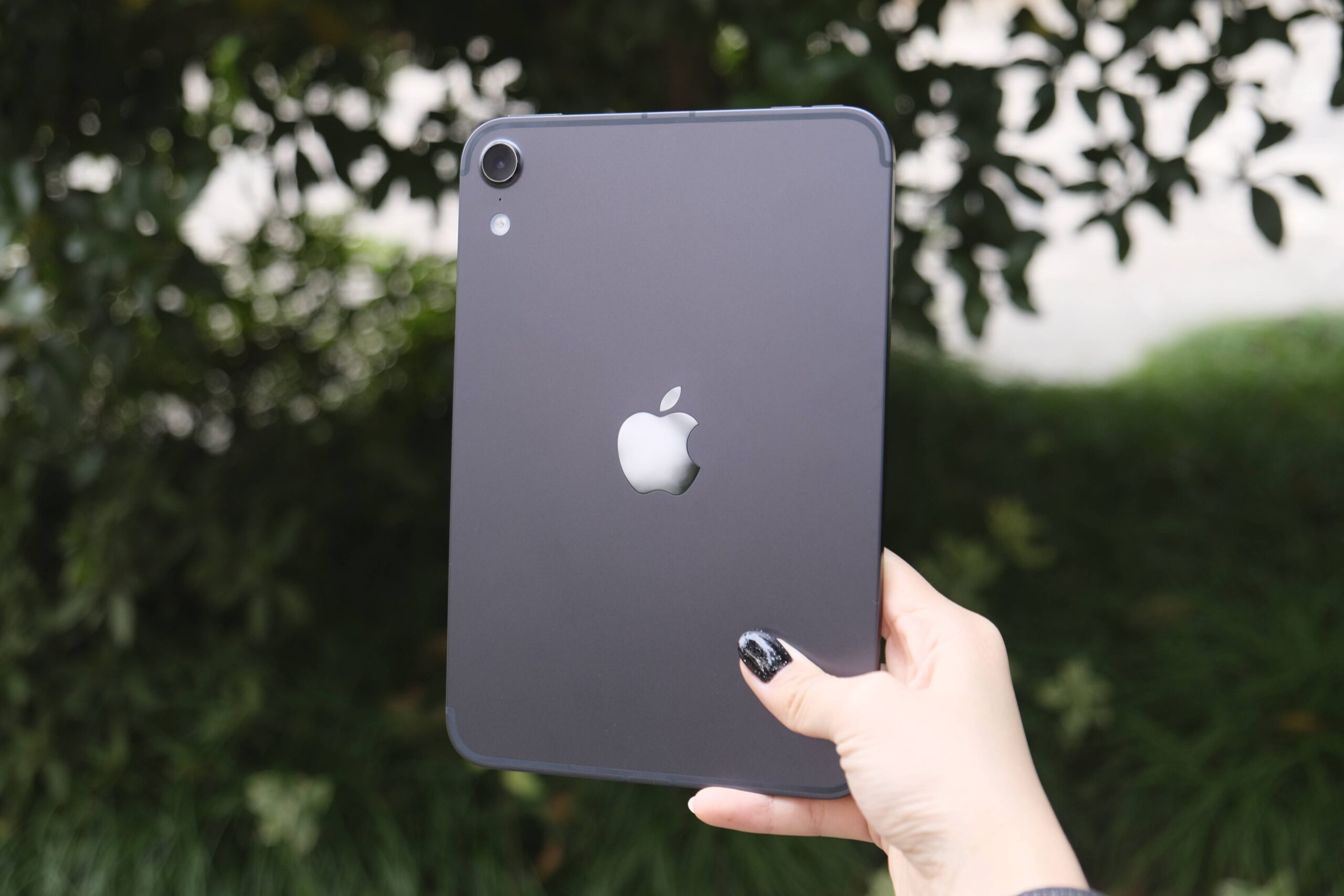
Lighter and thinner, with a better display and a cleaner design, the new iPad mini (A20 Pro) is still the same “pure” iPad mini.
***
Editor’s note: A version of this article by waychane appears on November 3, 2026 on SSPAI with the title “一眼的熟悉,满眼的惊喜:新款 iPad mini 首发体验”. Translated and published by agreement.
Among Apple’s products, the ones with “mini” in the name have always felt a little special.
The square little Mac mini may look small, but it packs a lot: a high-performance chip, a generous set of ports, and the ability to stay always on. Quietly and reliably, it just gets things done. The slim, pocketable iPad mini may look light, but desktop-class performance plus grab-and-go portability make it both a companion screen for spare moments and a ready tool for serious creative work.
That contrast between size and capability is exactly why both products have held their place in their respective lineups. Their uneven update cadence, though, has left fans waiting longer than they’d like. Happily, this year—after a thoroughly refreshed Mac mini—the iPad mini has finally received its long-overdue update.
Familiar at a Glance
The overall silhouette of the new iPad mini (A20 Pro) hasn’t changed much. Nearly identical width and height still make it a small tablet you can hold in one hand; the top button still integrates Touch ID; and the side still keeps the magnetic contacts that snap on and charge Apple Pencil Pro.
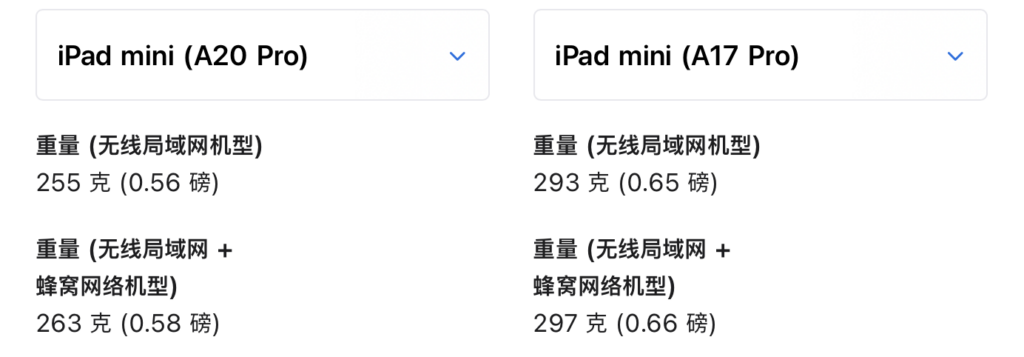
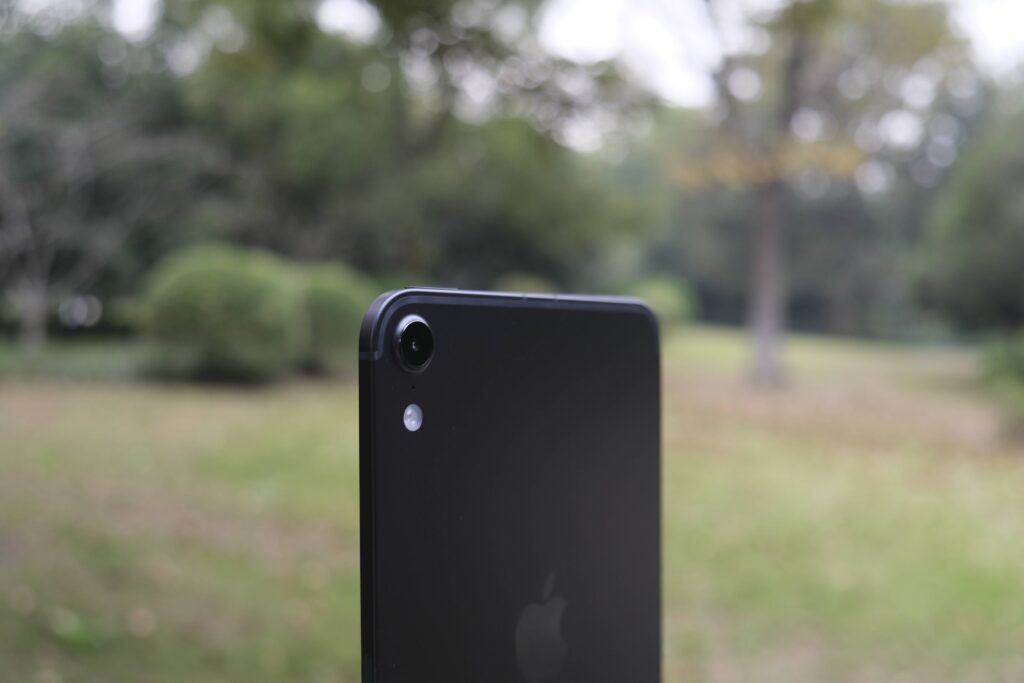
The tiny differences in width and height are imperceptible, but thickness is another story. The new iPad mini drops from 6.3 mm to 5.4 mm, and the weight savings can reach nearly 40 grams at the high end.
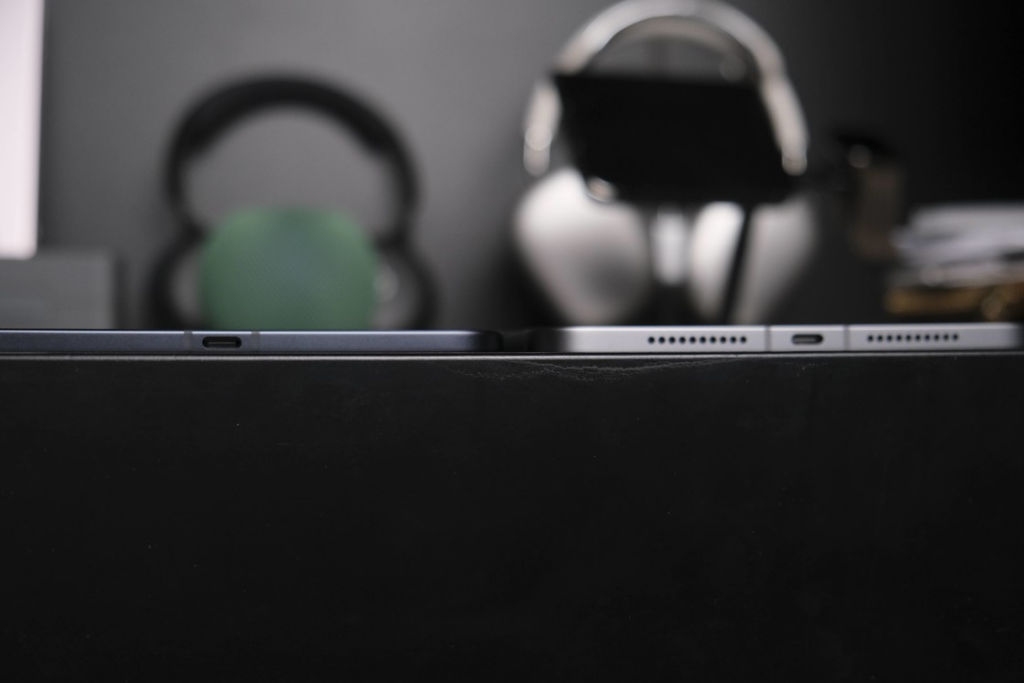
Without exaggeration, the moment you pick up the two generations side by side, you feel what that change in size and weight actually means.
Another obvious change is that the display bezels are 24% narrower. With the chassis dimensions largely unchanged, the screen grows from 8.3 inches to 8.5 inches. The bezels on the new iPad mini still aren’t what you’d call thin, but the difference is visible at a glance. For a device you often hold in your hands, I don’t mind keeping some grip room: when you hold this iPad mini in one hand, your thumb still lands naturally on the bezel and doesn’t cover any of the image.
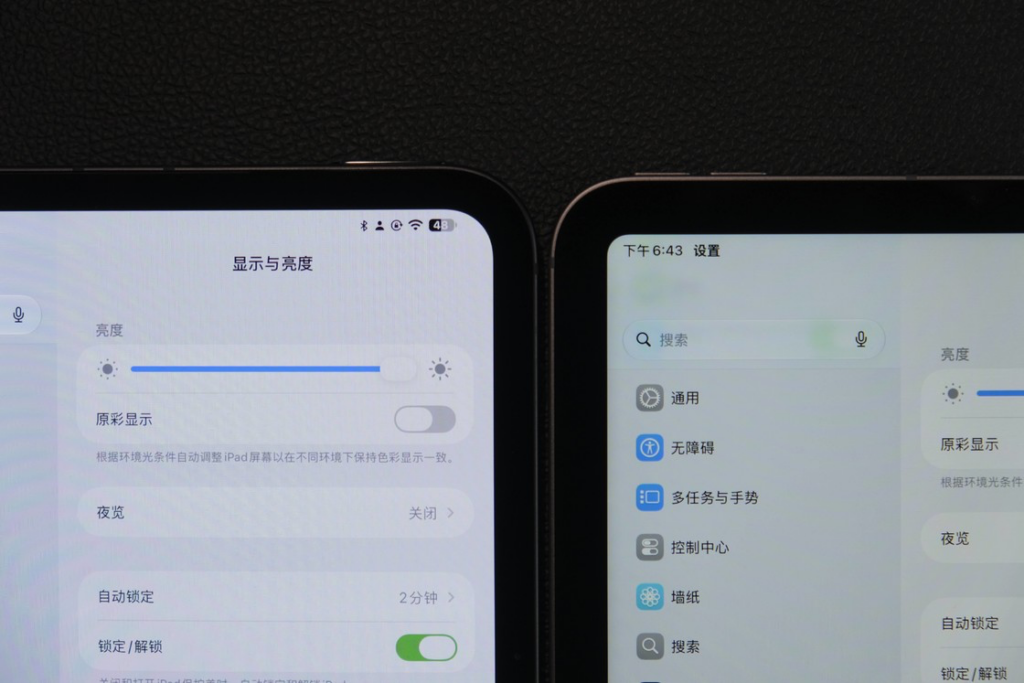
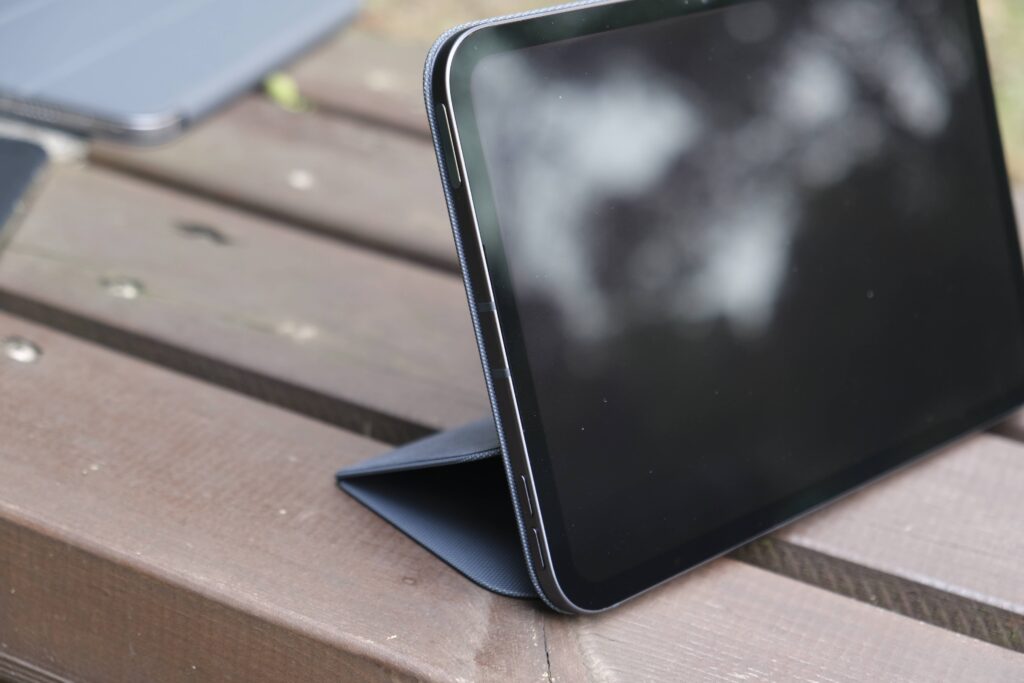
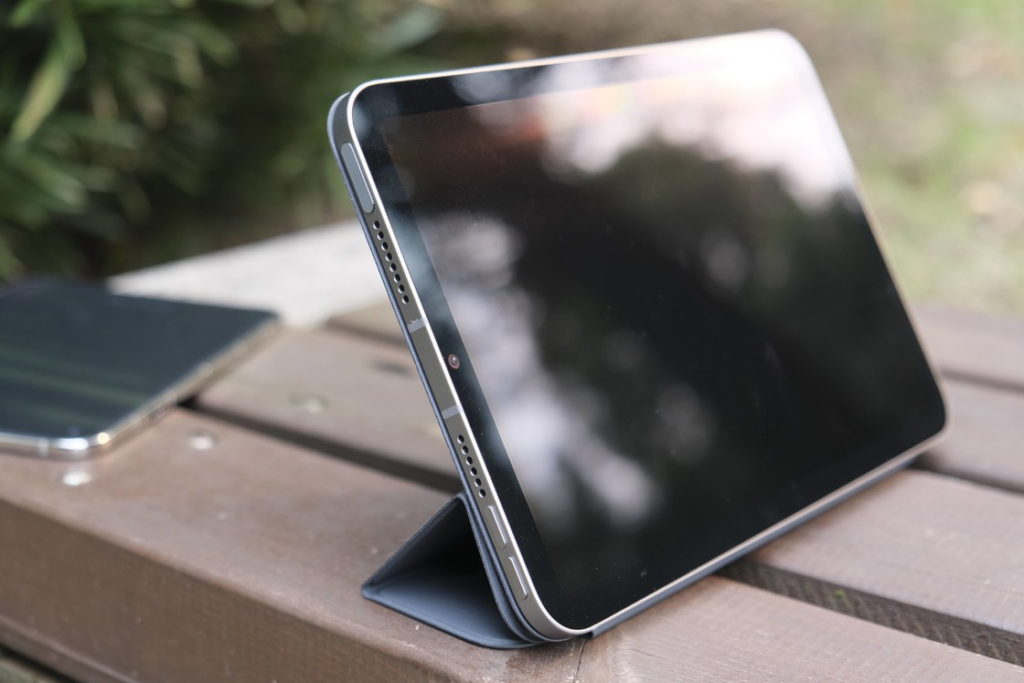
Finally, the front camera: on this generation, the iPad mini’s front camera has at last moved to the long edge of the chassis, in line with other iPad models. For a product shaped like an iPad, that layout is clearly the more sensible one. Prop the tablet in landscape on a desk with a Smart Folio or similar accessory, and video calls look more natural—your gaze no longer drifts toward one side of the screen.
And while we’re here: the Smart Folio for the new iPad mini has been revised in both design and materials. The old cover was divided into three panels by two crease lines and folded into a triangular stand; the new one uses a two-panel structure with a single crease down the middle. The folding geometry has changed, but everyday use hasn’t much—most of the stand positions you relied on before still work.
The surface has also shifted from a relatively smooth finish to the same TechWoven fabric used on iPhone cases. The texture is more pronounced, with a fine bit of friction under the fingers. Judging by my experience with TechWoven iPhone cases, the new Smart Folio for iPad mini should also hide dirt better and be easier to keep clean.
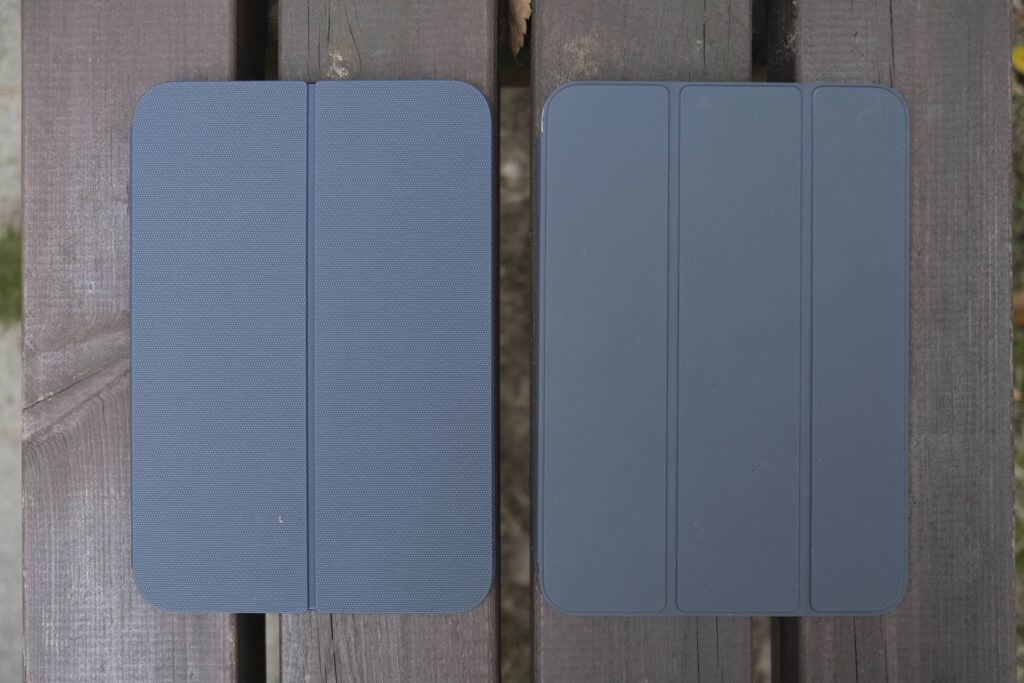
You may wonder whether this Folio fits an older iPad mini. I’d advise against it. The two generations differ slightly in chassis size, so an older mini in the new Folio shows a mild misalignment along the edges, and the rear camera doesn’t line up cleanly with the cutout. Magnets on the front of the new Folio also seem to have been repositioned; on an older device, the hold is noticeably weaker.
Full of Surprises
If I had to name one upgrade that most transforms this generation of iPad mini, I wouldn’t hesitate: the 8.5-inch OLED display.
The new iPad mini’s resolution is 2316 × 1512, still at 326 ppi. Peak SDR brightness rises from 500 nits on the previous generation to 600 nits—a difference you won’t really notice day to day. What actually widens the gap is the HDR performance this OLED panel unlocks.
The previous iPad mini could already play Dolby Vision, HDR10, and HLG content, but an LCD panel capped at 500 nits still forced tone mapping, so it couldn’t fully render HDR’s native brightness range. With its new Super Retina XDR display, the new iPad mini can reach 1,200 nits of peak brightness for HDR. Pair that with OLED’s per-pixel lighting control and excellent contrast, and highlights—lamps, sunlight, reflections—arrive at higher luminance, while black backgrounds, dark movie scenes, and photo shadows finally stop washing out to gray.
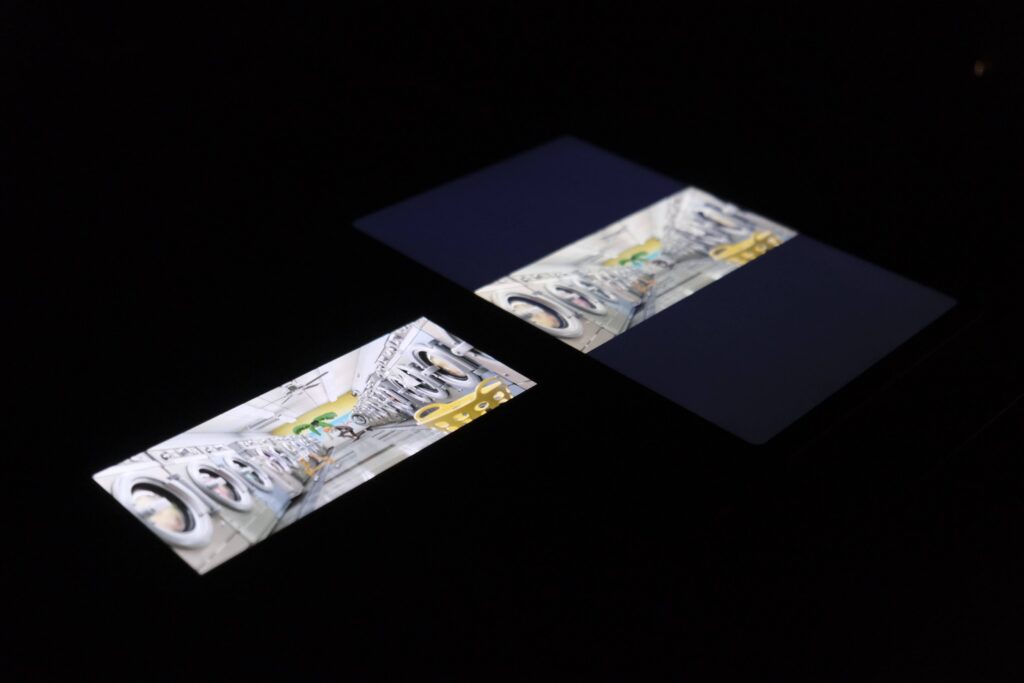
Plenty of people have criticized the new iPad mini for sticking to a fixed 60 Hz refresh rate instead of ProMotion adaptive refresh rates up to 120 Hz. Refresh rate, though, isn’t the only thing that shapes how motion looks.
OLED’s pixel response is more than an order of magnitude faster than LCD’s, so pixels finish color transitions sooner and motion blur drops sharply. Even at the same 60 Hz, scrolling and motion content on the new iPad mini look cleaner and crisper than on the previous generation—and a bit smoother as well.
As for why the new iPad mini skips a high refresh rate, a few unverified explanations are circulating. One rumor claims the panel itself can do 120 Hz and Apple simply locked it to 60 Hz. Another says the new iPad mini uses LTPS OLED rather than the LTPO OLED found on iPad Pro. LTPS can reach 120 Hz too, but it usually can’t vary the refresh rate as efficiently across a wide range the way LTPO can.
If you follow the second account, Apple may have decided against a fixed 120 Hz and its higher power draw, without giving the iPad mini an LTPO panel that could modulate refresh rate over a wide range. When iPad Pro moved to OLED, after all, it adopted both LTPO and tandem OLED so it could keep ProMotion while balancing brightness, power, and battery life. Seen that way, locking the iPad mini to 60 Hz—if the rumors are true—isn’t entirely hard to understand.
Still, none of these claims has solid evidence. Whether the reason is power, cost, or product positioning, for an iPad mini whose starting price has already cleared the 5,000-yuan tier and that often stays with someone for years, the absence of a high refresh rate is a real disappointment.
The new iPad mini also offers, for the first time, a nano-texture glass option on the 256GB and 512GB models. Reducing glare matters less to me personally than the clear look of standard glass. The iPad mini is a device I take out often, but my typical settings—high-speed trains, airplanes, cafés—are relatively controllable lighting environments; long stretches of harsh outdoor sun are rare. For people who do need that option, though, having the choice is welcome.
Changes in Use
After the look and the display, what actually feels different when you use the new iPad mini?
The previous A17 Pro iPad mini is still perfectly capable today. Everyday work rarely leaves you wanting more; the generational chip gap shows up mainly under sustained heavy load—games, for example.
In practice, the new iPad mini holds up more steadily in high-quality games. Even with graphics, frame rate, and effects all maxed out, you only see brief frame drops now and then. The previous generation, after a stretch of play, struggles to keep a stable frame rate, and fast camera turns show more smear. The thermal difference is just as easy to feel: the older unit is clearly hot after a little over ten minutes of continuous play, while the new iPad mini is only mildly warm after twenty.
At the same time, unified memory on the new iPad mini rises from 8GB to 12GB, with more than double the memory bandwidth—more headroom for games, multitasking, and on-device AI.
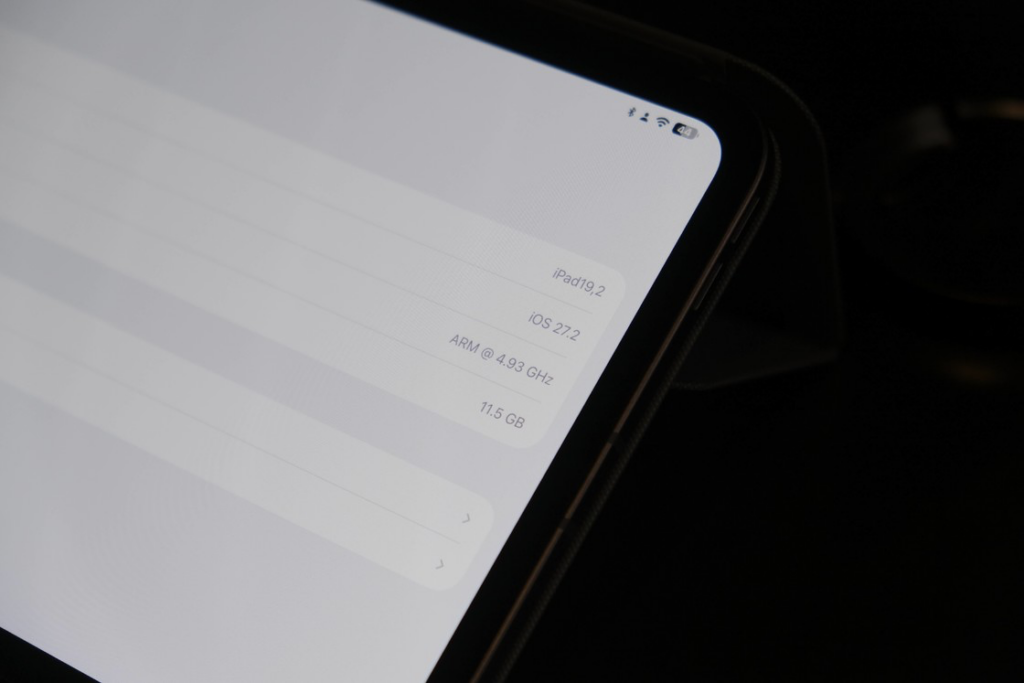
I’ve mentioned before that when you game on an iPad mini, your palms easily cover the speaker openings on both sides. That problem is largely fixed this generation: Apple has given the iPad mini an all-new Acoustic Display speaker system.
Acoustic Display places woofers at either end of the display, while the tweeters sit hidden between the glass and the aluminum chassis. From the outside, there are no speaker openings at all. Hold the tablet sideways for a game in either orientation, and your hands no longer block the sound—or force you to change your grip for the speakers’ sake.
With a design like this, you might worry about volume or sound quality. After side-by-side listening in music and games, I’d say the previous iPad mini sounds brighter and more direct, with a sharper high-frequency outline that reads a bit louder at first listen. The new one strengthens the mid-bass: vocals and instruments feel fuller, and the highs are a touch less piercing.
In games, that richer mid-bass gives explosions, impacts, and engines more weight; the older unit’s emphasized highs make footsteps, reloads, and UI cues clearer. On actual listening, it’s hard to call a simple winner. What you can say is that the concealed Acoustic Display doesn’t bring an obvious step down in volume or quality—that much is reassuring.
Thanks to that sealed Acoustic Display design, the new iPad mini’s chassis is better enclosed and reaches an IP67 dust and water rating. With the exposed speaker openings gone, the body also looks cleaner and more complete. I hope Apple brings the same approach to more iPad—and even iPhone—models. Cutting openings without sacrificing sound, while improving protection and visual integrity, is simply a good trade.
One last word on battery life. With the thinner chassis, battery capacity slips slightly from 19.3 Wh on the previous generation to 18.9 Wh—about a 2% cut.
In theory, OLED can save power in some scenes: each pixel lights independently, so black and dark content can dim or switch those pixels off entirely, which is more efficient than an LCD’s always-on backlight in Dark Mode, dark movie scenes, and the like.
In practice, Apple’s rated battery life matches the previous generation. In my use—mostly reading, browsing, and video, with some gaming mixed in—the gap between the two is modest. Holding similar endurance on a slightly smaller battery suggests that efficiency gains from A20 Pro, the OLED display, and related hardware and software changes largely make up the difference.
Battery life itself hasn’t shifted much, but this generation of iPad mini finally supports fast charging: with a 35W or higher USB-C power adapter, you can reach up to 50% in about 30 minutes—a short top-up before you leave can buy several hours of use. The box still includes only a 20W adapter, though, so you’ll need a higher-wattage charger of your own to use the feature.
Better—and More Expensive
Finally, a buying note.
The new iPad mini comes in 128GB, 256GB, and 512GB. Wi-Fi models start at 5,499 yuan; Wi-Fi + Cellular models start at 6,799 yuan. Compared with the A17 Pro version launched in 2024, the starting price is a full 1,500 yuan higher.
More awkwardly, the 11-inch iPad Air (M4) currently starts at 5,999 yuan—only 500 yuan above the iPad mini. The two products differ in size and how you use them, so a straight comparison isn’t fair; still, prices this close mean that while the reasons to choose an iPad mini haven’t changed, the budget you pay for that portability and OLED upgrade is higher than before.
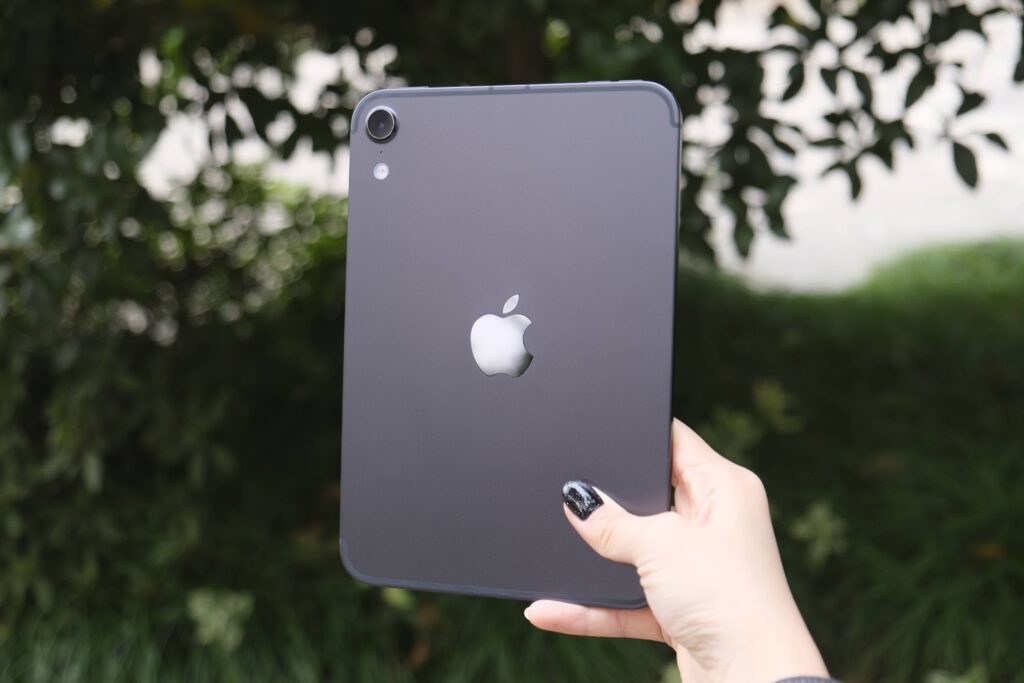
For years I’ve called the iPad mini a “pure” iPad. This one is no different.
For most people, an iPad mini still isn’t essential—most of what it does, other devices can do too. I wouldn’t tell you to buy one just because it’s lighter and thinner, or better to look at (in both design and display). But if you already plan to get an iPad, I still think the iPad mini is worth considering—as long as you know you want a tablet like this.
Share: