Doubao Confirms Launch of Paid Subscription Service
Moonshot AI Launches Kimi Work Beta
OpenAI Expands Codex Use Cases
Amazfit Introduces the Balance 3 Smartwatch
CHERRY Unveils the XTRFY K63W Pro Gaming Keyboard
Longsys Announces AIDIMM and AILPBGA Memory Solutions
Doubao Confirms Launch of Paid Subscription Service
On June 3, AI assistant Doubao published a statement announcing plans to introduce Doubao Professional, a premium version designed for the productivity needs of professional users. The service will include specialized capabilities for software development, data analysis, professional design, workflow automation, financial analysis, and scientific research.
For everyday users, Doubao’s existing features—including search-based Q&A, writing assistance, image generation, voice conversations, and video chat—will remain free of charge. The company also stated that some Professional Edition features will be made available to users within certain usage limits at no cost.
Doubao emphasized that recent rumors regarding a paid version of the service are inaccurate. Doubao Professional is still undergoing testing, and further details will be announced at a later date. Source
Moonshot AI Launches Kimi Work Beta
On June 3, Moonshot AI announced that its large language model Kimi will gain a new Work feature, now available in beta testing. Kimi Work is a general-purpose local agent designed for knowledge workers and is being introduced alongside the latest beta versions of the Kimi desktop client for macOS and Windows.
Kimi Work supports agent clusters and can autonomously create a team of up to 300 sub-agents depending on task complexity, enabling it to handle more sophisticated and time-consuming workloads. Like similar products, Kimi Work also supports importing Skills to perform more specialized or professional tasks. The beta version is currently available on macOS, while the Windows release will arrive at a later date.
OpenAI Expands Codex Use Cases
On June 3, OpenAI announced an expansion of Codex’s capabilities, introducing six new professional role plugins covering 62 applications and 110 skills. The new plugins target data analysis, creative production, sales, product design, public equity investing, and investment banking. The data analysis plugin helps teams query business data, explain metric changes, and generate reports or dashboards through integrations with tools such as Snowflake, Databricks Genie, Hex, and Tableau. The creative production plugin is designed for marketing teams, transforming briefs into ad variations, campaign boards, product images, and lifestyle visuals.
In addition, OpenAI introduced a new Sites feature for Business and Enterprise subscribers, allowing users to create and share interactive hosted websites and applications. Codex can transform ideas, analyses, and plans into dashboards, planners, review workspaces, project boards, portfolios, and lightweight tools. These can be shared via URL with specific team members, providing a collaborative workspace for exploring projects, contributing ideas, tracking progress, and making decisions together. Annotation capabilities have also been extended to documents, spreadsheets, and presentations. Users can select navigation elements, investment thesis statements, or chart labels within slides and instruct Codex to modify only those specific sections. Source
Amazfit Introduces the Balance 3 Smartwatch
On June 3, Amazfit launched the Balance 3 smartwatch in overseas markets. The device features a stainless-steel body, measures approximately 14.6mm thick including the sensor module, and has a case diameter of 51.4mm. It is rated for 10ATM water resistance.
The front is equipped with a 1.5-inch AMOLED display with a peak brightness of 3,000 nits and comes standard with a sapphire crystal cover. In terms of health tracking, the Balance 3 supports 24/7 heart rate monitoring, blood oxygen tracking, skin temperature measurement, and stress monitoring. It can also detect abnormal heart rate conditions, low blood oxygen levels, and elevated stress levels. Additional features include sleep tracking and menstrual cycle monitoring.
The smartwatch supports more than 180 sports modes and includes a built-in GPS module for standalone activity tracking. Other features include a 658mAh battery, with Amazfit claiming up to 21 days of battery life under typical use and around 7 days with the always-on display (AOD) enabled. The device also includes a speaker, microphone, NFC functionality, and other smart features. The Amazfit Balance 3 is priced at $369.99. Source
Product image, courtesy of the original news source.
CHERRY Unveils the XTRFY K63W Pro Gaming Keyboard
On June 3, CHERRY’s gaming hardware brand CHERRY XTRFY introduced the world’s first gaming keyboard to support 8K UWB (Ultra-Wideband) wireless connectivity — the CHERRY XTRFY K63W Pro.
According to CHERRY, traditional wireless solutions used in peripherals often suffer from crowded and narrow communication channels. UWB technology, by contrast, transmits data using short-duration pulses across a much wider frequency spectrum, enabling more precise timing, reduced interference, and more stable communication.
The K63W Pro features a compact 70% layout and is equipped with the upgraded CHERRY MX LOW PROFILE 2.0 mechanical low-profile switches. It comes with ABS keycaps featuring laser etching and UV coating. Internally, the keyboard uses a gasket-mounted structure, supports an 8kHz polling rate, and includes a 6,000mAh battery capable of delivering up to 1,100 hours of battery life. The MX LP 2.0 switches have been redesigned with a smoother keystroke, improved stability, more consistent actuation, and a crisp yet fluid linear feel. An optimized lubrication process further reduces friction while enhancing both typing feel and key acoustics. The switches are rated for up to 100 million keystrokes. The keyboard will launch in Europe in early July with a suggested retail price of €179.99 (and the equivalent price in GBP), followed by a U.S. release in August with an MSRP of $169.99. Source
Product image, courtesy of the original news source.
Longsys Announces AIDIMM and AILPBGA Memory Solutions
At COMPUTEX 2026, Longsys unveiled two specialized memory products designed for on-device AI inference: AIDIMM and AILPBGA. Both solutions are based on LPDDR5X memory, feature a 256-bit wide interface, and support transfer speeds of up to 9600MT/s.
The AIDIMM architecture shares some similarities with server-side SOCAMM2 modules but has been specifically optimized for AI agent host systems. Its four LPDDR DRAM chips are arranged horizontally along the shorter edge of the module. Measuring 80mm in length and 30mm in width, the module supports capacities of up to 128GB and uses a tool-free high-pin-count connector.
AILPBGA, meanwhile, targets embedded AI inference scenarios where compact size is a key requirement. It offers capacities ranging from 24GB to 64GB and is fully compatible with standard LPDDR interfaces. The solution uses a 22mm × 22mm BGA1764 package, delivering high memory bandwidth while maintaining a compact footprint and a high level of integration. Source
Google and Amazon reach a multi-cloud solutions partnership
Doubao Mobile Assistant releases technical preview
Kuaishou Keling AI announces Keling Video O1 model
Testing tools GFXBench and CompuBench end development and go open-source
Swiss government advises against using SaaS services due to lack of encryption
Rumors You Can Just Glance At
Google and Amazon reach a multi-cloud solutions partnership
On December 1, Google Cloud and AWS issued a joint statement announcing a collaboratively designed multi-cloud networking solution. This solution uses both AWS Interconnect – Multicloud and Google Cloud Cross-Cloud Interconnect, introducing a new open standard for network interoperability that allows customers to build dedicated high-speed connections between Google Cloud and AWS with a high degree of automation and speed. Early adopters include Salesforce. In addition, AWS stated that it plans to pursue similar cooperation with Microsoft Azure in 2026. Source
Doubao Mobile Assistant releases technical preview
Doubao Mobile Assistant announced the release of its technical preview on December 1. According to the official introduction, Doubao Mobile Assistant is a system-level mobile AI assistant jointly developed by Doubao and smartphone manufacturers. Leveraging the capabilities of the Doubao large model and manufacturer-level system integration, the assistant aims to deliver more convenient interactions and richer user experiences. Users can summon Doubao through voice, a side button, or the Doubao Ola Friend earbuds for more seamless interaction. No matter which screen they’re on, users can directly ask Doubao about the on-screen content to obtain additional information. Meanwhile, commonly used Doubao features such as voice calls, video calls, and screen sharing are also embedded into the assistant, and can be invoked by double-pressing the AI side key. In terms of multimodality, the assistant integrates with the system’s native photo gallery. Users can directly issue voice-based editing commands—such as removing people or cleaning up clutter—while viewing photos in the album. Doubao Mobile Assistant also supports AI-powered phone control, enabling automatic navigation across apps based on user instructions. It can handle tasks such as checking and booking tickets, placing orders, bulk downloading files, and checking logistics progress across multiple apps with a single command. Powered by its memory capabilities, Doubao Mobile Assistant also introduces an enhanced “Operate Phone Pro Mode.” Beyond using GUI Agent (simulated taps), this mode can directly call system tools and combine memory data with stronger reasoning abilities to efficiently complete complex tasks. A limited batch of the engineering prototype featuring the Doubao Mobile Assistant technical preview—the nubia M153—is now available for purchase at 3,499 RMB, aimed at developers and early testers. Source
Kuaishou Keling AI announces Keling Video O1 model
On December 1, the Kuaishou Keling AI team announced the launch of the Keling Video O1 model. The model introduces a multimodal vision–language interaction architecture, allowing multiple tasks to be handled within a single input box. It features commonsense reasoning and event simulation abilities, and can use videos or images together with text as input materials to generate 3–10 second videos. It supports localized additions, deletions, and modifications to video content, can extend shots before or after a clip based on the original material, and can construct multi-angle subject views while ensuring stable subject characteristics. The model is now available on the Keling app and official website. Source
Testing tools GFXBench and CompuBench end development and go open-source
Software company Kishonti has announced the discontinuation of GFXBench and CompuBench—the mobile and desktop GPU benchmarking tools first released in 2004—while open-sourcing their code on GitHub. Current releases will begin to be removed from app stores by the end of this year. The development team has shifted its main focus to autonomous driving AI vision and founded aiMotive, which was acquired by Stellantis Group in 2022. Source
Swiss government advises against using SaaS services due to lack of encryption
According to The Register, the Swiss Conference of Data Protection Officers (Privatim) issued a resolution last week urging Swiss public institutions to avoid using hyperscale cloud services and SaaS platforms for security reasons. The resolution states that most SaaS solutions still do not offer true end-to-end encryption, meaning vendors may be able to access plaintext data. As a result, the conference believes it is inappropriate for Swiss government agencies to place “particularly sensitive personal information or confidentiality-bound data” on SaaS platforms or hyperscale clouds—especially those subject to U.S. cloud legislation. The document specifically names Microsoft 365 as an unsuitable service. Source
Rumors You Can Just Glance At
According to South Korea’s Sedaily, Samsung’s semiconductor (DS) division has refused to sign a long-term DRAM supply contract with Samsung’s Galaxy device (MX) division. With high-bandwidth memory for AI accelerators and LPDDR for mobile devices both enjoying high profit margins, the upcoming Galaxy S26 series faces profitability challenges due to soaring memory prices.Source
On the evening of December 1, vivo responded to the controversy over a pinned comment in one of its livestreams. The company stated that on November 29, the livestream was flooded with a large volume of unrelated comments—8.9 times higher than usual—and a defamatory remark was accidentally pinned in the chaos. vivo emphasized that the pinned comment does not represent the company’s stance and reiterated its firm opposition to any sexist or divisive remarks.Source
Air Travel Assistant (航旅纵横) confirmed to Guangzhou media that the platform suffered a system malfunction on the afternoon of November 29, which led to widespread misinformation. The issue has since been fixed, but the company stated it cannot compensate for any financial losses incurred by users. It advises travelers to contact airlines directly to verify information when receiving alerts.Source
Lotus Technology unveiled the Lotus Diplomat, a full-keyboard smartphone featuring a 5.3-inch 4:3 display, Snapdragon 8 Elite processor, 24GB RAM, and 1.5TB storage. Crowdfunding for the device will begin at a later date.Source
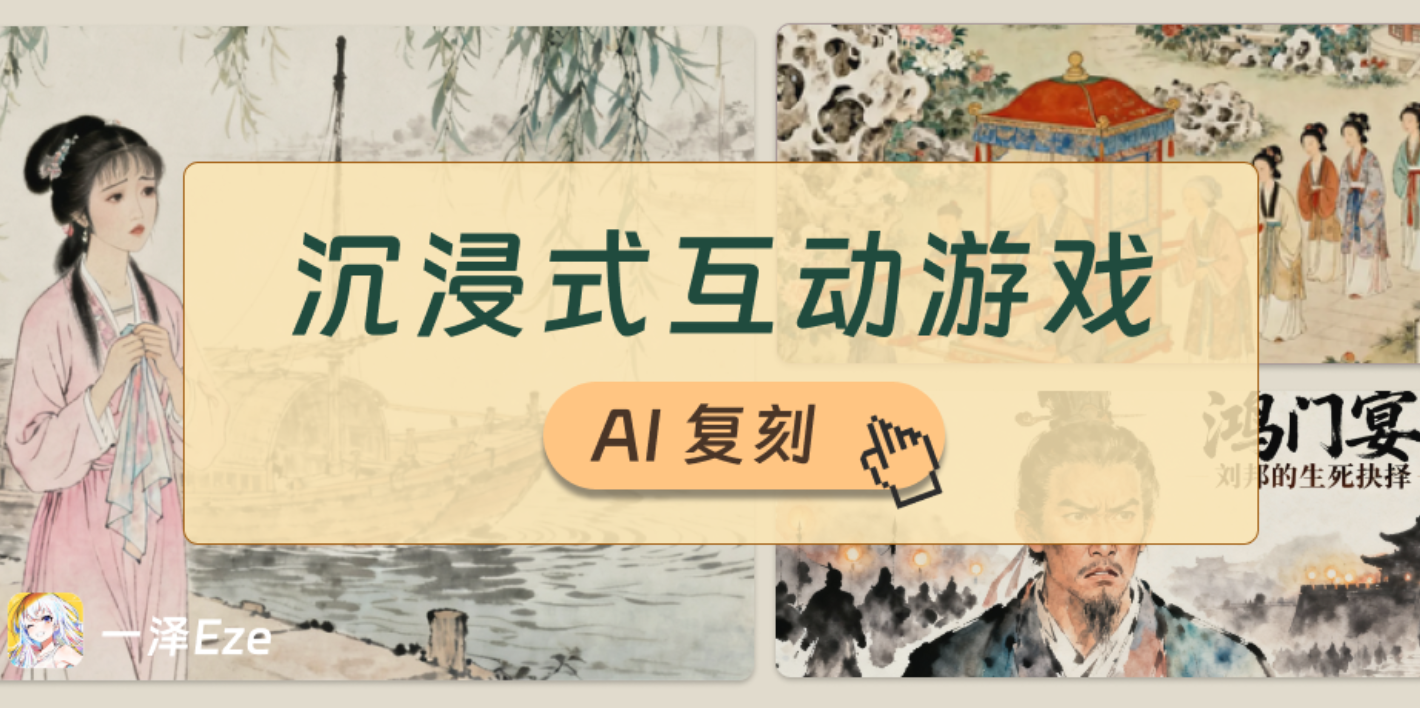
A teacher used AI to create an interactive game based on “Lin Daiyu’s First Visit to the Jia Mansion.”
Seeing something like this, were you about to scroll past it? Another flashy AI showcase, right?But after I saw the full piece, I paused for a long time. Not because of any particularly complex technology, but because I suddenly realized: after talking about AI Coding for an entire year, maybe we’ve been looking in the wrong direction.
The game itself is simple: students take on the perspective of Daiyu, guiding the direction of the story, with each scene accompanied by one illustration.
But when I put myself back into the mindset of my student days, I instantly understood the charm. Instead of passively listening to the story, students experience its progression, and can even explore “what if I made a different choice” possibilities.
However, after seeing the forty-plus rounds of prompts pulled back and forth behind this project, I noticed a problem:
To build this game, the creator had to constantly switch between coding platforms and AI image-generation tools, going back and forth in dialogue. So is there a way to make the process simpler?
In other words: what if making an interactive game like this could be as simple as writing a single sentence? What would happen then? With that question in mind, I tried another method. The result was this — an interactive courseware format that fits classroom teaching remarkably well.
It can also look more like an immersive story-driven game:
Yes — from inputting the idea to getting the complete game, there’s no manual image generation, no switching between multiple tools, and no adjusting code or matching assets.
All of it comes from one single prompt. And in this article, I’ll share the entire method with you, along with two style templates.
📍 Starting Here
The core design of this method is simple: choose the right scenario, give the AI more room to operate, and let it reach its upper limits of intelligence.
For implementation, I used two main tools:
Claude Code + Skill: Claude Code is an agent framework that provides the plan-and-execute action space; Skill can be thought of as a capability pack that, for this task, guides the AI through image generation.
Doubao Seed-Code Model: ByteDance’s latest model and the first domestic multimodal coding model. It drives the agent, completes the game development, and provides multimodal understanding so the AI can “interpret” the generated images and adapt UI design.
Using them, the entire process of “creating an interactive game with one sentence” is automated:
Provide the plot text: You can simply give a title and let the AI recall world knowledge, or provide the original story directly.
Identify key scenes: The AI recognizes narrative turning points and splits the story into 5–10 key moments.
Design scene illustrations: AI-generated images are ideal. Traditionally, users had to craft consistent image-generation prompts, download images from a separate platform, then upload them into the coding tool — a time-consuming workflow.
Game development: Includes designing scene options and feedback, implementing interactions, performing multimodal analysis of the illustrations, extracting stylistic elements, and unifying all UI components.
If any of this looks confusing, don’t worry — and don’t let the black-window command line scare you. Just follow the guide below and, even with zero AI background, you can use top-tier agent workflows to create these games with a single sentence.
1️⃣ Install Claude Code
Although Claude Code is very easy to use — and I’ve covered installation many times — new readers might need a refresher. If you already installed it, feel free to skip ahead. Open the Terminal/Command Line tool on your computer:
Not sure how? No worries—send the following prompt to any AI and it will walk you through the entire process step by step.
Using the information below as a reference, guide me step-by-step to install this program in the terminal on [Mac / Windows / Linux]: [paste the installation instructions from the link above here] If I run into questions or errors, I will send you the terminal logs — please help me troubleshoot and resolve them.
Reference the following information and guide me step by step to install this program in my Mac/Windows/Linux terminal: [Paste the installation instructions from the link above here] If I run into confusion or errors, I’ll send you the terminal logs—please help me fix them.
If there’s an error, just send it a screenshot—most issues can be resolved easily. You can also ask the AI, “I’m on Mac / Windows—how do I open my terminal?”
After installation, type claude --version in the terminal. If you see a version number, the installation was successful.
2️⃣ Configure the Doubao Seed-Code Model
This time, we’re choosing the Doubao Seed-Code model to power Claude Code mainly because:
On one hand, after testing it over the past two days, the compatibility between Doubao, Claude Code, and Skills is excellent. I haven’t yet encountered any failed Agent actions.
On the other hand, as the first domestic multimodal coding model, we can finally use a local model to analyze game visual assets and automatically design a matching UI.
Before starting, it’s recommended to create an empty project folder—say, test—and navigate to it in your terminal:
This keeps Claude Code’s AI actions restricted to that directory, reducing the risk of affecting other files on your machine.
Replace the model with Doubao-Seed-Code by entering the following in your terminal:
export ANTHROPIC_BASE_URL=https://ark.cn-beijing.volces.com/api/compatible export ANTHROPIC_AUTH_TOKEN=【Replace with your Volcano Ark API Key】 export ANTHROPIC_MODEL=doubao-seed-code-preview-latest claude
This operation temporarily switches the model to the target model within the current terminal window. (After closing this window, you must resend this command to re-specify the model API and Key.) The Volcano Ark API Key can be obtained by applying at https://console.volcengine.com/ark/region:ark+cn-beijing/apiKey.
To use the model, you need to top up your balance within it.
3. After sending the above commands, if you see the screen below, then it’s working:
3️⃣ Configure the Image-Generation Skill
This is the final step of the preparation process. Once completed, your Agent will gain the ability to generate its own visual assets for the game. To achieve this, we’ll use a Skill package—you can think of it as a “capability plugin” installed for the AI.
I created a Skill called “seedream-image-generator”, which teaches the AI how to call ByteDance’s Seedream 4.0 image-generation API to create and download AI-generated images. The Skill is open-sourced on GitHub: https://github.com/eze-is/seedream-image-generator
To let Claude Code use our Skill, you need to place the seedream-image-generator Skill archive inside the /.claude/skills/ directory of your current project folder.
You can download the Skill archive manually and place it into the folder yourself (the image below shows what the correct Skills directory configuration looks like):
Or you can let Claude Code do the work by sending the following instruction:
Download the contents of https://github.com/eze-is/seedream-image-generator, excluding README.md and .DS_Store, and place them under the path /seedream-image-generator/ inside the current directory’s /.claude/skills/
The AI will request execution permissions from you along the way—most of the time, you can simply confirm with “Yes.”
When you see:
At this point, all the preparations are complete. You can now start using the prompt templates in the following section to create an interactive game with a single sentence.
💡 Let’s Begin: Your Interactive Game Creation Guide
Now that everything is set up, we can begin creating our own interactive game.
The core command structure works like this: you can send instructions to the Agent step by step (that’s how I created the example below—doing it this way also helps you better understand the Agent’s logic).
You can also scroll further down to the “Treasure Prompt Templates” section. There, you’ll find the optimized prompt templates I prepared for you—perfect for generating similar games in one go (more effortless, ideal for everyday use, with more detailed operational guidance):
1)Multi-round prompting approach (you may skip to the next section to grab the template)
The first priority is to specify the main generation goal of the game: to create an HTML-based game in which the player enters the scenario and experiences the process of [a certain character] [doing something], designed to evoke [certain emotions / social atmosphere / other essential experiential elements].
The game content refers to [describe the plot here: you may paste the original text directly; if it’s a well-known literary work, you may simply describe the story title and let the AI recall it on its own]. The game requires a total of X images, to be generated using the seedream-image-generator skill and embedded into the game page. All images should follow a unified visual style prompt
By the way, when generating AI images, the Agent will ask you again for the Volcengine Ark API_KEY—the same one we provided at the beginning. Just follow the console instructions when prompted. Note that image generation is billed by usage, so make sure your Volcengine Ark account has sufficient balance.
When it comes to detailed prompting, you can control the number of choices: each scene should have 3 different options that simulate how the character might act in that situation. Only 1 option aligns with the original text (i.e., the correct choice), while the other 2 are incorrect. After the player makes a selection, provide game feedback, indicating whether the choice is correct and explaining the reasoning. This gameplay structure helps enhance immersion and deepens the player’s understanding of what the character is experiencing.
Using multimodal capabilities to analyze the image style and automatically optimize the UI: ask the model to analyze the style of [the specified image file name, or an image you drag/drop into the Claude Code input box], then optimize and unify UI elements according to that style.
Thanks to the Doubao-Seed-Code model’s strong multimodal understanding, the Agent can interpret the style of images it has already generated and redesign the game interface to match. The Agent automatically transformed the game UI above into this—more unified and visually harmonious.
The interactive game format is very intuitive and easy to follow, making it suitable for teachers to demonstrate in class. If you want a more gamified interface or additional adjustments, you can simply tell the AI your ideas directly:
“I want the game interface to use the scene illustration as the full background, with all option UI elements displayed on top of the image.”
“I need to add a character status panel to show changes in the character’s emotional values.”
“The illustration for Scene 3 doesn’t look good—please replace it with XX.”
“I’ve placed an image I found in the /pic folder. Please replace the illustration for Scene 3 with the picture I provided.”
2)Treasure Prompt Templates (use these if you prefer the lazy option—still works great)
I’ve prepared two different prompt templates: one for an “interactive courseware style,” and one for an “immersive story-driven game.” After entering Claude Code, simply paste and send them. You can also take a closer look at the operation flow I demonstrated:
A. Interactive courseware style This layout leans toward an interactive courseware UI, and the effect looks like this:
It could also be arranged horizontally like this (Zhu Ziqing’s “The Back View”):
The one-time prompt template is as follows:
【Task Objective】 Based on the provided original text / specific plot / literary content, automatically generate a complete interactive narrative web game / teaching module, and create a folder in the project root directory to store all game code and assets.
【Core Requirements】
Automatic Scene Segmentation:
Automatically split the story into 3–10 key narrative scenes (default around 7, adjusted according to the original text’s length) based on plot turning points
Each scene must extract the core plot, environmental description, and character state
Image Design Prompts:
Generate detailed prompts for AI image creation, one for each scene
Image style: automatically match the theme of the original text, ensuring all images share a unified style as if from one coherent game (e.g., classical literature → ink painting, sci-fi → cyberpunk, history → realistic)
Content requirements: include the core elements of the scene (characters, setting, actions, atmosphere) and stay faithful to textual details
Image Generation: Use the seedream-image-generator skill to generate corresponding images.
HTML Game Development: Choice Design:
Each scene must include 3 options: 1 that aligns with the original plot (correct), and 2 that appear reasonable but deviate from the text or character logic (incorrect)
Choices must align with the character’s identity/personality (e.g., Daiyu → cautious and delicate; Sun Wukong → rebellious and bold)
The correct option must strictly follow the original plot; incorrect ones should fit the context but diverge from the source Feedback System:
Correct feedback: explain which specific textual evidence supports the correct choice
Incorrect feedback: explain why the choice contradicts the plot/character logic, guiding the player toward accurate understanding Game Interaction & Styling:
UI layout must follow typical text-based interactive games
UI elements must be optimized and unified using multimodal analysis of the generated images’ visual style
【Game Content】 <Insert/replace with the literary text or historical material you want turned into a game>
【Output Format】 A complete, runnable HTML game
【Example Reference (to illustrate generation logic)】 If the original text is the “Daiyu Enters the Jia Mansion” chapter from Dream of the Red Chamber, the AI should:
Split scenes: disembark from the boat → enter the city and view the streets → in front of Ningguo Mansion → in front of Rongguo Mansion → before the hanging-flower gate → through the corridors into the courtyard → before meeting Grandmother Jia
Image style: Chinese classical gongbi painting with soft pink/brown/teal tones
Option design: reflect Daiyu’s personality—careful, observant, mindful at every step
Feedback: explain correctness or mistakes using details from the original text
You only need to paste/replace the content in the Game Content section with the literary or historical text you want to turn into a game, then send it to Claude Code:
The agent will automatically break the text into scenes and plan illustrations with corresponding prompts:
You can see that the selected scene transitions largely match expectations, and the agent’s execution process is smooth and error-free.
The agent will then begin automatically generating batches of illustrations under /project-directory/pic/. Using Doubao-Seed-Code’s multimodal analysis capabilities, it recognizes image content and designs the UI style.
It plans options and feedback and develops the main body of the game:
Finally, the agent will automatically inform you that the game has been successfully generated, and you can follow the instructions to experience it:
If you want a horizontal layout, you can ask the AI after generation:
Change to a horizontal layout with the image on the left and the options on the right. Make sure everything fits on one page on desktop without scrolling.
For example, here is what Zhu Ziqing’s “Back View” looks like in effect:
B. Immersive Narrative Game
A more game-like style looks like this — for example, using the historical episode The Feast at Hongmen as a scenario:
Players can choose the game’s direction based on their own understanding:
At the end, there is also a results screen, helping players review and better understand how the story unfolded.
You can send the following instructions to Claude Code all at once to enjoy AI-driven productivity and automatically generate the corresponding game:
[Task Objective] Your core mission is to act as an all-round interactive narrative game designer. Receive any literary text I (the teacher) provide (classical prose, fairy tales, essays, etc.) and automatically convert it into a complete web-based interactive game/lesson for teaching.
[Core Workflow] I will provide the original text. You must strictly follow the four steps below, and after completing each step, confirm with me before proceeding to the next step. Before starting specific work, create a folder named after the story in the current project root directory.
Step One: Story Analysis & Instructional Design
Text analysis: Deeply understand the original text I provide; analyze its genre, emotional tone, core plot, character personalities, and key choices; select the most suitable immersive avatar/player perspective.
Gamified structure planning:
Start screen: Include a compelling title, a short background introduction (clearly state the role the player will take and the learning objectives), and a “Start Experience” button.
Scene segmentation: Automatically split the original text into 5–10 coherent core scenes (default ~7, adjust according to original text length).
Ending design: Based on player choices, decide whether to use a single linear ending or multiple endings, grounded in the original text.
Interactive option design: In each core scene, provide the player with 3 different action choices (1 choice that best fits the original text’s logic, and 2 distractors). Options must tightly adhere to character personalities and the situation; avoid revealing the correct choice within the scene description.
Instructional feedback:
Extract teaching points: Clearly state 1–2 core learning objectives students should gain from the experience (e.g., character traits, central theme).
Design debrief content: Draft the post-game debrief. This section will include “Choice Path Review,” “Key Point Explanations,” and “Class Discussion Questions.”
Step Two: Art Style Definition & Visual Generation
Define art style: Recommend a unified, non-photoreal illustrative style based on the original’s tone (e.g., classical prose → “Chinese ink wash with light color” or “traditional gongbi illustration”; fairy tale → “fantasy watercolor storybook” or “cute cartoon”; modern essay → “soft healing” or “minimalist imagery”).
Generate image prompts: For the cover, each scene, and ending images, produce detailed AI image-generation prompts that include the chosen style keywords.
Image style: Auto-match the subject matter; all images must share a unified style and use a horizontal widescreen aspect ratio (e.g., 16:9) to avoid scaling distortion during scene transitions.
Content requirements: Include core scene elements (characters, environment, actions, atmosphere), stay faithful to the original text details, and do not invent facts.
Generate images: Locate the seedream-image-generator tool and generate images for all scenes. If APIs or other resources are required or missing, proactively ask me — this step cannot be skipped. You must generate images before moving on to UI design.
Step Three: Interaction and UI Design
Overall layout:
Scene display area: Center-upper part of the screen to show the current scene’s generated image.
Interaction area: Fixed at the bottom of the screen to hold the main dialog box.
Core dialog box:
Appearance: Use a clear, easy-to-operate bordered style.
Motion: When a new dialog appears, use an appropriate animation.
Content flow: Show the scene description with a “typewriter” effect (characters appear one by one). After the text finishes, display three option buttons below.
Button system:
Option buttons: Three equally wide option buttons with interactive feedback — slight glow or scale on hover and a pressed visual on click.
Utility buttons: “Previous” and “Retry” buttons as small icons or text links fixed in a corner (e.g., top right) so they don’t distract from the main visual.
Responsive UI design: Analyze the overall color tone and style of the generated images and design matching UI elements to craft an immersive experience. Ensure all visual elements (dialog boxes, buttons, fonts, animations) seamlessly integrate with the illustration style to form a harmonious aesthetic.
Step Four: Final Delivery
Implementation:
Integrate the planned game paths, generated background images, and UI design into a working codebase.
After the game ends, present a simple, well-designed debrief screen — a centered, softly backed translucent card that clearly lists the “Choice Path Review,” “Key Point Explanations,” and “Class Discussion Questions” conceived in Step One.
File delivery:
Inside the project folder you created, produce the game code file (【StoryName】.html) and all image assets.
The final 【StoryName】.html must be a single, standalone file with all CSS and JavaScript inlined so it runs in a browser without additional setup.
Verify all interactive operations and package the project folder with every resource included for final delivery.
Additionally, I also had Agent generate Wang Zengqi’s “Duck Eggs for the Dragon Boat Festival.” The results produced in one go are as follows, and they all turned out quite well:
🎐 Final Thoughts
At this point, you’ve mastered the complete method for “creating an interactive game with a single prompt.” Let’s take a moment to review what we’ve achieved:
We successfully compressed the teacher’s original 40+ rounds of prompt iteration into a single instruction. No manual image generation required—the entire process is automated (something previously only possible with vertical Agent products). And with that, we can transform literary works and historical narratives into satisfying interactive games in one go.
With AI, teachers no longer need to worry about where to find visual assets, how to write code, how to craft copy, or how to maintain stylistic consistency across game elements. Educators can finally focus on what truly matters: the story, the learning experience, and the students’ emotional engagement.
The purpose of technology is not to replace anyone, but to align with the original goals—and achieve them better, much better. When you see students passionately debating a choice, or searching for information on their own because of a story ending, you’ll understand: this is the gift AI brings to education in this era.
And finally, one more thing ⬇️ If you create an interesting game using this method, feel free to tag me—I’d love to experience your creativity.
Let technology return to its original purpose. Let AI elevate the experience. This is the positive change the AI era brings to us.