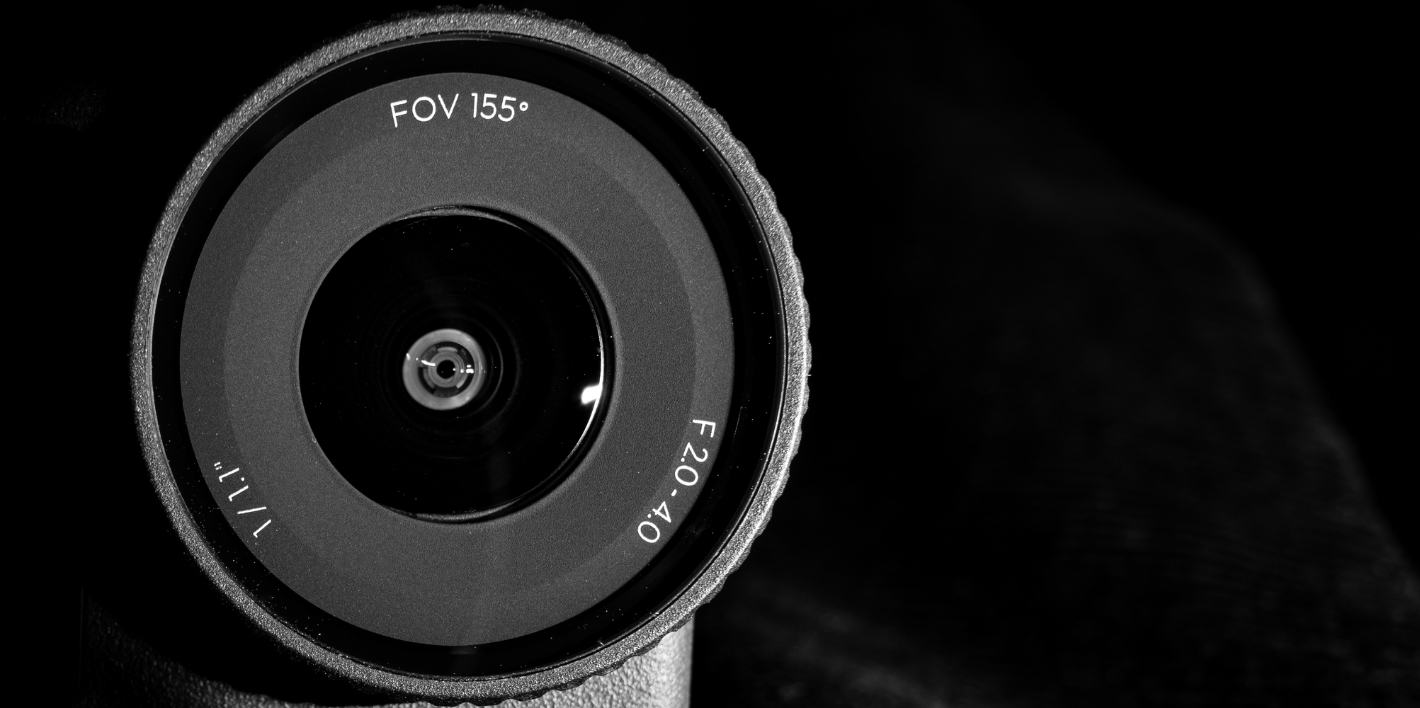
Tag: DJI Osmo Action 6

  • A Square-Format Ultra-Wide Prime Camera

    A Square-Format Ultra-Wide Prime Camera

    Introduction

    If I asked you to guess a camera:

    • It has a native 1:1 square-format sensor, just like classic 6×6 medium-format cameras;
    • It uses an ultra-wide lens around 12mm, capable of capturing a dramatically expansive field of view;
    • It’s also a fast-aperture prime lens with a physical variable aperture for depth-of-field control. Sounds a bit like a “wide-angle modded version” of a Ricoh GR, doesn’t it?

    But if I tell you its actual name—DJI Action 6 (hereafter AC6)—your first reaction might be: “Isn’t this just an action camera?”

    This sense of “discrepancy” may not be a flaw in product design at all, but rather a sign that the logic of the market has quietly shifted.

    Suppose the number of people in extreme sports communities has actually remained fairly stable—yet you’ll notice that action-camera sales continue to rise year after year. What does that imply? It implies that more and more people are buying these devices with the mindset of “buying a camera,” not “buying an action camera.”

    Some features that seem to have little to do with sports scenarios also indirectly confirm this trend: direct-connect microphones, starburst effects enabled by the variable aperture, portrait mode… DJI clearly wants to position it as an all-purpose camera, not merely a tougher, more stable “action camera.”

    Image source: DJI official website

    All these features and accessories exist to help it break free from the limitations of “only shooting ultra-wide action footage,” making users more inclined to see it as a compact creative tool.

    I don’t ski, and I’m not brave enough to go skydiving. I intend to use the Action 6 as an ultra-wide prime camera. Based on my daily shooting habits, I want to see what kind of images it can capture once it’s stripped of its “action” label.

    01 A More Camera-Like Attempt: The Addition of a Physical Aperture

    In the past, the logic of action-camera lenses was simple: ultra-wide, fixed-focus, fixed aperture.

    This time, the AC6 introduces a physical variable aperture (F2.0–F4.0). In actual use, the variable aperture functions mostly as a “brightness switch,” with limited impact on image quality. In Auto mode, under normal daylight conditions, it typically stays at F2.8; in low-light environments, it switches to F2 to allow more light in, and it almost never switches automatically to F4. If you want to capture starbursts, you’ll need to manually set it to F4.

    Minimum focusing distance improvement:
    This is a parameter upgrade that many people might overlook. In DJI’s promotional materials, the selling point of the F4 aperture is mostly centered on starburst effects.

    Image source: DJI official website

    However, in real-world use, the improvement in minimum focusing distance is likely more practical. At F2.8, the minimum focusing distance is about 35 cm. At F4.0, it shortens to 20 cm. I also tested whether the aperture would automatically stop down when shooting at close range; it does not.

    In default Auto mode, the AC6 still adjusts the aperture based on scene brightness rather than scene content, prioritizing “ensuring sufficient light” above all. This means it isn’t as “smart” as a smartphone. If you want to shoot close-ups, you’ll need to manually switch to F4.0, which increases the operational steps.

    02 A Square Format That “Can Only Shoot Video”

    The funniest thing about this camera is this: it has a square sensor, yet when you want to compose in a 1:1 square format, you can only shoot video, not photos.

    In actual use, the camera still feels far better suited for video than for stills. Shooting video is smooth and seamless—the recording, playback, and review flow naturally. Shooting photos, on the other hand, is barely acceptable. After pressing the shutter, capturing a 38-megapixel JPEG takes about 4 seconds; shooting JPEG+RAW takes around 5 seconds. During this time, you cannot take the next shot—you must wait for the current image to finish writing before shooting again. With this camera, you absolutely cannot rush photography; you just have to take it slow.

    All sample images below were captured using the 38 MP (4:3) format, JPEG, Auto aperture mode, and Auto exposure, with composition adjustments and color editing applied afterward.

    1:1 and 2.35:1 Cinematic Feel: An Alternative Way to Use Ultra-Wide

    Pairing an ultra-wide lens with an elongated cinematic aspect ratio creates a fascinating chemistry: removing extra information from the top and bottom instantly amplifies the horizontal tension of the frame.

    By placing the camera close to the ground or foreground and using the exaggerated perspective of the ultra-wide lens—then cropping to a wide aspect ratio—you get instant dynamism.

    F2.8 ISO600 1/100s
    F2.8 ISO400 1/125s
    F2.8 ISO450 1/125s

    A wide aspect ratio can also capture more architectural lines on both sides of the street, creating a strong sense of narrative.

    F2.8 ISO450 1/800s
    F2.8 ISO250 1/250s
    F2.8 ISO600 1/350s
    Manual F4 adjustment ISO700 1/160s

    Square compositions force you to eliminate distractions on the left and right, keeping only the core geometric balance.

    Below are several sample shots to help you feel the mood of the square format:

    F2.8 ISO450 1/180s
    F2.8 ISO300 1/100s
    F2.8 ISO800 1/320s
    F2.8 ISO300 1/240s
    F2.8 ISO200 1/100s

    03 Smartphones Also Have Ultra-Wide Lenses—How Big Is the Image Quality Gap?

    “Since flagship phones now have increasingly good ultra-wide cameras, is there really still a need to buy an AC6 purely for image quality?”

    To answer this question, I mounted the iPhone 16 Pro Max (which doesn’t even count as a flagship anymore) and the AC6 on the same tripod and compared them through real-world shooting.

    I tested daytime and nighttime image quality, stabilization, audio recording, exposure behavior, brightness, and color tendencies. If you’re interested, you can watch the full comparison on Bilibili. If you can’t watch the video, below is a text-version summary.

    1. Image Quality Comparison

    Sharpness: Based on the sample shots, the actual resolving power of the two devices is similar.

    The AC6 applies more sharpening and noise reduction, resulting in heavier smearing. In photo mode, you cannot adjust noise reduction or texture intensity. In daytime scenarios, AC6’s image quality tends to look better. However, at night, the AC6 over-sharpens to the point that highlights are more likely to show unnatural artifacts.

    Blue signage shows black edging

    White balance: Across all indoor and outdoor test scenes, the smartphone’s image consistently leans yellow, while the AC6 is closer to real-life visual perception.

    The AC6 also reproduces blues more accurately

    Dynamic range: The two devices handle brightness with entirely different strategies.

    The AC6 prioritizes highlight suppression. The smartphone lifts shadows aggressively, tolerating more blown-out highlights.

    The smartphone’s image is overall about one stop brighter, but the entire frame appears slightly washed out, lacking the AC6’s clarity and transparency.

    Comparison of tree branch detail in bright highlights

    Flare resistance:

    Under identical camera movements, the AC6 displays flare earlier than the phone, with green elliptical artifacts.

    When moving forward while shooting, the AC6 also produces flare more frequently than the smartphone.

    2. Stabilization Comparison

    For easier testing, both devices recorded 4K/60P video in a 16:9 aspect ratio. The smartphone’s action-stabilization mode was turned off, while the AC6 was set to its “SuperStrong Stabilization” mode, with image-quality priority enabled and Standard (distortion correction) equivalent to 15mm.

    Daytime scenes:

    • During normal walking, the difference between the smartphone and the AC6 is minimal—both perform excellently.
    • During running, the AC6 delivers noticeably better stabilization with smoother transitions.

    Night scenes: In both normal walking and running, the AC6 performs better overall.

    3. Audio Recording Comparison

    Without external microphones, both devices recorded 4K/60P, 16:9 video. The test scenario was an outdoor live band performance.

    The smartphone used default audio settings; the AC6 was set to stereo channels with wind-noise reduction at the standard level.

    Live recording environment

    The smartphone performs better overall, offering clearer separation between vocals and instruments and a wider dynamic range. The audio can also be mixed in post, resulting in stronger presence and immersion.

    With the AC6, recording gain seems somewhat high, and the captured audio is loud, with vocals and instruments blending together. This may be an optimization intended for sports scenarios. If you care about audio quality, it’s recommended to use a DJI Mic with the AC6.

    4. Differences in User Experience

    If we look only at image quality, the phone is not far behind. But the true value of the AC6 lies in “freeing your mindset.”

    A dead phone battery triggers anxiety (subway rides, replying to messages, navigation, payment—all still required). But when the AC6 runs out of power, the worst case is simply: you stop shooting, or swap in another battery. This “battery separation” creates a sense of ease. Combined with the camera’s physical advantages—“pick it up and shoot,” “drop it into a puddle and it’s still fine”—this is the true competitive edge of such devices.

    Below is a table summarizing the test results so you can quickly compare based on your own usage needs:

    Comparison CategoryDJI OSMO ACTION 6iPhone 16 Pro Max
    Image sharpnessSimilar to the phone, slightly less noiseSimilar to the AC6
    Brightness tendencyPrioritizes highlight detailPrioritizes shadow detail
    Stabilization⭐ Comparable to the phone in daytime, overwhelmingly better at night
    Flare resistanceMore prone to flare under identical camera movement
    Auto white balance⭐ Highly consistent indoors and outdoors, very accurateConsistently yellowish
    Audio⭐ Better separation of vocals and instruments, adjustable in post

    04 A Few Things That Require Adjustment: Pain Points in the User Experience

    Although I’ve tried to think of it as a “mini camera,” in actual use there are moments when certain frustrating flaws make it clear: as a camera, it still isn’t mature enough.

    1. Extremely Slow Shutter Lag
    The AC6 does indeed offer high-resolution stills (38 MP), but its processing speed doesn’t keep up. When shooting full-resolution photos, after pressing the shutter you need to wait about 4 seconds before the camera finishes processing the previous image and becomes ready for the next shot. This essentially eliminates any possibility of continuous capture. In these moments, it really does feel like using a medium-format camera—slow composition, slow shooting.

    2. “Blinding” Burst Mode
    If you can’t tolerate the slowness of single-shot capture and switch to burst mode, the preview freezes completely while shooting, providing no real-time view of what’s being captured. When photographing moving subjects, this is basically shooting blind.

    3. Crippled Features in Photo Mode
    In photo mode, you cannot use built-in filters, cannot use 2× lossless zoom, cannot adjust texture or noise reduction for JPEG output, and cannot use portrait mode.

    4. Front-Screen Swipe-Up Unlock
    This is the one thing I most want to complain about.

    The swipe-up gesture to unlock the front screen fails at an extremely high rate. Even without gloves—just using bare fingers—I often need to swipe around 10 times before it finally unlocks by luck. The rear screen does not have this issue.

    To this day I still haven’t found a reliable unlocking trick. If anyone knows the secret, please teach me in the comments. When you need to quickly check framing for a selfie, this kind of interaction friction seriously breaks the shooting rhythm.

    5. Low-Angle Shooting Is Slightly Painful
    Although the AC6 is well-suited for low-angle shots (e.g., ground-level perspectives), the lack of a flip screen means you literally have to lie on the ground to see the display. In this regard, it’s definitely less elegant than competitors like the Insta360 Ace Pro 2.

    6. “Computational Compromises” in Video Mode
    When shooting square-format footage, there are still software limitations.

    Resolution lock: When recording video in the square aspect ratio, the resolution is forced to 4K—you cannot switch to 1080p for a more storage-friendly option.

    Feature limitations: Built-in filters and image-enhancement features are disabled in this mode. The 2× lossless zoom is also unavailable.

    Conclusion

    Returning to the question from the very beginning: when an action camera is no longer used for action, what is it?

    The answer may not lie in the spec sheet, but in the people around us.

    On social media, I’ve noticed more and more middle-school and high-school students wearing action cameras around their necks as they move through campus. They use them to record their lunchtime sprint to the cafeteria, to document the battle for a shower stall in the dorms, and to capture the moment they pack up spicy hot pot from the dining hall to save on living expenses.

    Of course, most of what they carry are previous-generation Action 4 units—or even older models. After all, compared to the nearly 3,000 RMB price of the AC6, those older, thousand-yuan devices are far more attainable as a “first camera.” But whether new or old, the reasons they choose this category are the same.

    Here, “ultra-wide” carries two meanings:

    It is the physical 15mm lens, because it can greedily fit every classmate’s face into one frame, contain the embrace at the finish line during the school sports meet, the noise-filled hallways between evening study sessions, and the rising steam of the cafeteria’s hot meals.

    It is also a metaphor for a “wide-open life.” Precisely because of this exaggerated angle of view, those fleeting, irreversible moments of youth can be preserved whole within this small black square.

    The arrival of the AC6 is not so much about pushing users to upgrade, but about revealing the direction this entire category is evolving toward—shifting from a simple “recording device” to an “all-purpose camera.”

    Whether an action camera is used for action doesn’t matter to most people who don’t do sports at all. What matters is that it captures the world a little wider, so that when you look back in the future, you can see more.

    Thank you for reading this far. If you enjoyed my article, feel free to follow.

    I’m 钟桦服—see you in the next piece.

  • New Stuff 228|What Have Minority Editors Been Buying Lately?

    New Stuff 228|What Have Minority Editors Been Buying Lately?

    Many readers are often curious about what the editors at SSPAI actually buy. Through the “Editors’ New Stuff” column, we hope to introduce the interesting gadgets and products that our team members have recently started using — and let them personally share what the experience of using these “new stuff” has really been like.

    Content Note: If any installment of the New Stuff column includes commercial content, it will be clearly marked as “Advertisement” within that entry.


    @Sideface: MacBook Air 13 (M4)

    • Reference price: ¥5599 (after government subsidy)

    My MacBook Pro (2017), after eight years of loyal service, has recently started showing its age—its fans spin up loudly and frequently, several butterfly-switch keys no longer pop back up when pressed, and even with a full battery, it lasts less than an hour once unplugged… All signs, loud and subtle, are telling me this old fellow is ready to retire.

    This year’s Double 11 wasn’t particularly exciting, but after browsing a few e-commerce platforms, I ended up buying an M4 MacBook Air base model on JD.com. After the subsidy, the actual price was ¥5599—roughly the same as an iPhone 17 standard model. The biggest reason I chose the base Air is that features that once required an extra ¥1500 upgrade—like 16 GB RAM—and the Retina display, which couldn’t even be added for extra money back then, are now standard across the entire lineup. Even the most entry-level configuration no longer has any significant compromises. The only downside is that the box contents are getting increasingly minimal: no Apple stickers this time, though thankfully the 30W charger is still included.

    As one device replaces another, eight years have passed, and the MagSafe charging port, long-travel keyboard, and physical function row that were once removed have gradually returned—along with the somewhat awkward notch. Meanwhile, the once-trendy butterfly keyboard and TouchBar have quietly faded out with the rise of the M-series chips. For a true productivity tool, practical, durable, and easy to use matters far more than quirky innovation.

    What I’m not entirely used to with this generation of Air is the shift from the wedge shape to a chunky rectangular slab. Whether visually or in hand, it just doesn’t feel that “Air.” Especially the top lid—so flat it lacks even a hint of curvature. Every time I glance at it, I mistake it for a 15-inch model. Holding it feels contradictory as well: it looks thick and heavy, yet feels surprisingly light. And while the black finish does attract fingerprints, it’s undeniably gorgeous.

    Since the chips are different and my old laptop had accumulated a messy amount of files, I skipped migrating data and set up this Air as a brand-new device. Right after activation, the first thing I did was disable auto-update to keep macOS on version 15.6—preserving the now-discontinued Launchpad layout. Then I went to Settings → Accessibility → Display, turned on Reduce Transparency, and enabled Dark Mode so the black status bar blends nicely with the notch.

    This is my first time using an M-series MacBook, and what surprised me most is that it can install iOS apps. I’ve been working on an article about the “HarmonyOS Star River Interconnection” iOS client, and on my Intel-based Pro, the App Store simply showed it as unsupported. The next day, I switched to the M-series Air, and suddenly the previously greyed-out button became a clickable Install—which felt pretty novel.

    As for battery life—a major factor in my decision to upgrade—I’ve heard that M-series MacBooks can last an entire day unplugged. I haven’t used mine long enough to confirm this yet, but I’ll need more time before reaching a verdict.

    @Microhoo: Osmo Action 6

    • Reference price: ¥2998

    The iPhone 17 series introduced a square front-facing sensor, enabling full-frame vertical capture without sacrificing image quality—a design that’s both practical and innovative, and quickly became a fan-favorite. Watching the keynote, the first thing that came to my mind was the 1/1.1-inch square sensor on the Osmo 360. If square sensors help simplify dual-lens stitching on 360° cameras, then for action cameras—devices that should never be constrained by orientation—a square sensor makes even more sense.

    Unsurprisingly, that very sensor has now made its way into the Osmo Action 6. You no longer have to rotate the camera just to shoot vertical video; you’ll always get full-quality footage regardless. For an action camera that relies heavily on mounting accessories, flipping the camera isn’t just inconvenient—it’s often physically impossible due to how accessories are designed.

    With aspect ratio locked, your footage remains consistent no matter how you orient the camera.

    But vertical video is only one “convenience” brought by a square sensor. The real advantage shows up in stabilization and flexible cropping. We all know image stabilization is the defining strength of action cameras and a key factor in any comparison. But stabilization isn’t “free”—digital stabilization works by cropping the edges of the frame, sacrificing some field of view. Even if you maintain the same viewing angle, digital stabilization still has a physical limit. A square sensor, with larger surface area for the same diagonal size, widens that limit and gives stabilization more room to breathe.

    And flexible cropping means you can choose horizontal, vertical, or any aspect ratio you need after shooting. Especially in extreme sports like cycling or diving—where it’s often difficult to predict your final output format—free-crop mode captures as much as possible so you can compose later without regrets.

    Alongside the square sensor, the other major upgrade on the Osmo Action 6 is the new F2.0–4.0 variable aperture. Action cameras have a unique trait: they’re fixed-focus. This requires smaller apertures for sharpness across the frame, but bright apertures are still crucial—especially for low-light imaging, the Achilles’ heel of action cams. The variable aperture solves this physically: a wide aperture for cleaner night shots, and a smaller one for daytime sharpness and controlled motion blur.

    To complement the larger aperture, DJI also introduced a new macro lens accessory. Once attached, it locks the aperture at F2.0 and shortens minimum focus distance to 11 cm, giving depth-of-field effects traditional action cameras simply can’t achieve. But where I think it shines most is in night shooting. I’ve never liked the “Super Night” computational mode—it brightens the scene and reduces noise, sure, but looks overly processed and imposes limits on resolution, stabilization, and Log compatibility.

    When shooting in normal mode—especially if you want to maintain proper ISO and shutter speeds—aperture becomes the single most important variable. Since the default manual mode tops out at F2.6, the macro lens becomes incredibly useful by allowing F2.0 throughout the shot. Here’s a quick demonstration of brightness differences between F2.0, F2.8, and F4.0 under fixed ISO and shutter:

    Square sensor and variable aperture are the two upgrades I find most meaningful on the Action 6, but realistically, their improvements are incremental on paper. So if your only question is: “Is the Action 6 a massive leap over the Action 5 Pro?” then the discounted previous generation might offer better value.

    But if you have specific shooting needs and care about image quality, the Action 6 is arguably a milestone product in the action-camera category—a device that establishes a new technical direction for action cams aiming at professional workflows, while retaining the classic form factor.

    Especially now, when smartphone video quality is soaring and thumb-sized “micro cameras” are quickly gaining traction, action cameras face an increasingly awkward position. In this context, the Action 6 feels like a bold self-reinvention. I’m genuinely curious to see how the Action series will build upon these optical foundations to hold its ground in future generations.

    @Lotta: Tidying Time

    • Reference price: ¥29.7

    A cozy simulation game that had been teased for a year or two finally launched on Steam last week. A friend thought I’d like it and grabbed it for me while it was on release discount. I was initially drawn in by its adorable art style, though I assumed the gameplay would be monotonous. But once I actually started playing, I got unexpectedly hooked—telling myself “just one more level” while blasting through twelve in a row.

    The core gameplay is all about sorting and placing: turning messy gray items into “lit-up” ones, categorizing them, and arranging them neatly in each scene. Following the little black cat, you progress through 20 levels—pet supply shop, a travel vlogger’s window nook, student dorm room, office desk, private kitchen, refrigerator, and more—no two scenes are repeated.

    Between levels, short dialogue-driven story bits reveal what’s going on with each scene’s owner. The environments are impressively detailed: a breakfast cart with a QR payment code, childproof outlet covers in a nursery, travel gear with long/short camera lenses, lens caps, lens pouches… Even every book and magazine has its own title. Every object comes with a brief description.

    This design has pros and cons. On the plus side, it makes immersion easy and the experience richer; on the downside, the gameplay can feel repetitive when you’re placing every single egg back into its carton or fitting every steamed bun into its basket. And each time you start a level and see that mountain of clutter, there’s a moment of panic—but finishing the arrangement brings real relief and satisfaction… before you voluntarily dive into the next level (panic all over again).

    So whether it counts as a “relaxing” game depends on the player. But as something to play casually during small breaks, it’s genuinely fun. Each level includes three hidden-object achievements triggered by placing special items correctly (e.g., placing a car key into the car). Beyond that, placements are not restricted—anywhere in the scene counts as long as everything is inside. You can breeze through by tossing things anywhere, or carefully design your own layout. A great pick for players who enjoy decorating in Animal Crossing.

    @Tp: “Moonlight Zoo” Concert Tickets

    • Reference price: ¥780 × 2

    After wrapping up the Twenty Years, One Moment tour earlier this year, Sodagreen’s pianist Gong Yuchi not only released his second solo album The Moonlight Zoo, but also began a concert tour of the same name in November. Both the album and the tour are rooted in his longing for his departed pets—imagining a “Moonlight Zoo” where all lost animals could find their way home again.

    During the album’s pre-release phase, several tracks were revealed in advance. Among them, “The Moonlight Zoo” and “Stairway To Light” left a particularly strong impression on me from the very first listen. So while preordering the album, I also made up my mind to attend the Guangzhou stop of the concert tour.

    Perhaps because concerts (as opposed to pop concerts) are more niche, the ticket-buying experience was unbelievably smooth—I got two ¥780 VIP tickets without any trouble. The seats were dead center, which made the overall experience fantastic. When the performance ended past 10:30 p.m., I still felt a lingering sense of wanting more.

    The thematic execution of this concert was truly impeccable. The stage was decorated with silhouettes and lighting inspired by various animals, creating the atmosphere of a “zoo.” Gong and the string ensemble performed as if surrounded by these shadowy creatures. Lighting effects shifted to express different moods and scenes, drawing the audience powerfully into the story. The opening track even featured a burst of light that radiated from the center of the stage outward—it felt as if we were stepping into a time tunnel and truly entering the “Moonlight Zoo.”

    Between pieces, a simple narrative unfolded through dialogues between Gong and a little dog, giving the entire concert the charm of an old-school Disney animation: a warm, straightforward storyline paired with beautiful classical arrangements, like a fairytale dedicated to pet lovers. Every audience member received a random wristband printed with an animal, symbolizing that we were all visitors to this magical zoo. During the song-request segment, requests were made based on the animal on your wristband—it was a delightful touch.

    I drew a deer and a penguin

    Since we bought VIP tickets, we received not only the program booklet but also an extra signed card—something genuinely meaningful as a keepsake.

    Before entering, I worried I might get sleepy during the show. But the moment the very first note sounded, I was instantly pulled into this “Moonlight Zoo.” By the time I checked my watch at the final bow, I couldn’t believe that two and a half hours had passed so quickly.